28866
•
10-minute read


Ever wished you could hand off the routine SEO tasks to a trusty automation sidekick and free up your time for the fun, strategic stuff? Well, good news – thanks to tech wizardry, now you can.
In this read, you'll explore how SEO professionals put their strategies on autopilot and uncover the tools that make it happen effortlessly. Let's get straight to it.
Keyword research is an essential aspect of search optimization. It is crucial to identify the right keywords that resonate with your target audience.
Keyword research can be done manually by researching various sources like Google autocomplete suggestions, brainstorming, and using tools like Keyword Planner. Alternatively, you can turn to software that streamlines the process, saving time and effort.
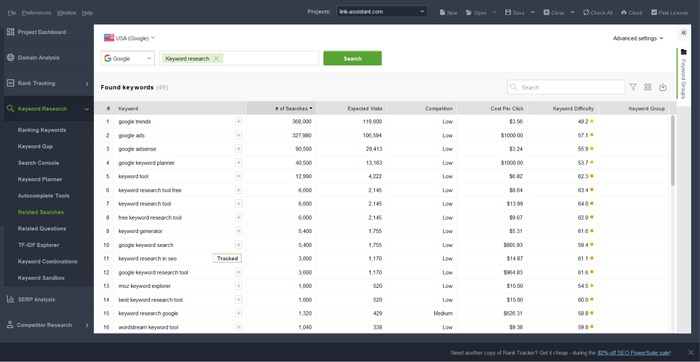
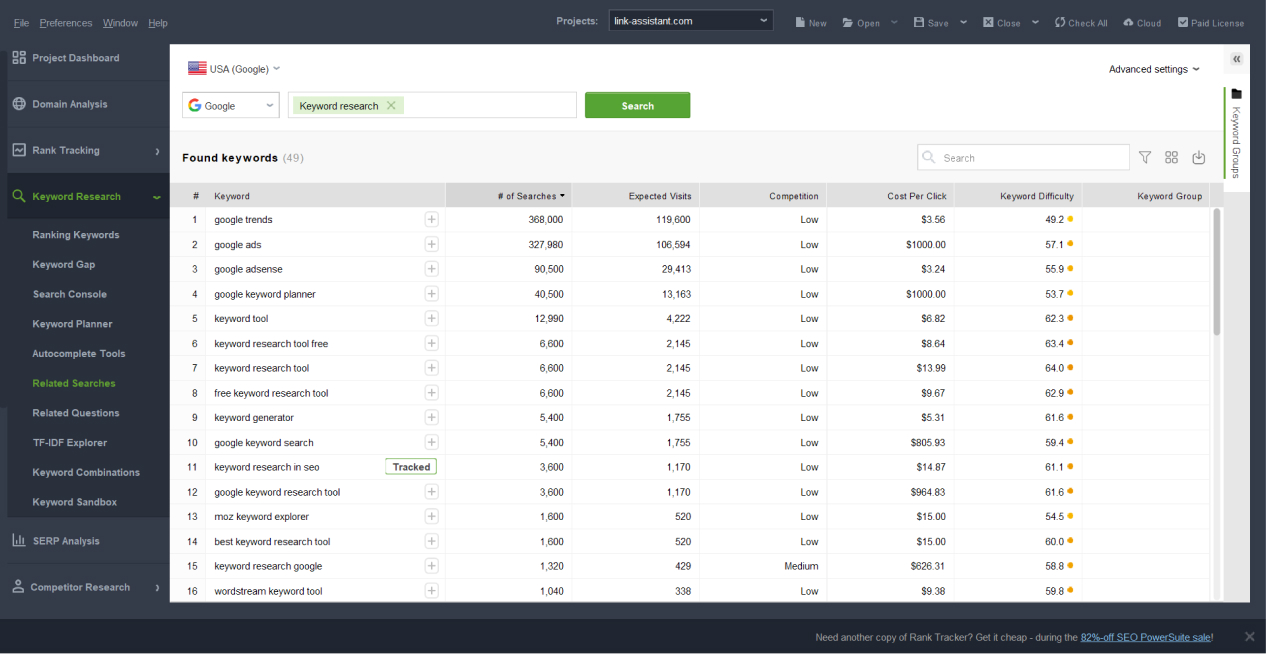
Rank Tracker's comprehensive Keyword Research module includes 20+ powerful keyword research methods. With the tool, you can quickly collect keywords from Google Search Console, Keyword Planner, Google's Related Searches, and Google's Autocomplete. You can even collect keywords from competitors' sites and use advanced research techniques like TF-IDF analysis.
Besides researching thousands of relevant keywords, you can analyze the keyword data: monthly search volume, keyword difficulty, cost per click, competition, and so on.
Approximate time spent on the task: 5 - 10 minutes
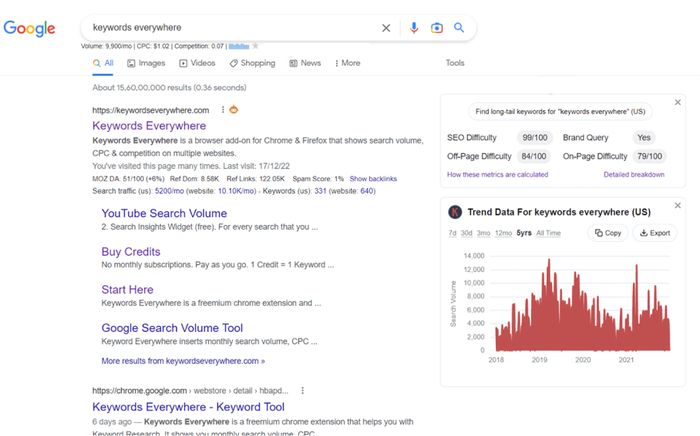
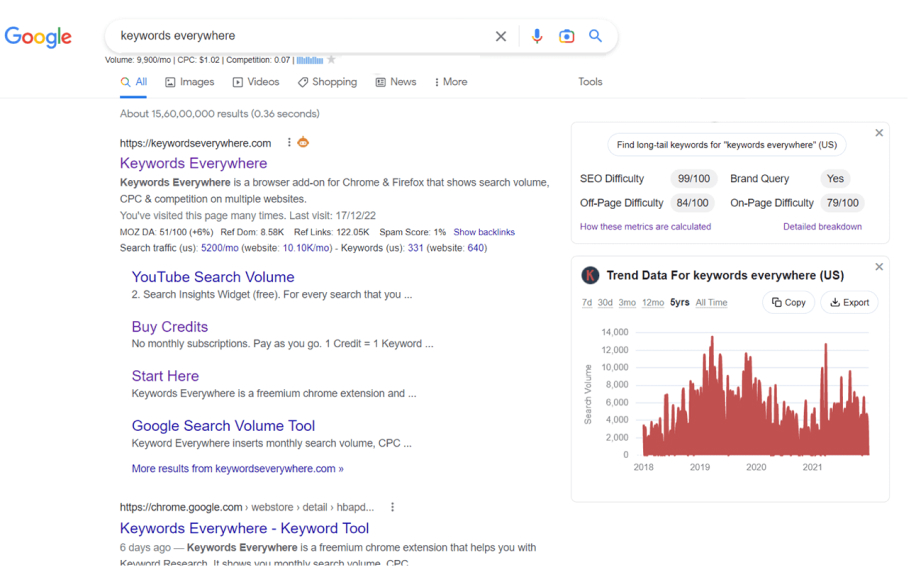
Keywords Everywhere is a useful browser extension that shows keyword data (including information about the search volume and competition) right on the SERP. It's a convenient way to get keyword insights while browsing.
Approximate time spent on the task: 2-5 minutes
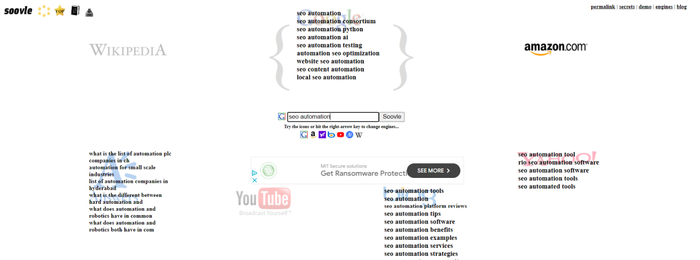
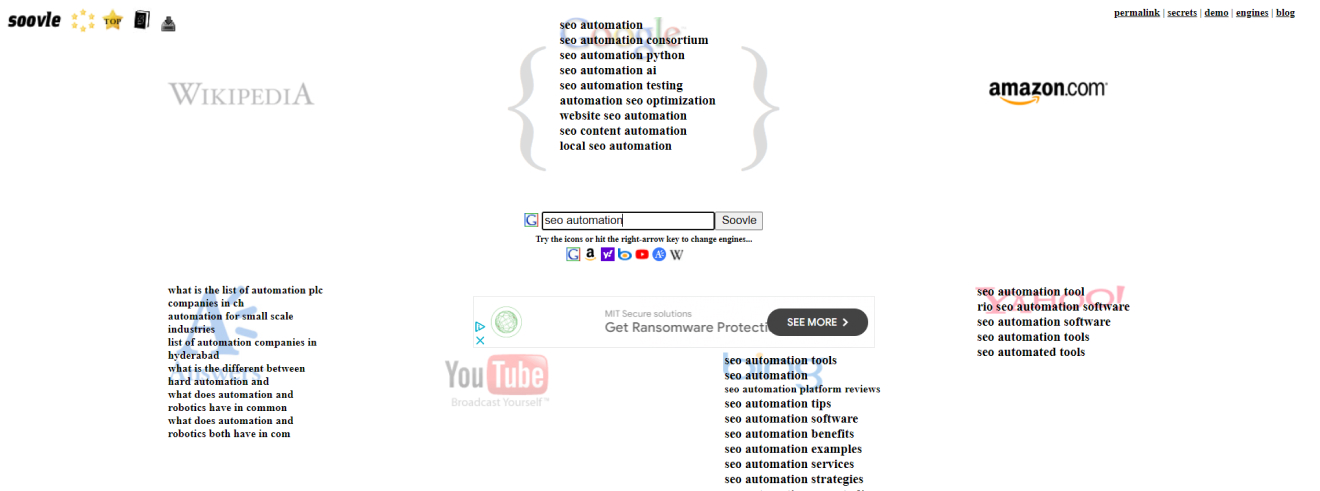
Soovle aggregates keyword suggestions from multiple search engines, including Google, Bing, Yahoo, and others. It's an excellent tool for discovering keywords across various platforms.
Approximate time spent on the task: 5 seconds per seed keyword
As an SEO, you need to check your rankings regularly. Rank tracking lets you stay on top of SERPs and make fact-based strategic decisions. How else can you ensure that your website performs optimally and attracts the traffic you need to succeed?
Rank Tracker's Rank Tracking module monitors and reports on your website's keyword rankings across different search engines. It provides insights into performance, fluctuations, and opportunities for optimization. Besides, in Rank Tracker, you can track not only your site's rankings but also those of your competitors.
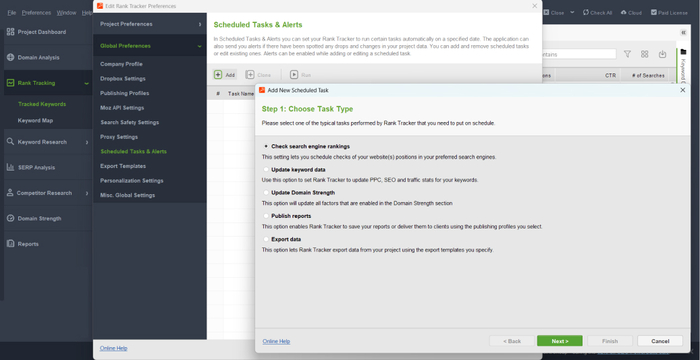
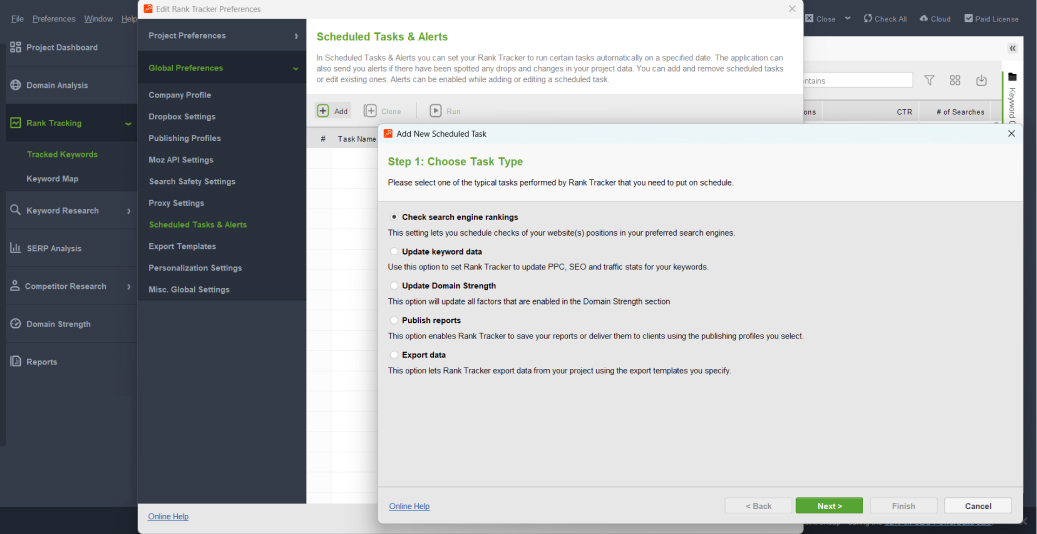
What makes your experience even smoother is that Rank Tracker has the Scheduler and Alerts functionality. It allows automated rank checking and notification if something drastic happens to your rankings.
Approximate time spent on the task: 5 minutes
Local Falcon is a tool that specializes in local rank tracking. It allows you to visualize your website's local search performance on a map. It's particularly useful for businesses with a strong local presence.
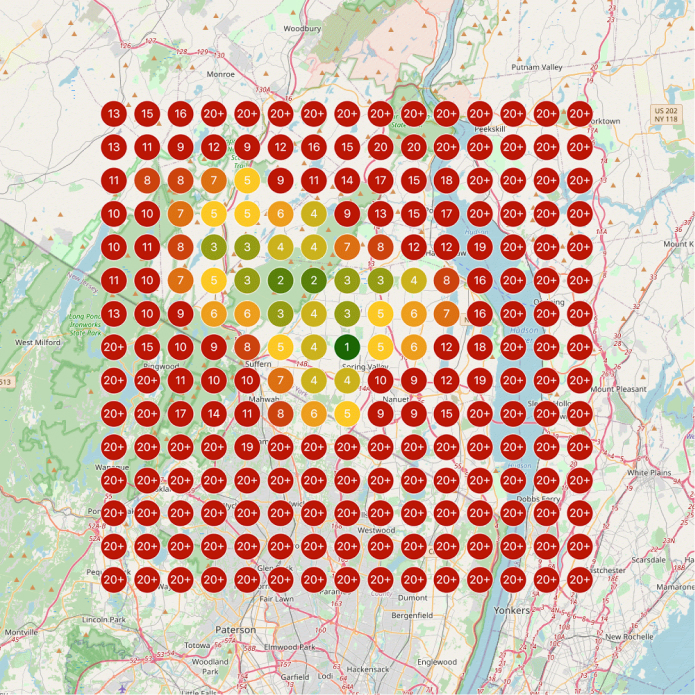
Approximate time spent on the task: 5 minutes
Sometimes, you need to quickly analyze a page or a site either of your competitor or a potential partner. You can do it manually, but it won't be informative. You can use different tools to check backlink profiles and rankings, but you'll waste too much time on using them.
But what if you could get a brief summary of the most important data on a site or a page in one place very quickly? I know a couple of tools that make it possible.
Recently, Rank Tracker has got a new module, Domain Analysis, that allows you to get instant data on any page or site's traffic, keywords, top pages, and backlinks – all in one dashboard. The best part is that you can analyze as many URLs as you need without any limits.
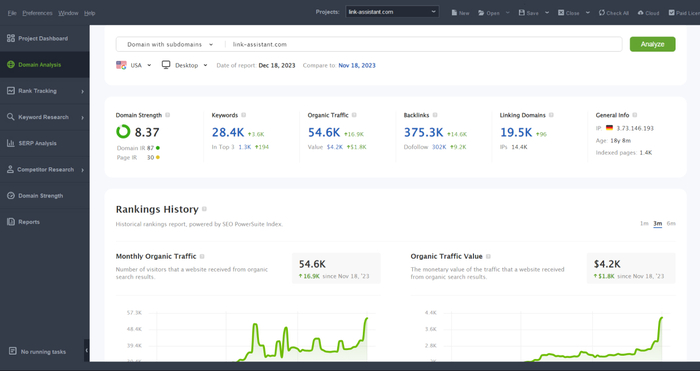
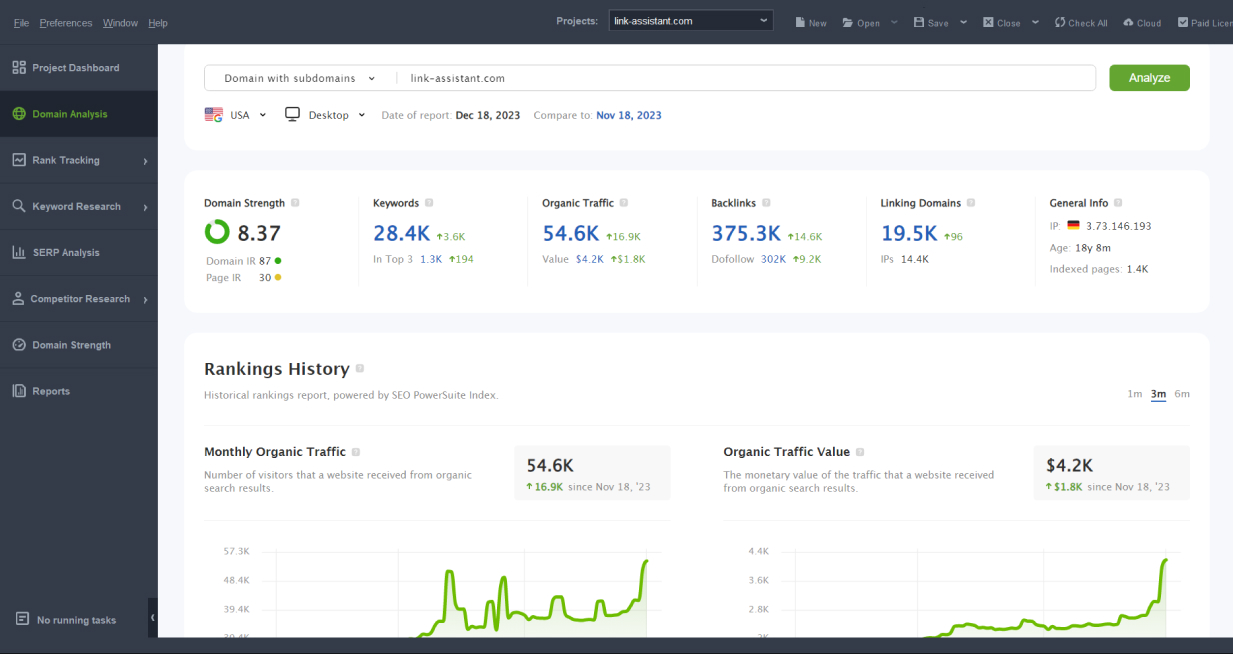
Approximate time spent on the task: 5 - 10 seconds
Website Grader is a free tool by HubSpot that analyzes any website's performance quickly. It assesses various aspects, including SEO, mobile responsiveness, and security, and provides actionable recommendations – covering more of a technical part.
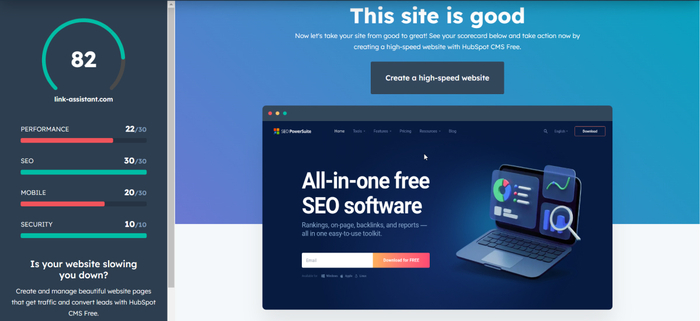
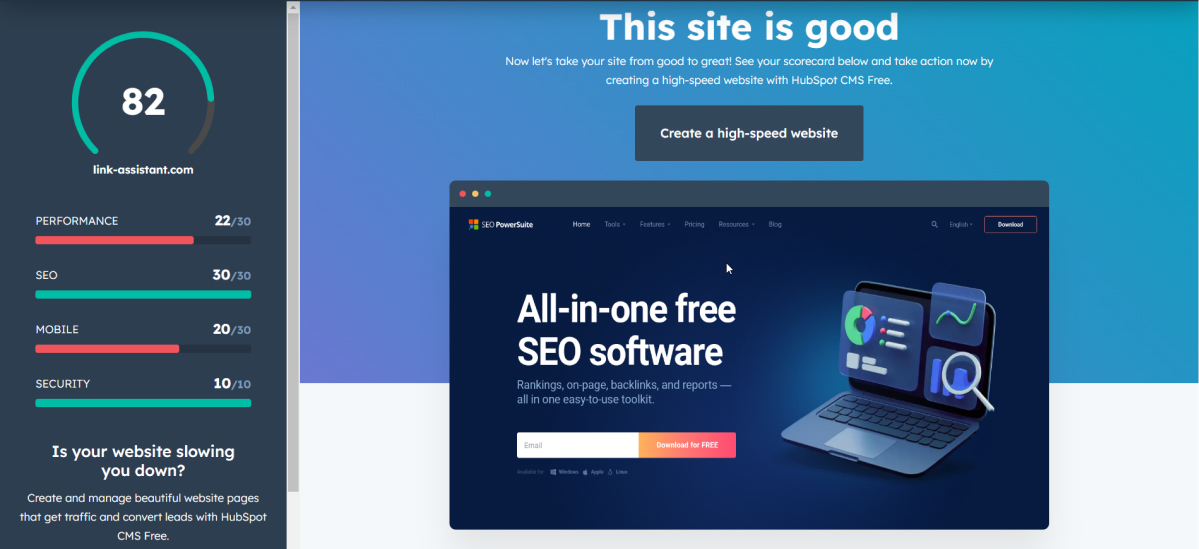
Approximate time spent on the task: 5 - 10 seconds
Before you start creating any piece of content, you should always do a SERP analysis.
SERP analysis provides valuable insights into the competitive landscape and search intent. By studying the SERP for the query in question, you can understand which websites rank for specific keywords, analyze the content and features that appear in search results, and identify opportunities and gaps in a website’s strategies.
The name says it all – Rank Tracker's SERP Analysis module is focused on analyzing SERPs. You enter the keyword, and the tool provides comprehensive insights on the 50 top-ranked pages for any keyword. This will let you evaluate how hard it will be to outrank competitors, as well as detect the factors that help the pages rank high.
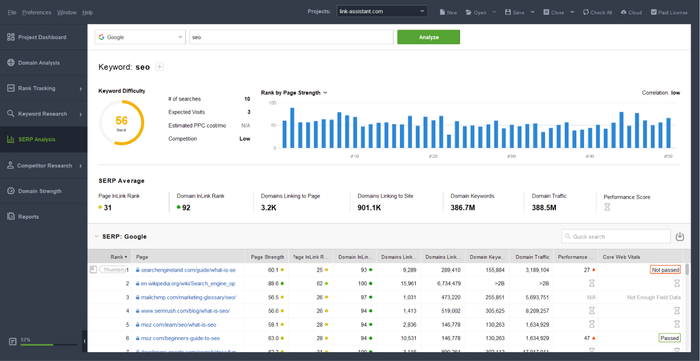
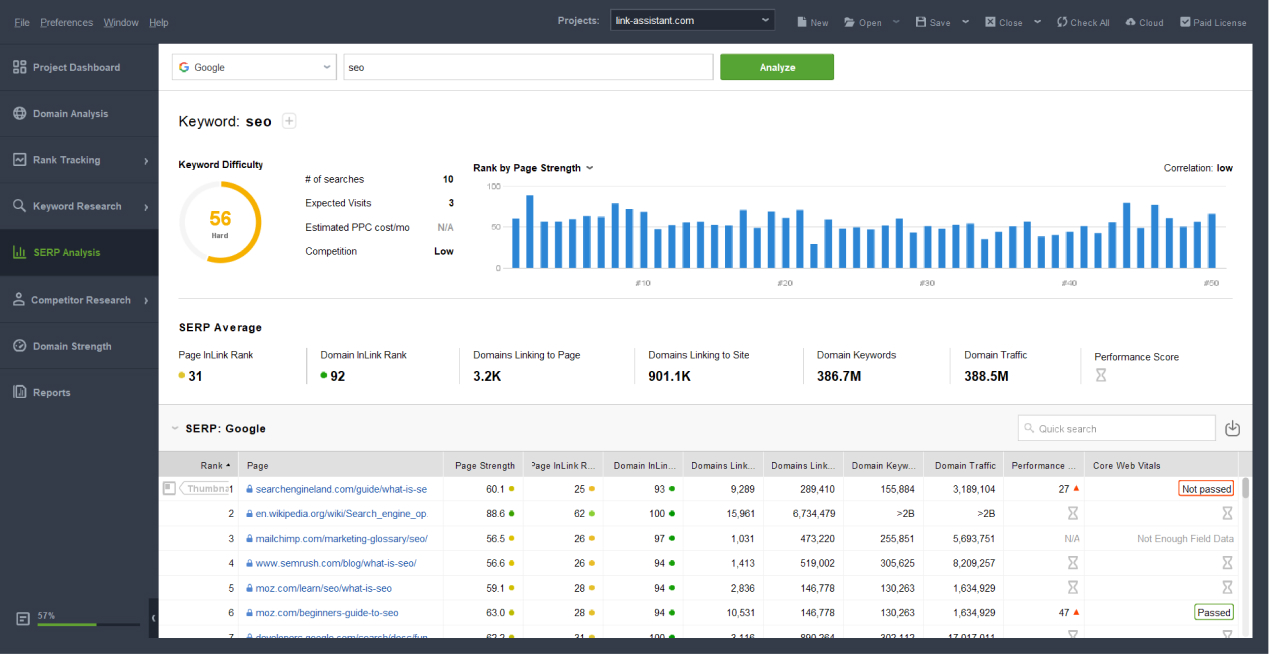
Approximate time spent on the task: 2 - 5 minutes
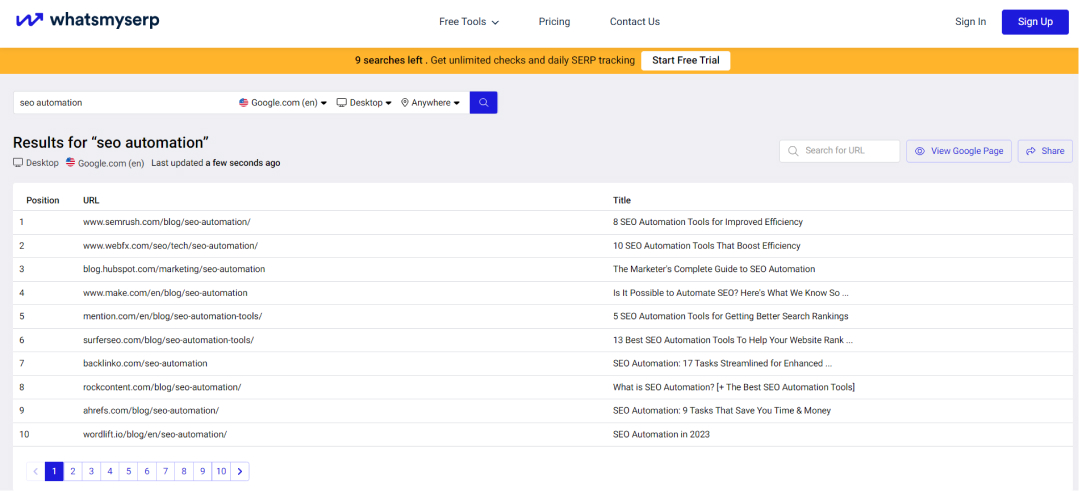
WhatsMySerp is a tool that provides a simplified and user-friendly approach to SERP tracking and analysis. With this tool, you can check keyword rankings on Google for different locations and device types.
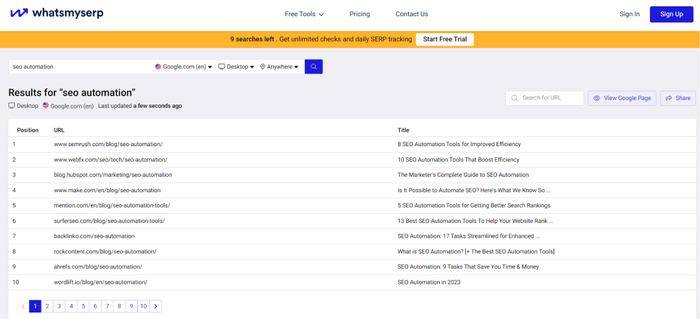
Approximate time spent on the task: <1 minute
As an SEO, you need to identify and quickly address technical and on-page issues that can impact the search engine visibility of your site.
During site audits, you assess factors such as website speed, mobile responsiveness, indexing and crawlability, site structure and on-page errors (i.e., too long titles and descriptions).
So how do you uncover and resolve these issues on autopilot?
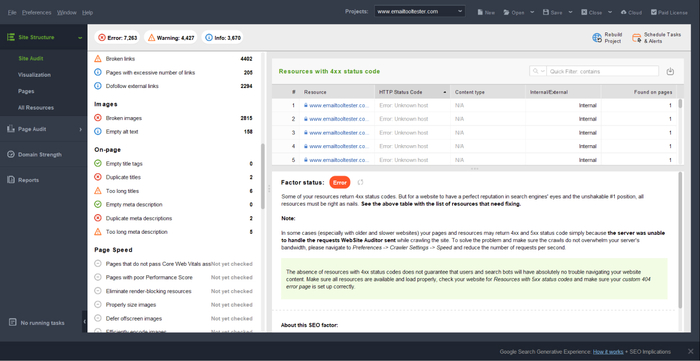
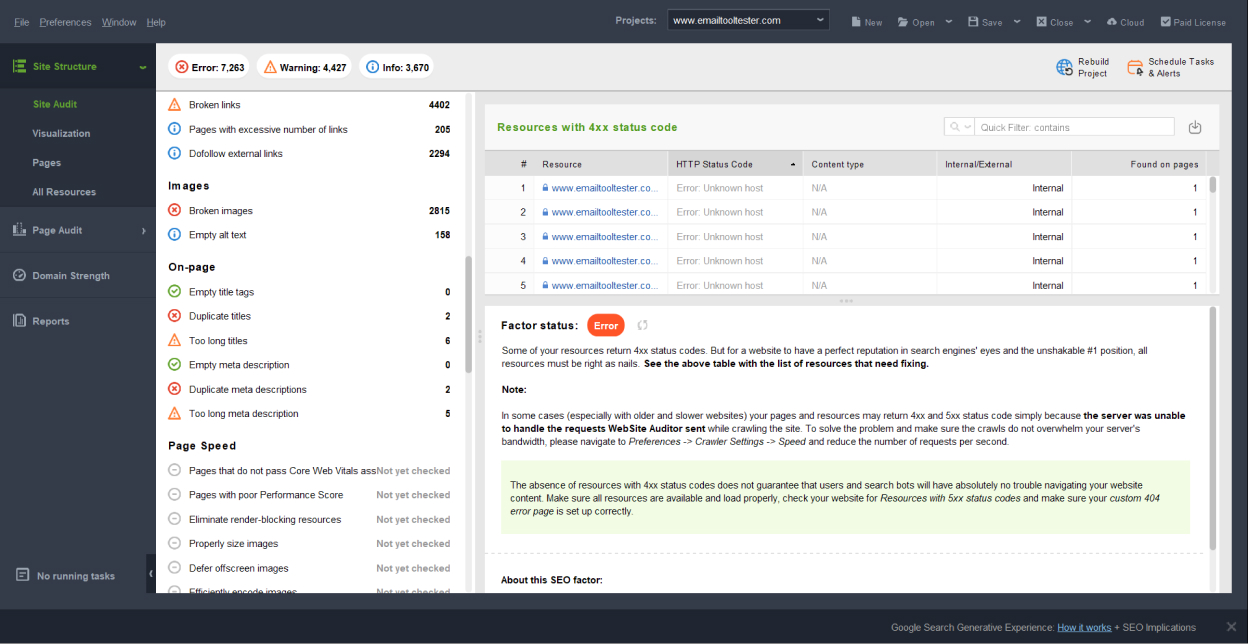
Website Auditor's name speaks for itself – the tool is tailored for an all-around SEO analysis of your website. It crawls your site entirely, checking indexation, redirects, sitemaps, the hreflang tags, and other technical factors that may escape your attention if checked manually.
Besides, WebSite Auditor checks page speed and does a bulk SEO analysis of the Core Web Vitals metrics across your website.
Just like with all SEO PowerSuite tools, you can set an automated checkup and get an alert when errors appear.
Approximate time spent on the task: 3 - 10 minutes (depending on your site’s size)
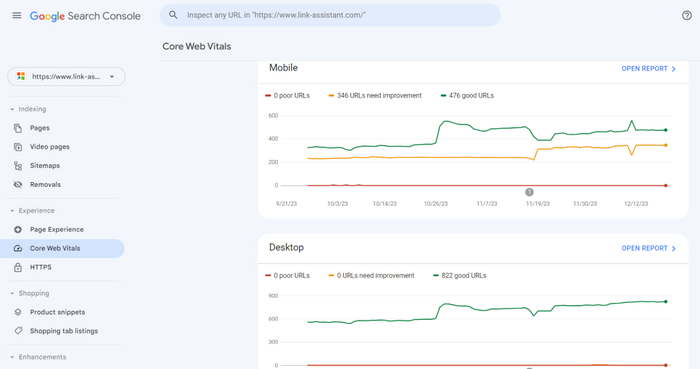
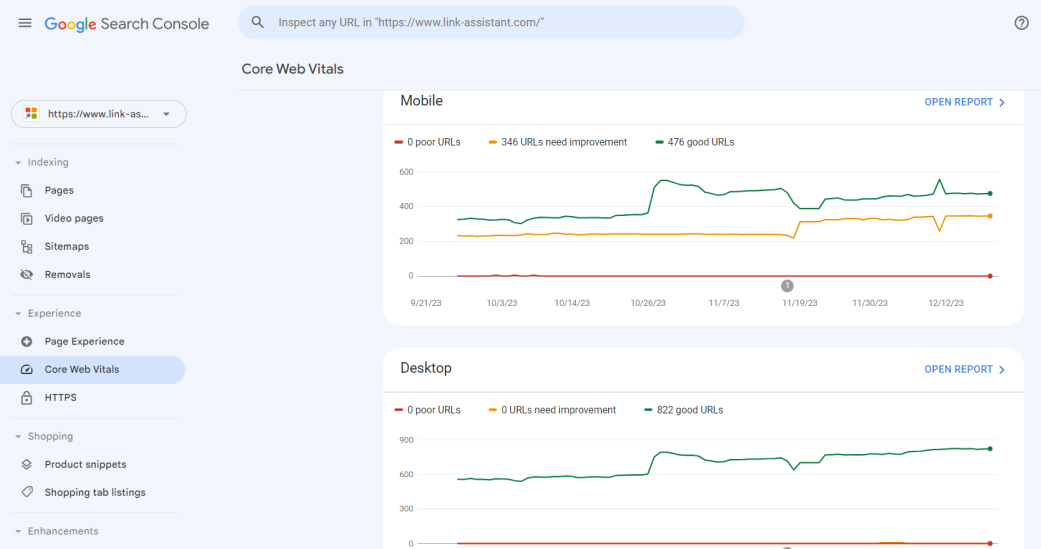
GSC is a valuable tool that can be used for certain aspects of a website audit. While it may not provide such a comprehensive audit as dedicated SEO tools, GSC offers important insights and data directly from Google. This makes GSC an essential part of any auditing process.
Approximate time spent on the task: 2 - 5 minutes
A healthy and well-managed backlink profile improves search engine rankings, but not only. It also enhances the overall credibility and trustworthiness of a website in the eyes of both search engines and users. That's why you need to audit your backlink profile regularly – preferably making the process as automated as possible.
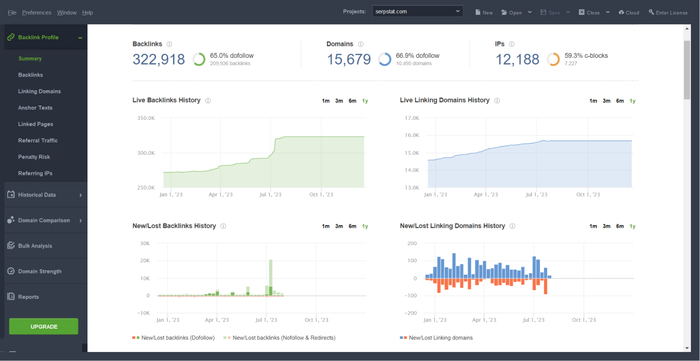
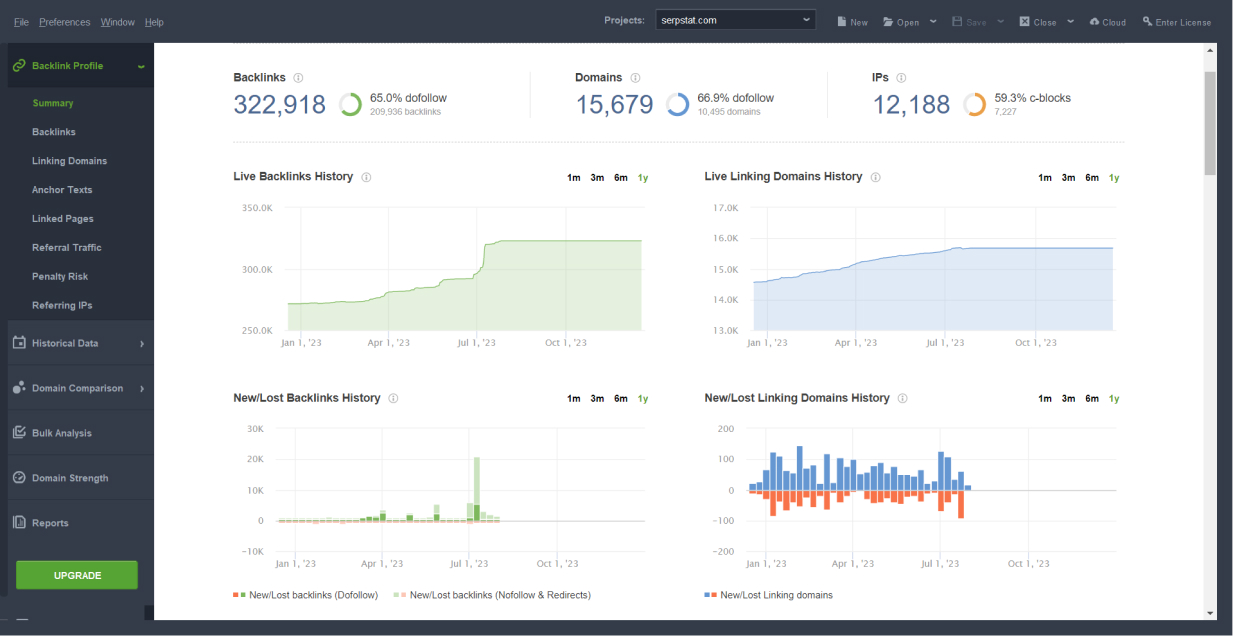
SEO SpyGlass lets you do backlink profile checkups to monitor the flow of inbound and outbound links. With backlink monitoring enabled, you can get an alert whenever your site suddenly loses lots of links or gets hit by spam backlinks.
Approximate time spent on the task: 2 - 5 minutes
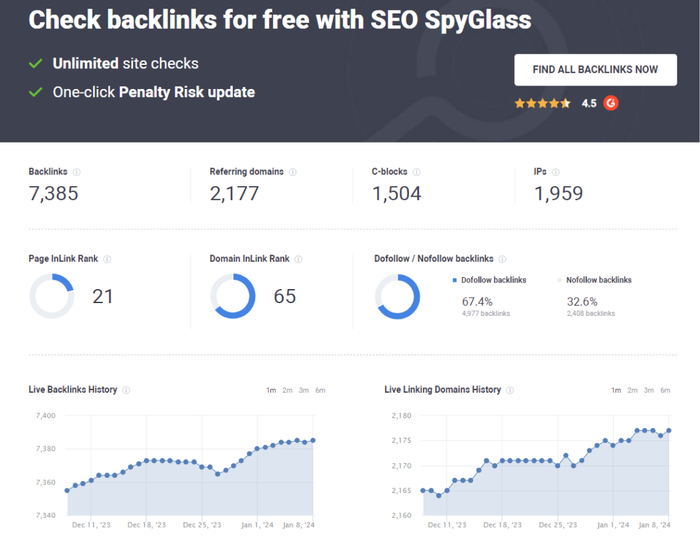
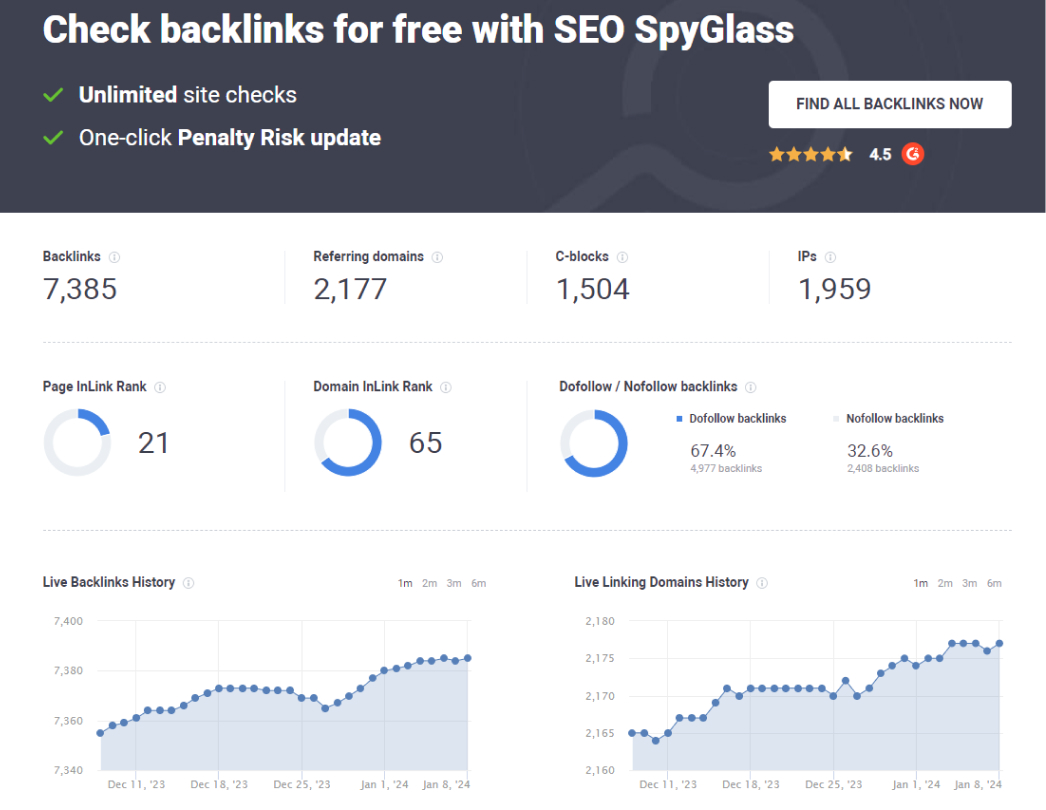
SEO PowerSuite's free online backlink checker is a web-based tool that allows you to assess the backlink profile of any website. The tool is easy to use and gives you a good idea of how many backlinks a website has, where they're coming from, and how diverse the anchor texts are.
While the backlink checker tool may not offer the extensive features of SEO SpyGlass, it is great for a quick overview of a website's backlink landscape.
Approximate time spent on the task: 2 minutes
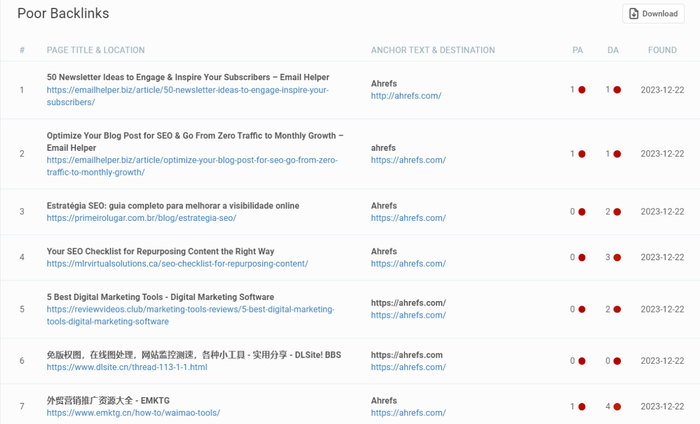
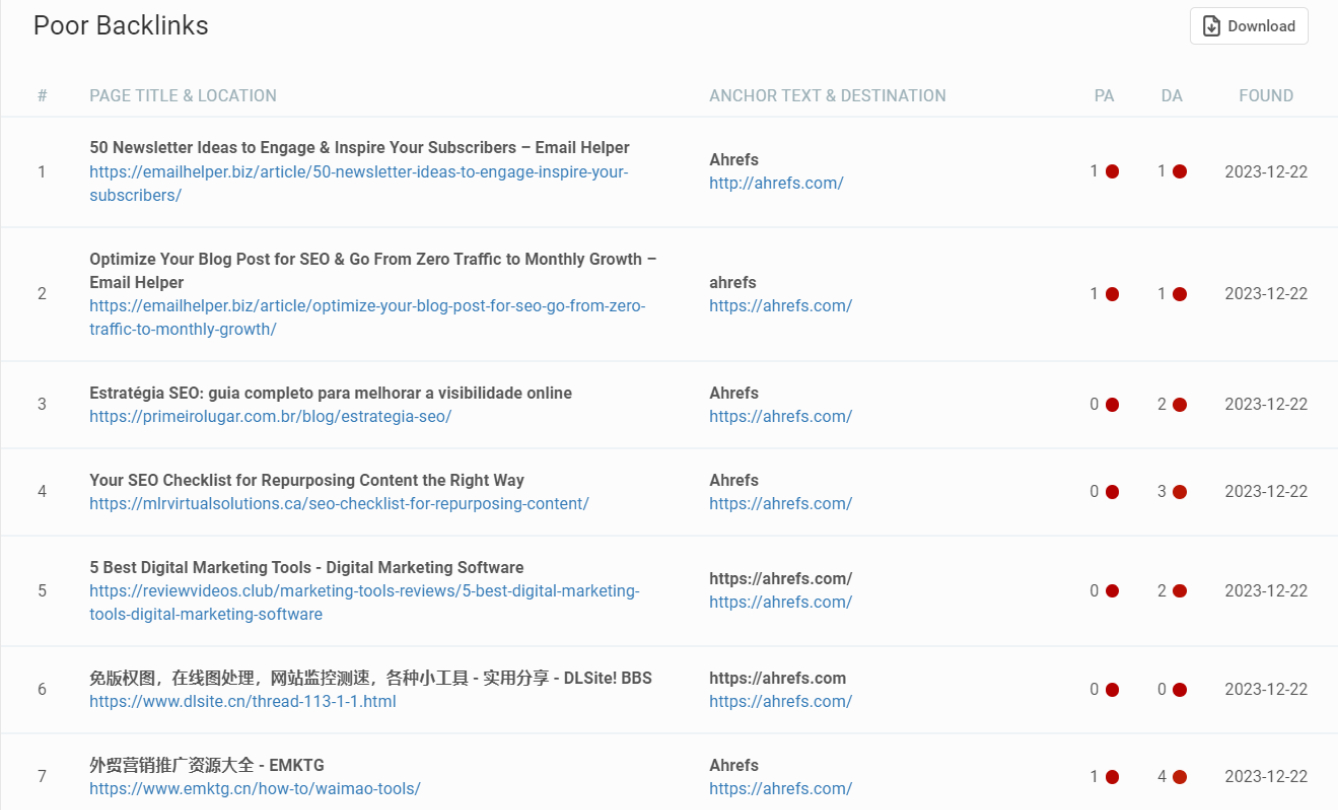
This backlink checker is a quite simple online tool that helps you quickly discover toxic backlinks on any site.
Approximate time spent on the task: 2 minutes
In the era of AI, you can automate the creation of outlines and content while taking care of meta titles, descriptions, and alt texts at the same time.
ChatGPT needs no introduction. With it, you can automate even the most creative writing tasks.
Writing an outline for your article? Yes. Writing a poem? Easy. All that is required of you is a correctly made-up detailed prompt. If you still haven't used ChatGPT for any SEO task or are not sure if you do it professionally, read our guide ChatGPT for SEO: 20 Best Use Cases.
Don’t forget that you should always review your AI-generated texts as they can sometimes be not very relevant or correct.

Approximate time spent on the task: depends on a task
Rytr is a ChatGPT-3-based content generation tool that assists users in creating various types of content, including blog posts, articles, and social media posts. So, it's great to use it to streamline the content creation process.


Approximate time spent on the task: depends on a task
When content is optimized well, it not only attracts visitors from search engines but also has a higher chance of appearing in search result features, like rich snippets. This, in turn, can increase click-through rates.
How do you optimize your content? You add target keywords, improve readability, and ensure your content addresses the right user intent. This way, you increase the likelihood of search engines ranking the page higher.
There is a way to optimize content faster and more efficiently using the tools listed below.
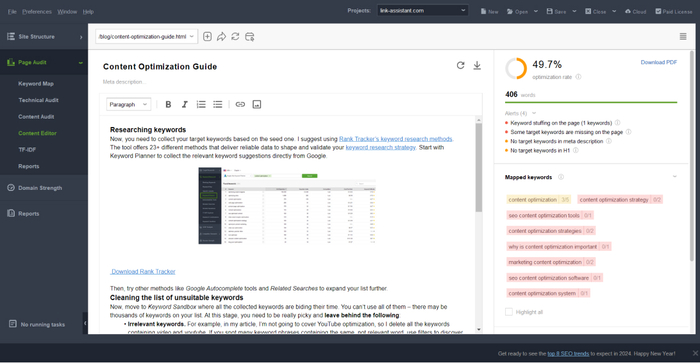
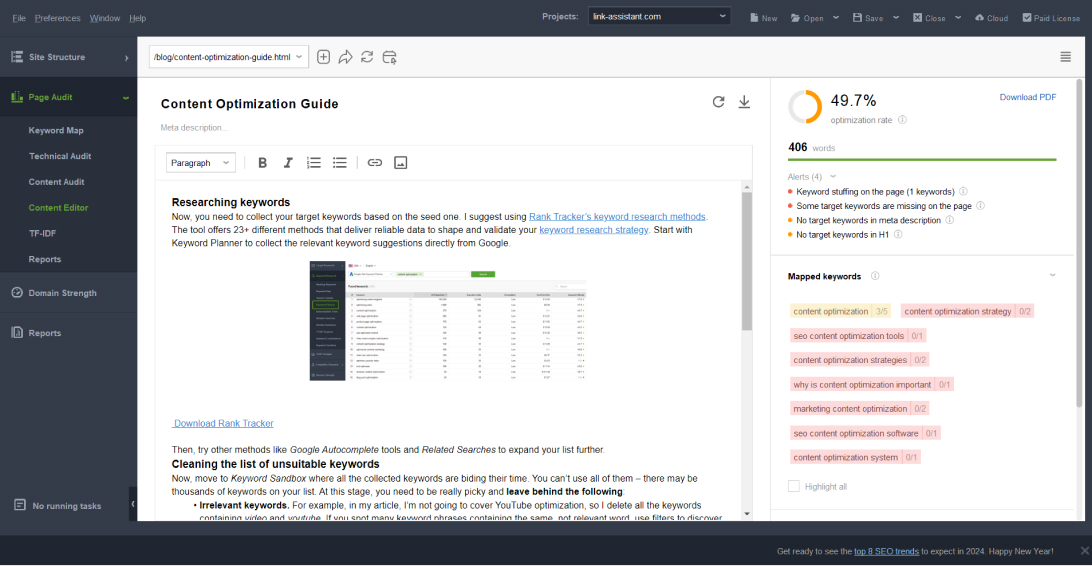
The good thing about Content Editor in WebSite Auditor is that it provides you with content optimization recommendations based on your SERP competitors.
The tool will advise on the keywords to use, topics to cover, and meta titles and descriptions to write. Plus, if you edit the text directly in Content Editor, you will see how your optimization score changes live depending on the edits.
Approximate time spent on the task: 5 - 20 minutes (depending on a task)
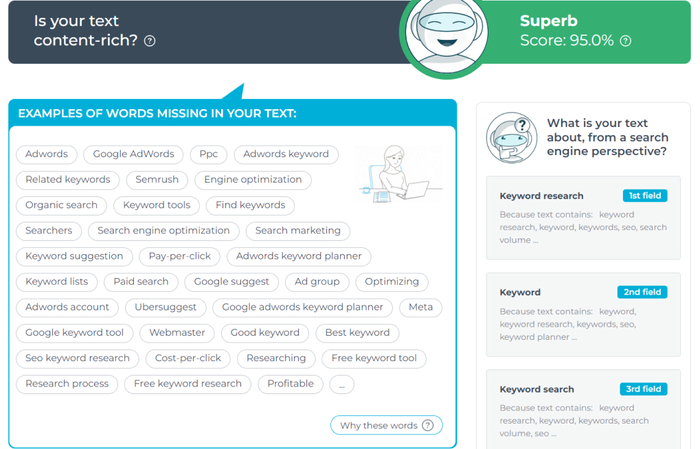
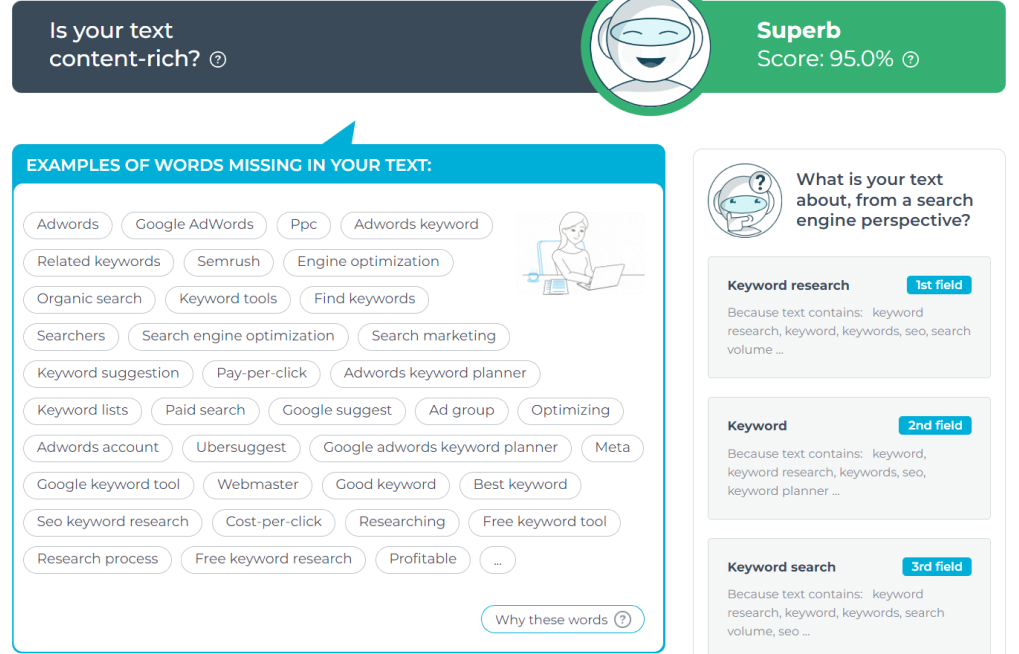
TextOptimizer analyzes your content and provides suggestions for improving its relevance and SEO. It helps align your content with user expectations and search engine requirements.
Approximate time spent on the task: 10 - 30 minutes (depending on a task)
Getting your website to the top of Google's search results is a big deal. One way to make it happen is by having a lot of authoritative websites link back to your site. This will tell Google that your website is trustworthy and credible.
However, finding and convincing other website owners to link back to you can be a lot of work. That's where automation comes in. By using tools to help you reach out to people faster, you can save a bunch of time and get great results.
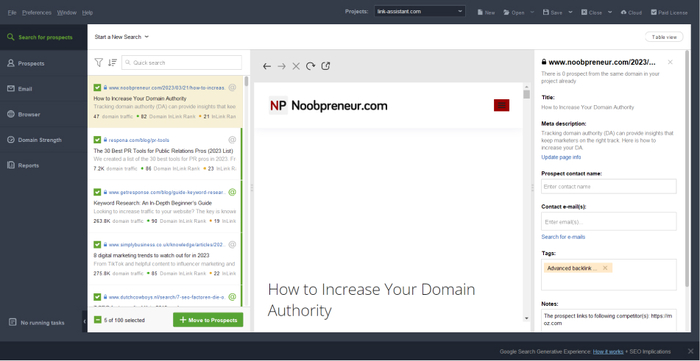
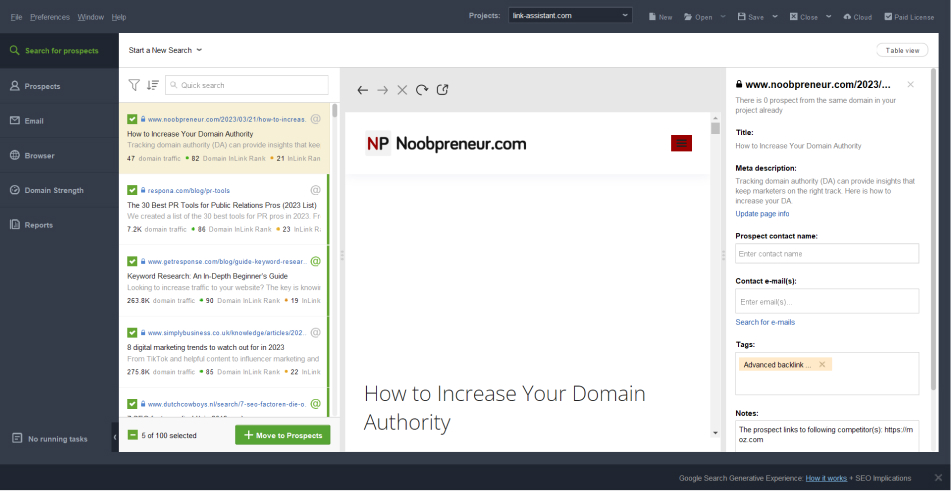
LinkAssistant, being a link-building tool by SEO PowerSuite, lets you find hundreds of link-building prospects in seconds. A very useful feature of LinkAssistant is a built-in automation tool for email collection. With this feature, you don't have to search for contact information on each site you’d like to collaborate with.
Another great thing about LinkAssistant is the built-in mailing functionality. You can use ready-made letter templates – just select the one you need and send the letters out to your prospects directly from the tool. This way, you save time on jumping from tool to tool while working.
Approximate time spent on the task: 5 -10 minutes
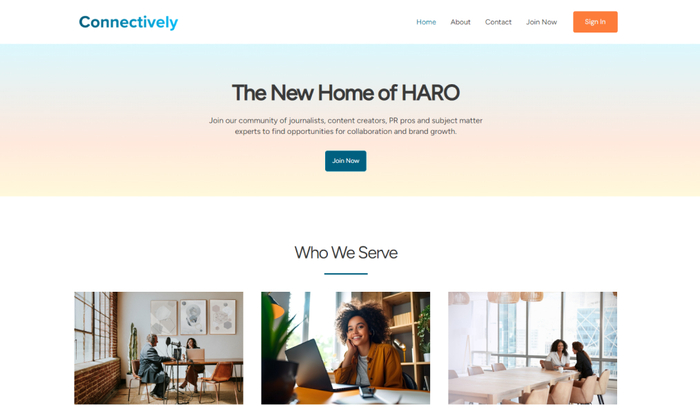
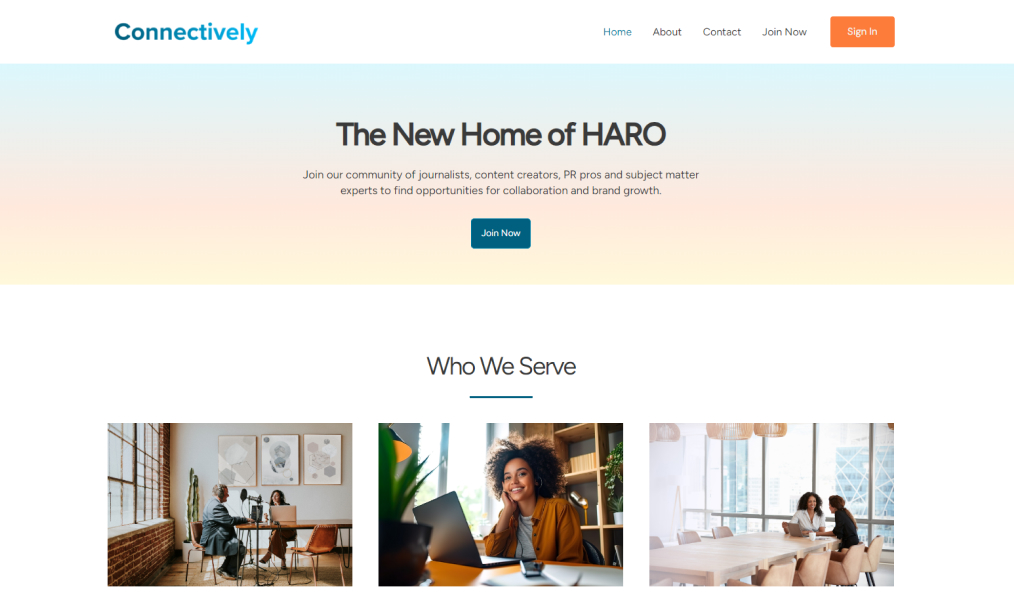
HARO (now called Connectively) is a platform that connects journalists with potential expert sources. While not a traditional link-building tool, it provides an opportunity for businesses to respond to journalists' requests and earn media coverage and backlinks.
By effectively utilizing HARO, businesses can easily find those who will write about them and establish themselves as industry experts.
Approximate time spent on the task: 5 - 10 minutes
Through visually compelling charts, graphs, and dashboards, you can present the results of your work in an easy-to-digest format that even non-technical folks can understand.
If you're not already using data visualization and reporting tools, it's definitely worth trying and testing them.
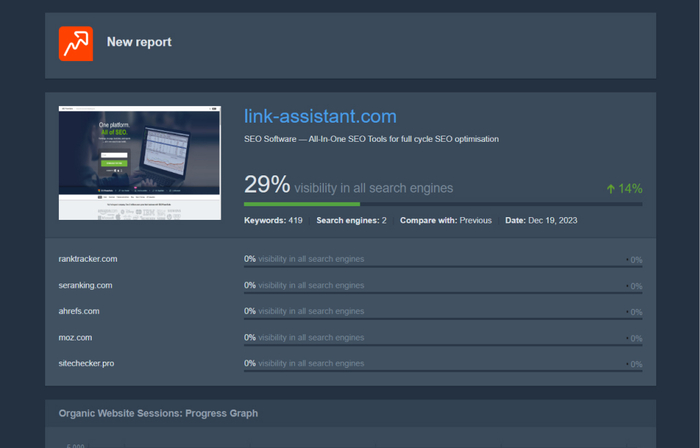
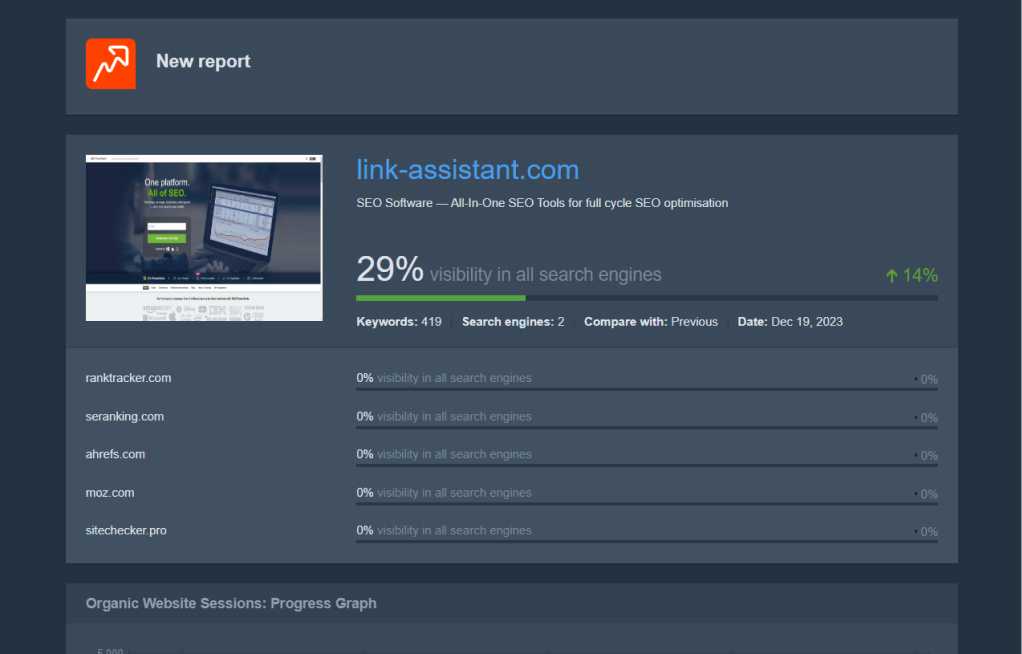
Each of the SEO PowerSuite tools offers white-label reports that you can customize the way you need – adding or removing various graphs, setting dark or light themes, etc.
You can save, print, and send these reports to your clients.
Approximate time spent on the task: 2 - 5 minutes
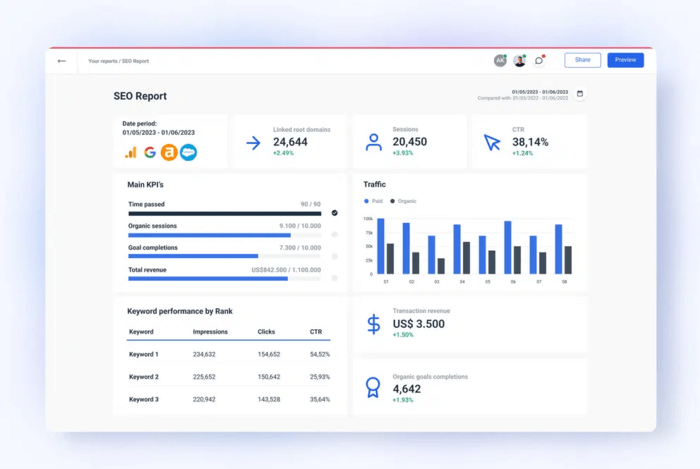
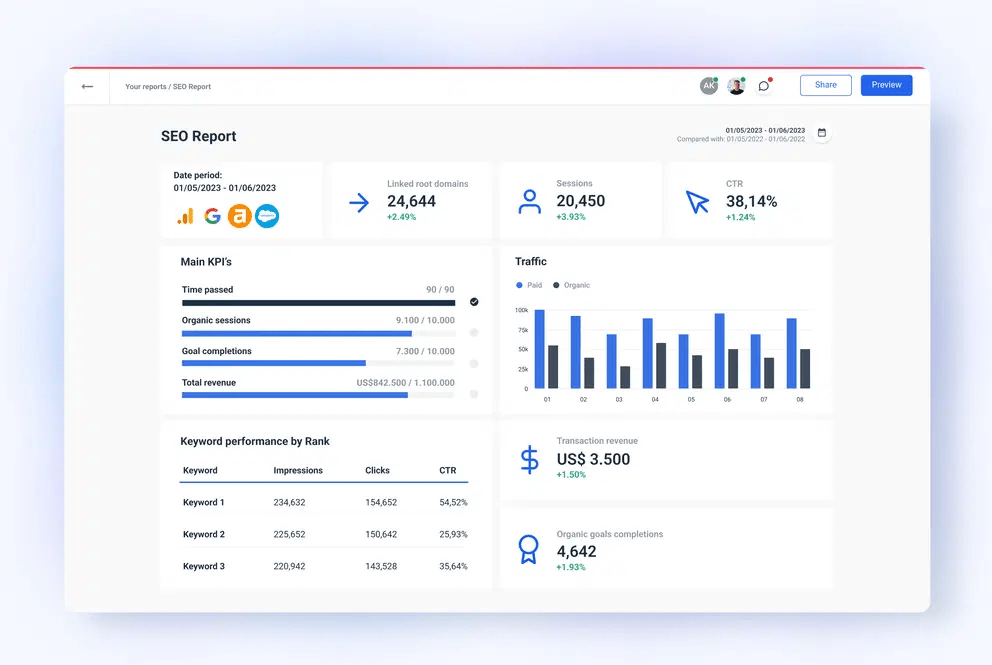
Whatagraph is a fast and easy-to-use platform for monitoring and reporting marketing performance. It increases the efficiency of marketing teams by saving hours on manual tasks. You can use it to consolidate data from all channels, organize it, and turn it into dashboards and reports for external sharing or internal analysis.
With just Whatagraph, marketers can connect scattered data and understand its full value without using multiple and often slow tools.
Approximate time spent on the task: 5 minutes
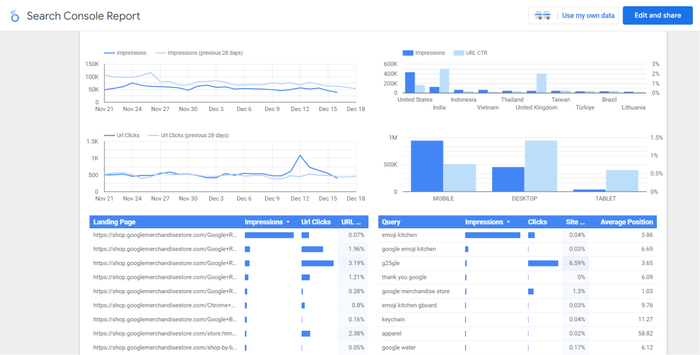
Google Looker Studio integrates seamlessly with various Google products like Google Analytics and Google Search Console and allows users to create interactive and customizable reports.
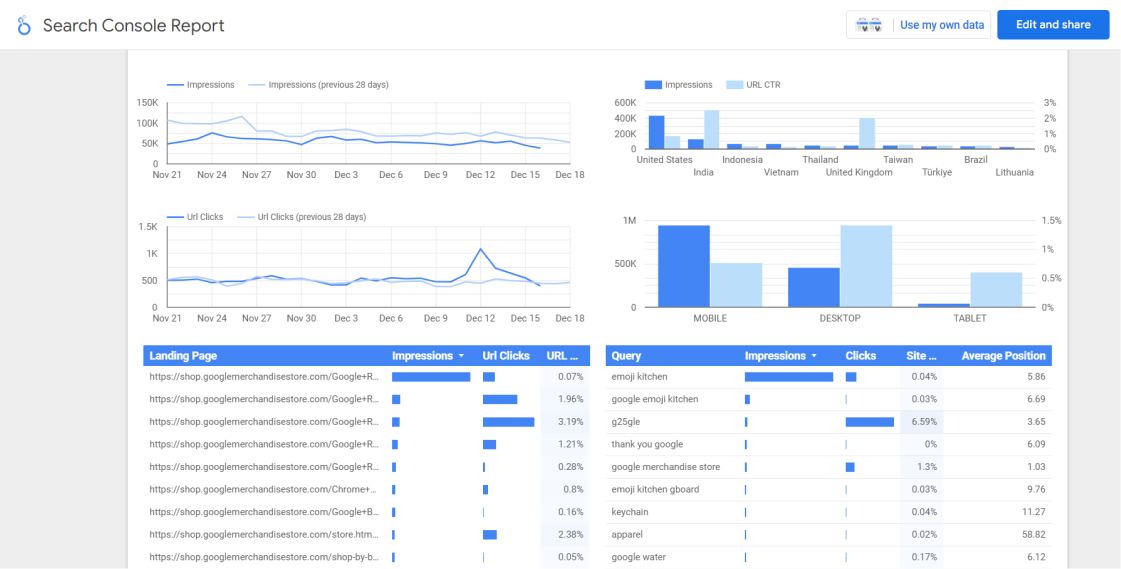
Approximate time spent on the task: 5 - 10 minutes
Cyfe is a business dashboard that lets you connect different data sources and track different types of information, including SEO and SEM metrics. The tool can pull data from several sources into one dashboard so that you won't need to switch or log in to several marketing tools.
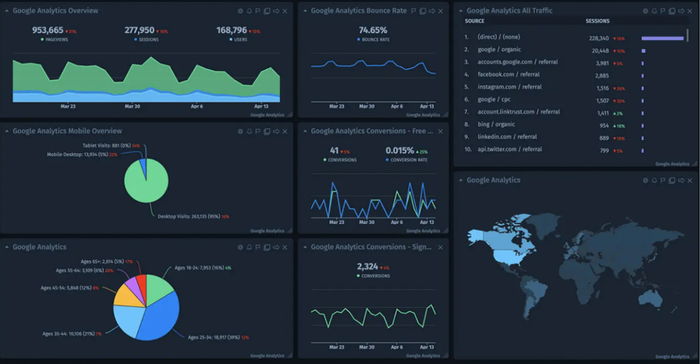
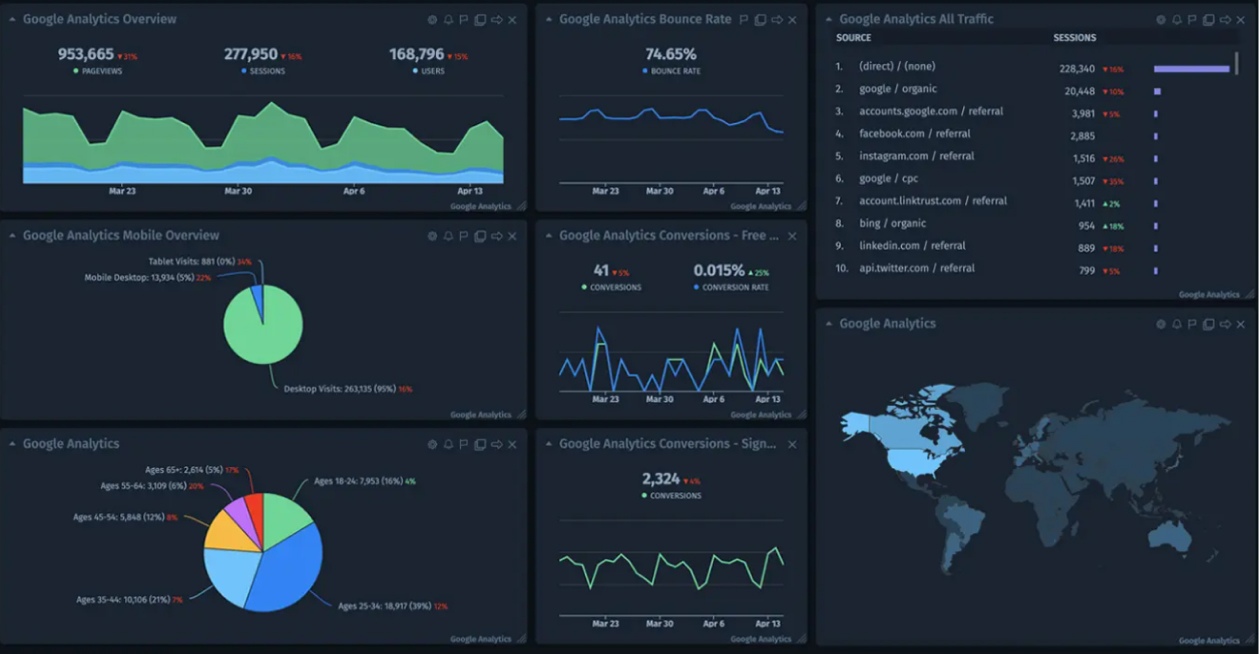
Approximate time spent on the task: 5 - 10 minutes
Promoting content on social media seems more about SMM rather than SEO, but it is integral to SEO as it extends the reach and visibility of valuable content beyond the website and search engines.
In fact, social media platforms are nice channels for sharing content, generating backlinks, and increasing brand exposure.
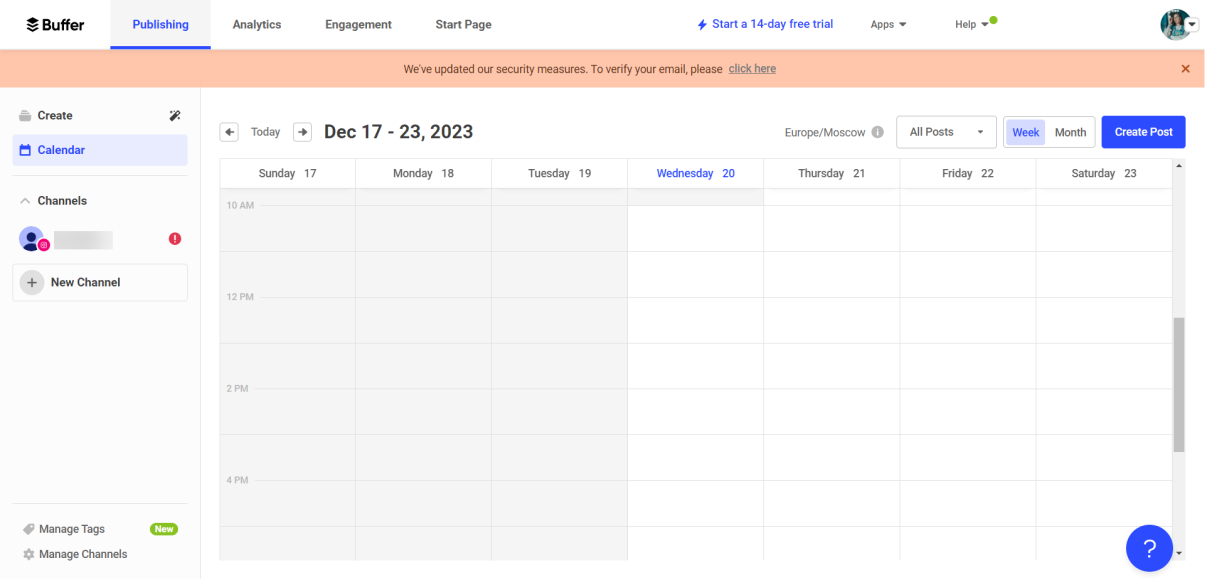
Buffer is a social media management tool that SMM publishers love for ease of use and insightful dashboards. Publishers can schedule a post and publish it from one tool across multiple channels.
Also, Buffer allows you to engage with the audience and reply to your social media comments from one place.
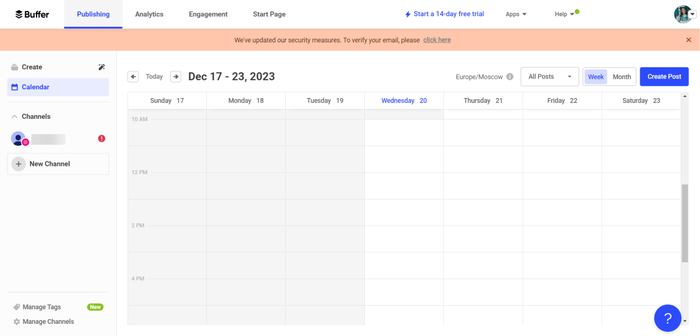
Approximate time spent on the task: 5 minutes
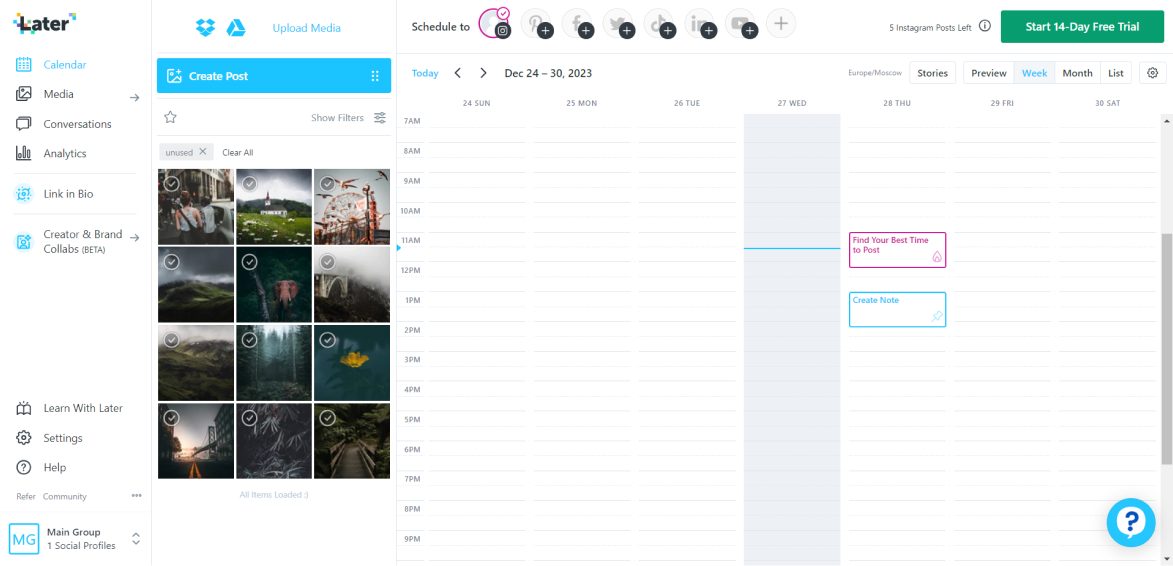
Later offers functionality that is similar to Buffer. However, there are slight differences between them.
Later specializes in visual content planning and excels in platforms like Instagram (there are more perks for it), while Buffer seems to be more comprehensive in terms of content types and platforms.
Approximate time spent on the task: 5 minutes
Social listening helps businesses monitor and analyze social media conversations related to their brand, industry, or relevant topics. Insights gained can inform content strategy, SEO targeting, and audience engagement.
Additionally, social listening can help address issues and maintain positive online reputation.
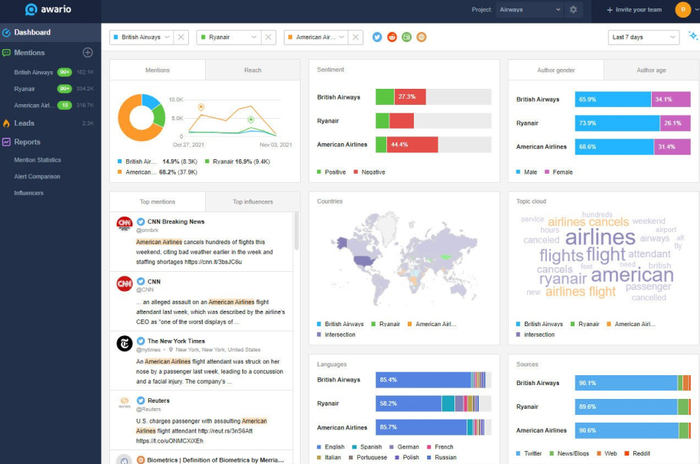
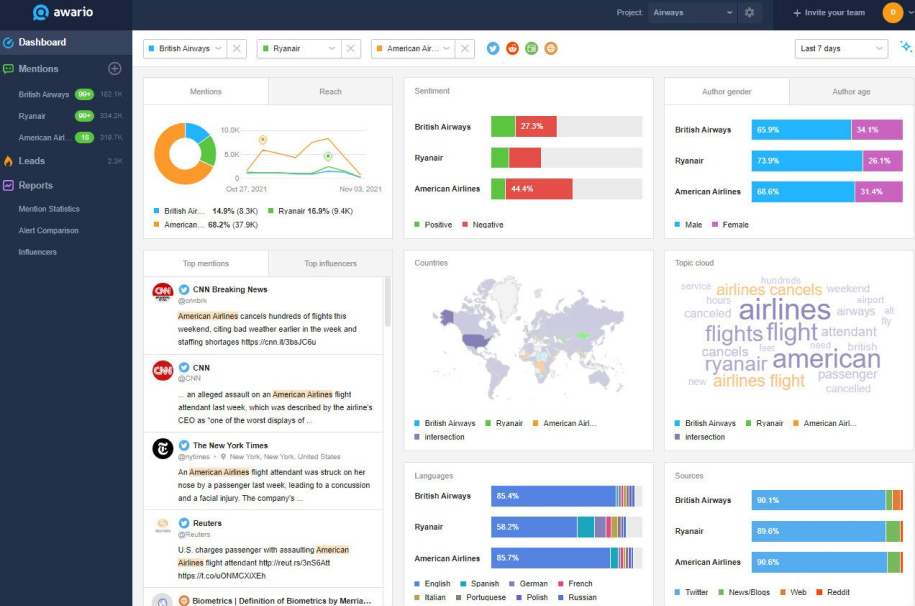
Awario is a social listening tool that tracks mentions across social media and measures online brand reputation. All you need to do is set up an alert to track the brand name or any major keyword. You will receive regular notifications in your inbox where they have been mentioned on the web, in news, blogs, and social media like Facebook, Twitter (now X), Instagram, Reddit, etc.
Approximate time spent on the task: 5 - 10 minutes
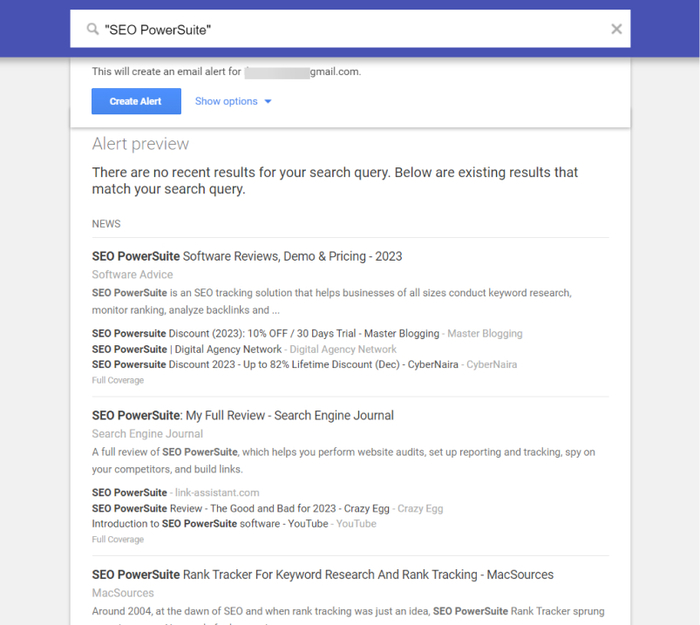
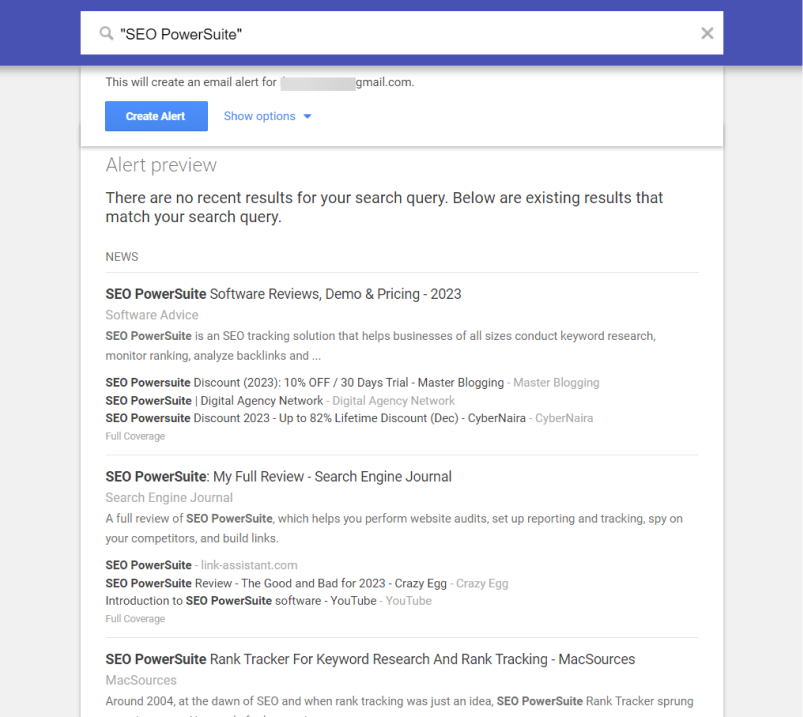
Google Alerts allows you to set up alerts for conversations across the web. With it, you can track specific keywords and topics or your brand name/ your competitors' brand names. There, you can filter your results based on sources, language, or region. You can even set the frequency of alerts.
Approximate time spent on the task: 5 minutes
Streamlining the SEO workflow is essential for optimizing resources, maintaining consistency, fostering collaboration, and adapting to changes efficiently. It ultimately leads to more effective SEO campaigns and better overall results.
Sounds appealing, right?
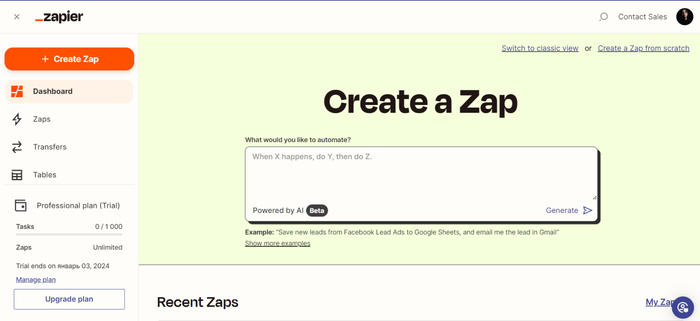
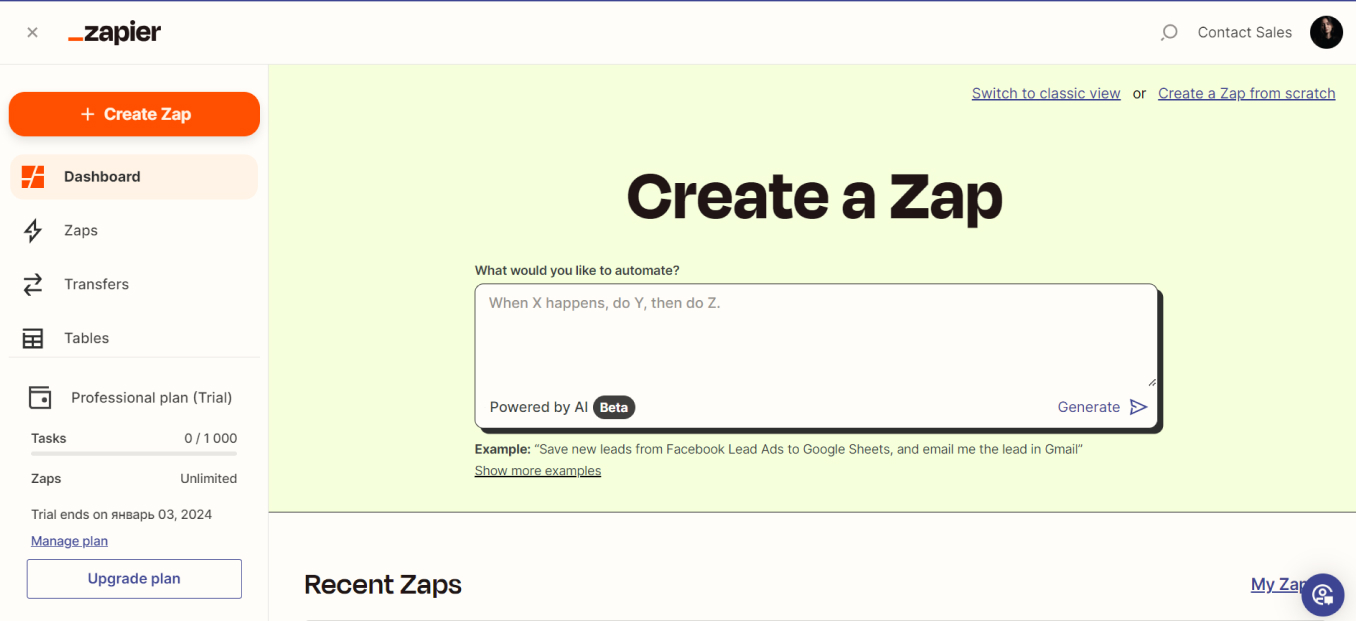
Zapier is an automation platform that allows you to connect various apps and automate workflows between them. For SEO purposes, Zapier can help automate repetitive tasks, data transfers, and communications between different tools, making your workflow more efficient.
For example, you can automatically sync your keyword research data from Excel to Zapier and then trigger actions like creating tasks or sending notifications to team members.
Or, you can automate the tracking of your content performance: when new content is published on your website, you can set the tool to automatically update a Google Sheet with the important details about this new piece of content. This can help you track and analyze the performance of your content over time.
Approximate time spent on the task: 5 - 10 minutes
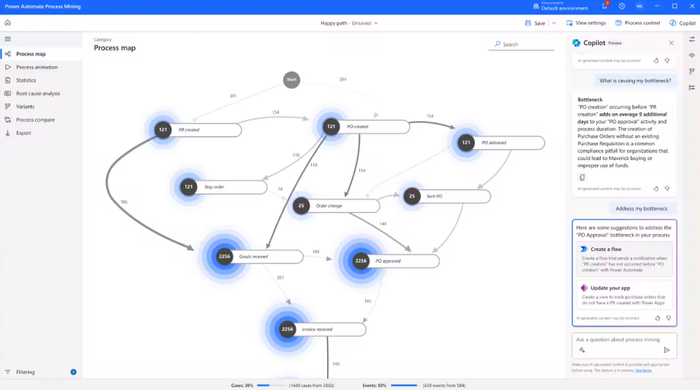
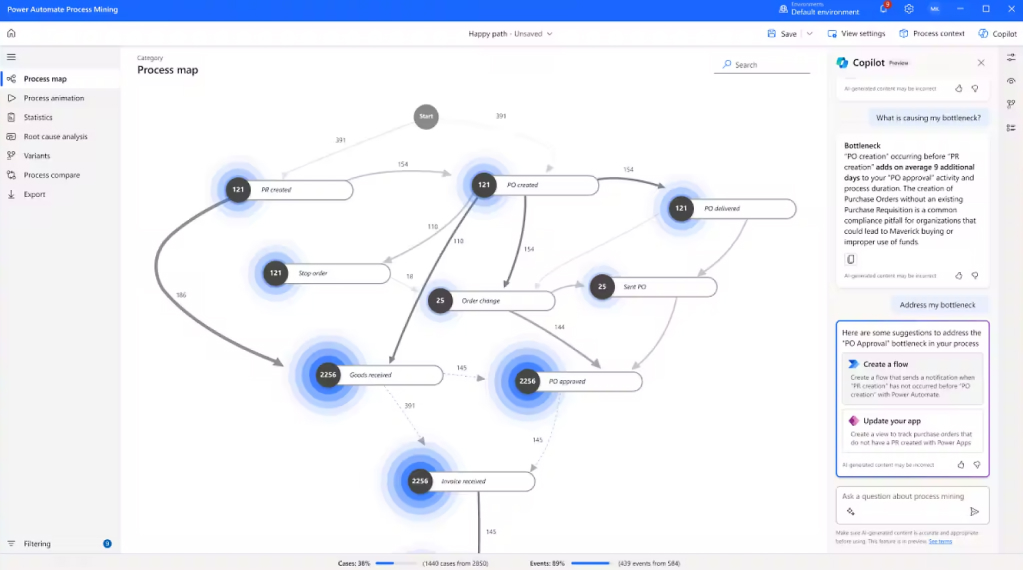
Microsoft Power Automate is a tool that helps simplify work processes by connecting different apps and services together. It doesn't require advanced coding skills, so you can automate SEO tasks more easily and efficiently.
If there is a process you want to automate, you can visualize it by creating a flowchart containing different steps, variables, and conditions.
In Power Automate, you can automate tasks between 500+ applications, including Sharepoint, Azure, Excel, Online Office, X (former Twitter), YouTube, Gmail, and more.
Plus, recently, Microsoft integrated Copilot into the tool, so now you can automate tasks even faster and smarter.
Approximate time spent on the task: 10 - 20 minutes
To summarize it all, there are many great tools that can help you automate most routine SEO tasks and save precious time:
As you may have noticed, SEO PowerSuite can automate most of the routine SEO tasks mentioned in the article. That’s why if you haven’t tried SEO PowerSuite yet, it’s high time to do so.
What tools do you use to ease SEO for yourself? We're waiting for your replies in our user group on Facebook! Let's help each other – at the end of the day, we all are in the same boat, right?