Google PageSpeed in WebSite Auditor

New in WebSite Auditor: fully integrated Google PageSpeed Insights
In today's WebSite Auditor update, we're integrating Google PageSpeed Insights and releasing two groups of page performance factors: page speed (on all devices) and page usability (on mobile).
The just-added factors will help you test, analyze, and improve your pages' performance on any device: whenever the app finds a speed- or usability-related problem on your page, you'll immediately get a how-to-fix tip. Read on to find what the new features are and how they work.
Page Speed (Desktop)
First things first: page speed is a ranking factor. All other things being equal, the site that loads quicker will outrank a competing site, hands down. Second, but perhaps even more important, page load time affects user experience in more ways most would expect.
Research shows that 57% of visitors will abandon your page if its load time is over 3 seconds, and 75% consumers will opt for competitor sites instead of dealing with a slow loading page. Think about it: You may be losing 3/4 of potential customers for good due to things within your control.
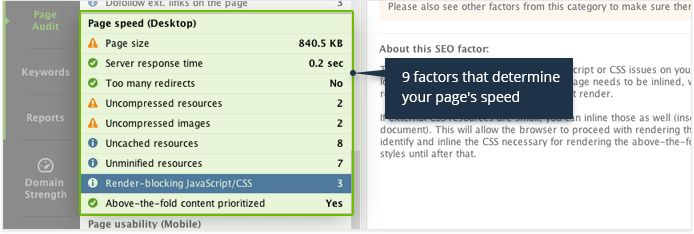
Page speed is a complex value made up by numerous factors, so simply knowing how quickly your page currently loads and how quickly it should load wouldn't get you any closer to solving the problem. To give you specific ways of tackling specific issues, we've added 9 new factors that make up page speed, with best practices on addressing each.
| 1 | Page size | Shows the page's size in kilobytes and what can be done to reduce it. |
| 2 | Server response time | Gives you the time in seconds it takes your server to respond, and possible causes to look into if that time is too slow. |
| 3 | Too many redirects | Shows you how many redirects the page has, whether they are slowing the page down, and SEO best practices for page redirection. |
| 4 | Uncompressed resources | Shows the URLs of HTML, CSS, and JavaScript resources on your page that could be compressed, and how much space compressing those will save. |
| 5 | Uncompressed images | Gives you a list of images on your page that can be optimized with no drop in quality, the byte savings optimizing them will yield, and a download link to an archive with your images, already compressed (by Google). |
| 6 | Uncached resources | Shows the resources on your page that are not being cached by browsers (or are only being cached for a short time), thus increasing page load time. |
| 7 | Unminified resources | Gives you a list of unminified HTML, CSS, and JavaScript used on the page, the space minifying them can save, and a link to download the optimized version of these resources (minified by Google). |
| 8 | Render-blocking JavaScript/CSS | Shows the JavaScript/CSS on your page that affects the load time of its above-the-fold part, with best practices and how-to-fix recommendations. |
| 9 | Above-the-fold content prioritized | Shows whether the above-the-fold part of your page is prioritized and loads quickly, and how much of your page's visible part is displayed after the HTML is fully loaded. |
Page Usability (Mobile)
Rolled out in April this year (and still rollin'), the Mobile algo update has shown how serious Google really is about mobile usability.
And it has every right to be: recent studies show that in the US, Japan, and 8 other countries across the world, over 50% of search requests come from mobile devices. Almost half of US retail traffic? Mobile. 60% of all online traffic? Mobile, and growing like crazy.
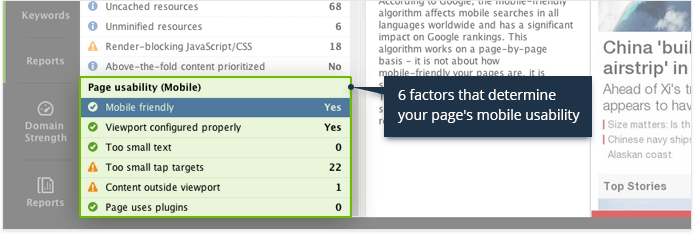
Sadly, like with page speed, there is no one magic button that would make your pages mobile-friendly. Even adopting responsive design, dynamic serving, or a whole new mobile version of the site doesn't guarantee a top-notch mobile user experience — mobile friendliness is made up by numerous factors that need to be addressed separately.
We've added all these factors to WebSite Auditor to make testing and improving your site's mobile usability as easy as it gets.
| 1 | Mobile friendly | Shows whether your page passes Google's mobile friendly test, with a screenshot of how the page looks on smartphones. |
| 2 | Viewport configured properly | Shows if the page has a properly configured viewport, the meta tag that controls how the page is displayed on mobile devices. |
| 3 | Too small text | Gives you a list of text fragments on the page that may be illegible on mobile devices. |
| 4 | Too small tap targets | Shows the links and buttons that are too small or tightly packed to click on touchscreen. |
| 5 | Content outside viewport | Shows the page's content that does not fit the user's screen width thus forcing the user to scroll horizontally to view it, with how-to fix advice. |
| 6 | Page uses plugins | Gives you a list of plugins used on the page that could make your content unavailable to mobile users, and tips on alternative solutions. |
 Hide How-to
 Show WebSite Auditor How-to
1. Download WebSite Auditor and install it - just in case you haven't already :)
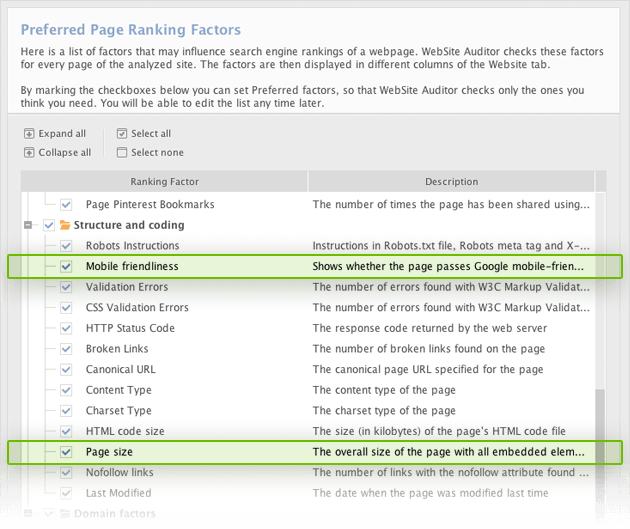
2. Create or open a WebSite Auditor project, go to Preferences -> Preferred Page Ranking Factors, and make sure Mobile friendliness and Page size are selected under Structure and coding.
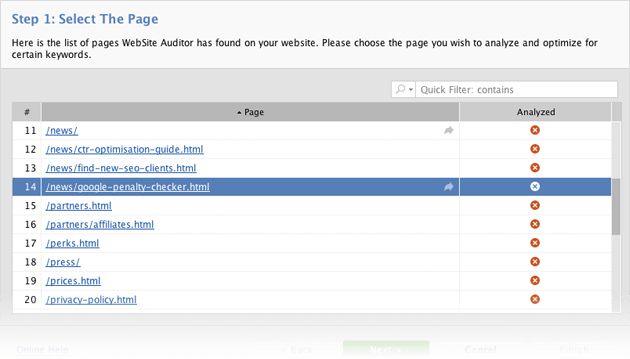
3. Go to the Content Analysis module, select the page you'd like to analyze, and proceed with the next steps.
4. Once the analysis is complete, locate the Page speed (Desktop) and Page usability (Mobile) in the list of factors on the left. Click on factors with an (Error) or (Warning) status to see details and get recommendations.
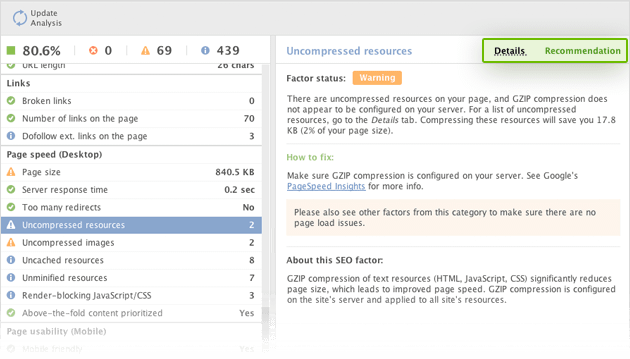
5. Look through factors with an (Info) status — these too offer room for improvement.
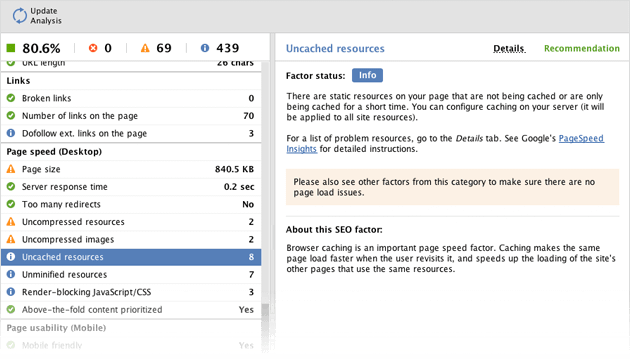
6. Address the problems as advised in WebSite Auditor's recommendations. Once all issues are resolved, come back to WebSite Auditor's Content Analysis and hit Update Analysis to make sure there are no page speed and usability issues left.
New factors also added to your SEO reports!
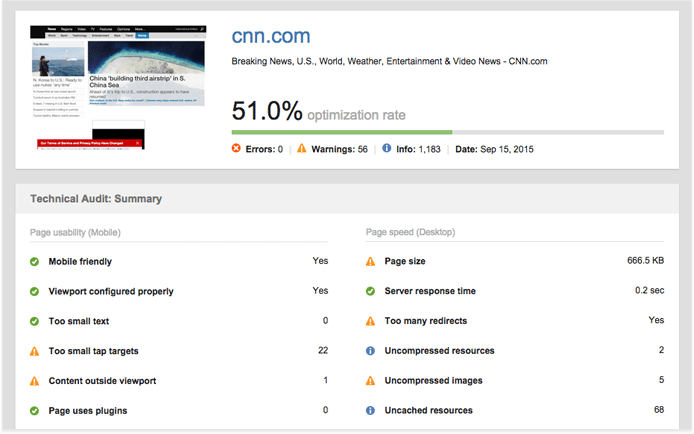
And there's even more good news: the just-added page performance factors are readily available in WebSite Auditor's reports, making it easy to deliver the valuable data on page speed and usability to your clients and colleagues. Follow the simple steps below to generate a report with the new page performance data.
Hide How-to
Show WebSite Auditor How-to
1. In WebSite Auditor, go to Reports under Content Analysis, and hit the Edit button next to the template you'd like to add the data to.

2. Locate the Technical Audit (Summary) and/or Technical Audit (Details) sections in the report template, and hit the Edit button in the top left corner of the section you're making changes to.
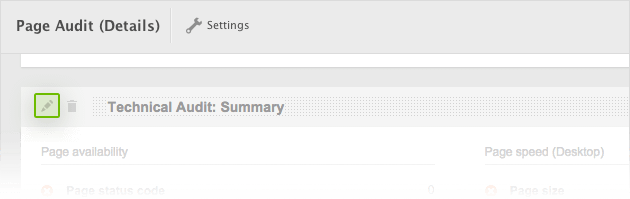
3. Select the factors you'd like to add under Page speed (Desktop) and Page usability (Mobile) and hit OK.
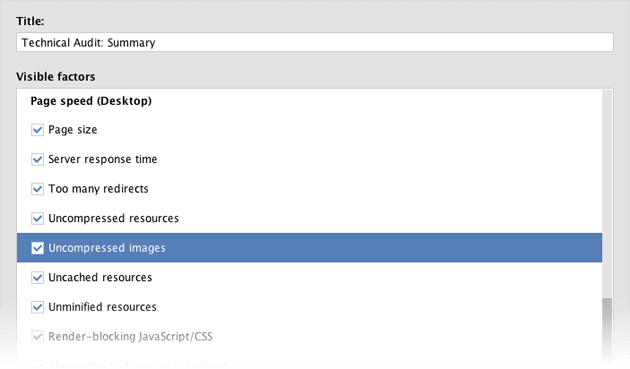
4. That's it — your report will now include the valuable details on page speed and mobile usability.
You can start optimizing page speed and usability for better rankings and more user joy right now — just download the latest version of WebSite Auditor and follow the how-to above!
Create user-friendly landing pages for better
rankings and conversion
- Minify & compress resources
- Configure caching
- Improve server response time
- Prioritize visible content
- Configure the viewport
- Detect illegible text
- Get rid of small tap targets
- Replace plugins with alternatives
 Article stats:
| Linking websites | N/A |
| Backlinks | N/A |
| InLink Rank | N/A |