17274
•
14-minute read
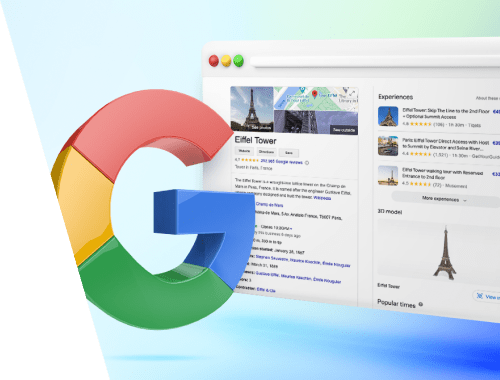

A knowledge panel is an encyclopedia-looking portfolio, sometimes quite extensive, that Google suggests in response to certain kinds of queries. The appearance of a knowledge panel means that the topic is pretty big, noteworthy, or famous. But who benefits from knowledge panels? Are they doing any good for SEO or brand marketing? Or can you get one if you're a small business owner? This article sorts all matters out.
Google knowledge panels are automatically generated infoboxes in the right rail of the search results page (SERP). A knowledge panel provides basic information about a prominent person, place, or thing that the search engine considers as a neutral fact about this entity.
In other words, if a searcher is looking for a well-known entity, Google shows a summary of the subject and organizes it in a concise, structured form.
The knowledge panel includes the title, subtitle, description, key facts, links to official websites, and social media channels, if available.
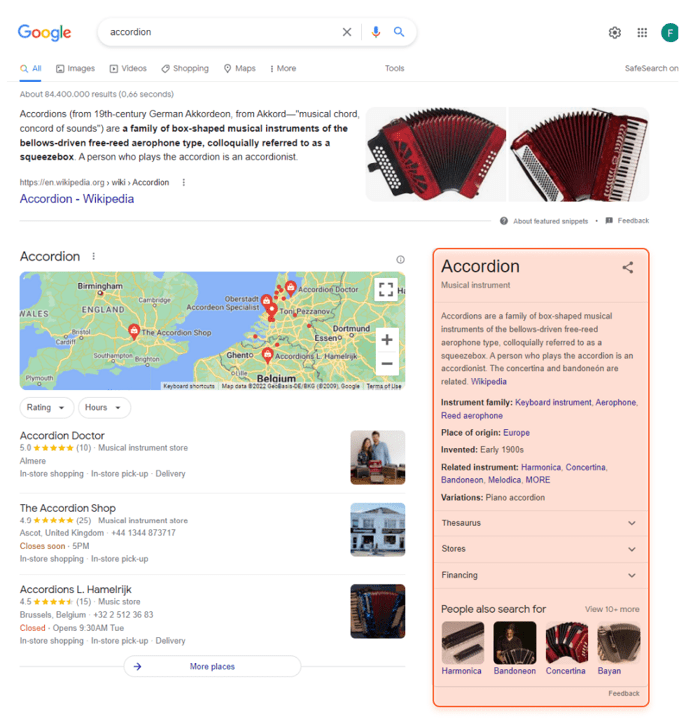
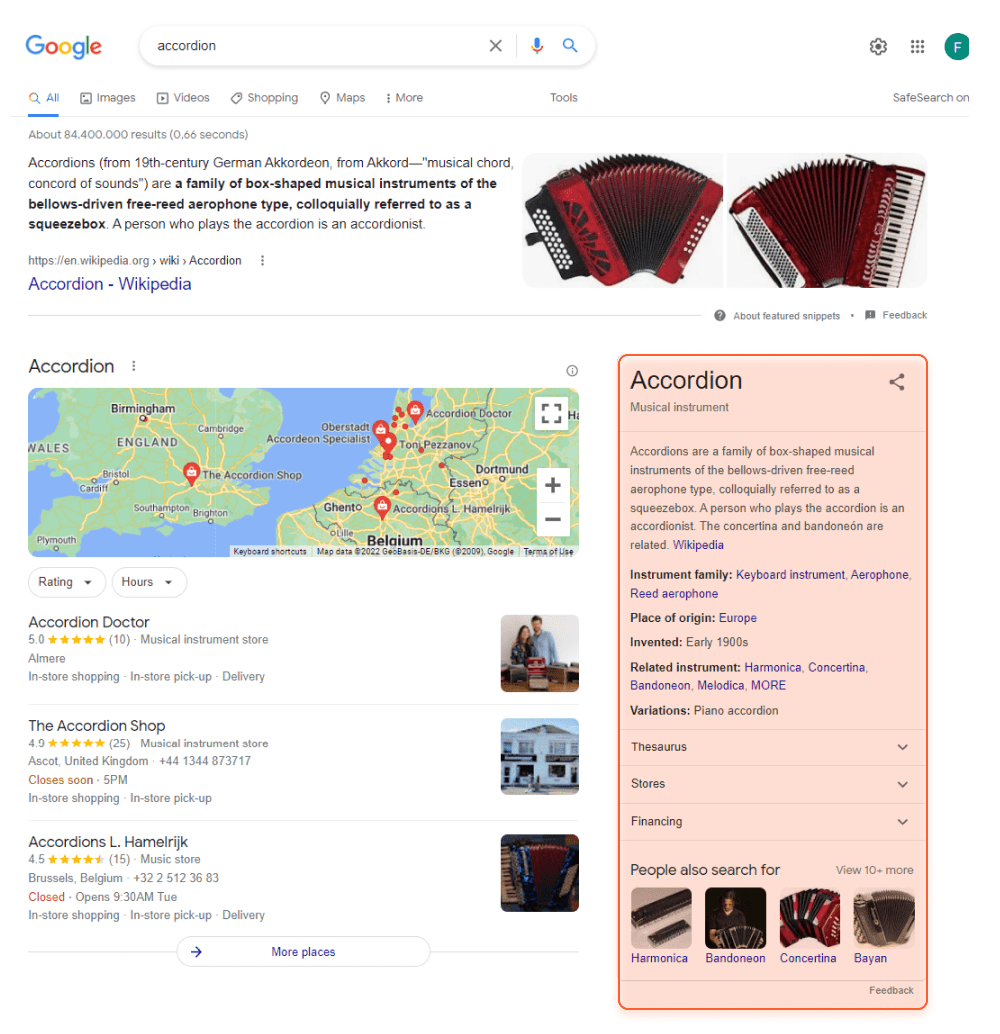
Depending on the topic, the knowledge panel may also include some unique stats: links to channels for singers, upcoming episodes for TV shows, and rosters of sports teams.
If the search term is related to some other similar entities, you will also see the People also search for box.
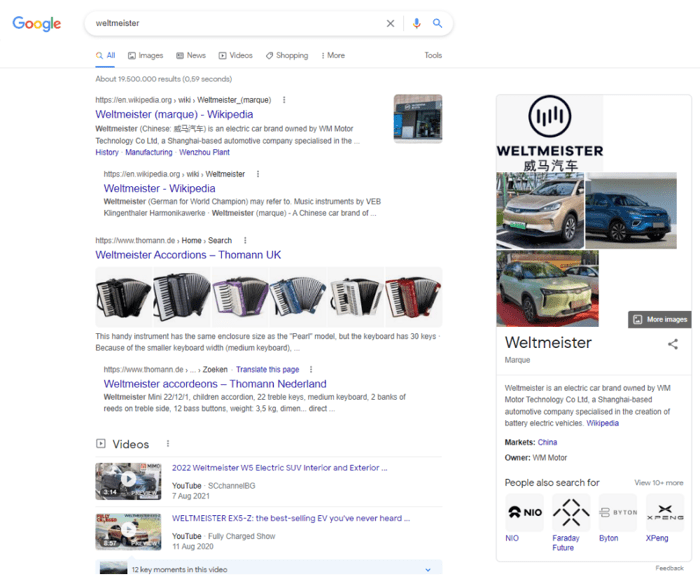
And if there is a polysemous search term, there will be a link to See also results to avoid disambiguation. In some cases, the search engine needs to decide which meaning is more likely to match the query, based on the user location or search history.
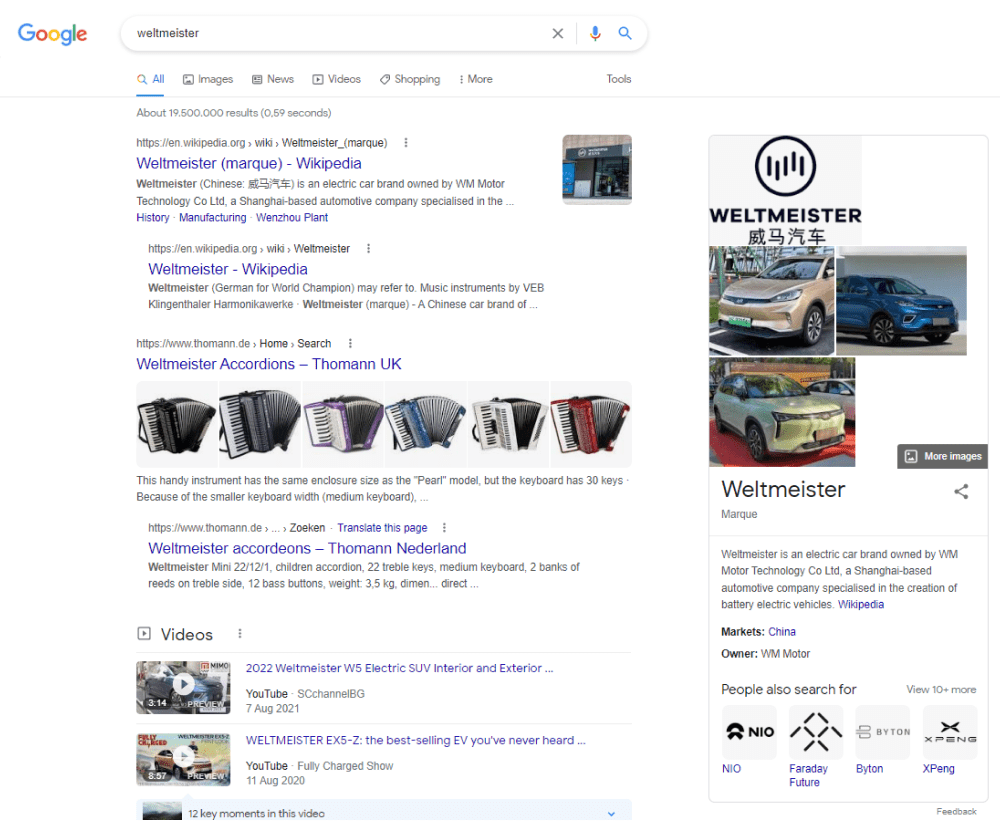
According to the patent on knowledge panels, filed in 2013,
“A knowledge panel is a user interface element that provides a collection of information or other content related to a particular entity referenced by a search query. For example, the entity may be a person, place, country, landmark, animal, historical event, organization, business, sports team, sporting event, movie, song, album, game, work of art, or any other entity. In some implementations, the entity may be a concept, subject, or topic.”
On May 16, 2012, Google introduced its Knowledge Graph, shifting “from strings to things”. In other words, the search engine started to interpret meanings behind queries and suggest more relevant results, thanks to the knowledge base, connecting facts and their relations.
The Knowledge Graph is an extensive graph database, updated from hundreds of sources to provide detailed, structured information on a topic. As of 2020, the Knowledge Graph contained 500 billion facts about 5 billion entities. But where do they come from?
In 2014, a new Wikidata knowledge base replaced Freebase, the initial source for the Knowledge Graph. Now Wikidata acts as open storage of structured data for entities, listed in its sister projects, such as Wikipedia, Wikivoyage, Wiktionary, Wikisource, and others.
It is widely known that Wikipedia is an important source for the Knowledge Graph. However, some other popular encyclopedias also feed the database. For example, information about historic sites often comes from Encyclopedia Britannica.
On closer inspection of knowledge graphs, you will notice a great variety of sources, such as reviewer platforms, social media, business listings, and much more.
Coming to details, every panel has its own specifics. But generally speaking, one can distinguish three essentially different types of knowledge panels: personal, branded, and local.
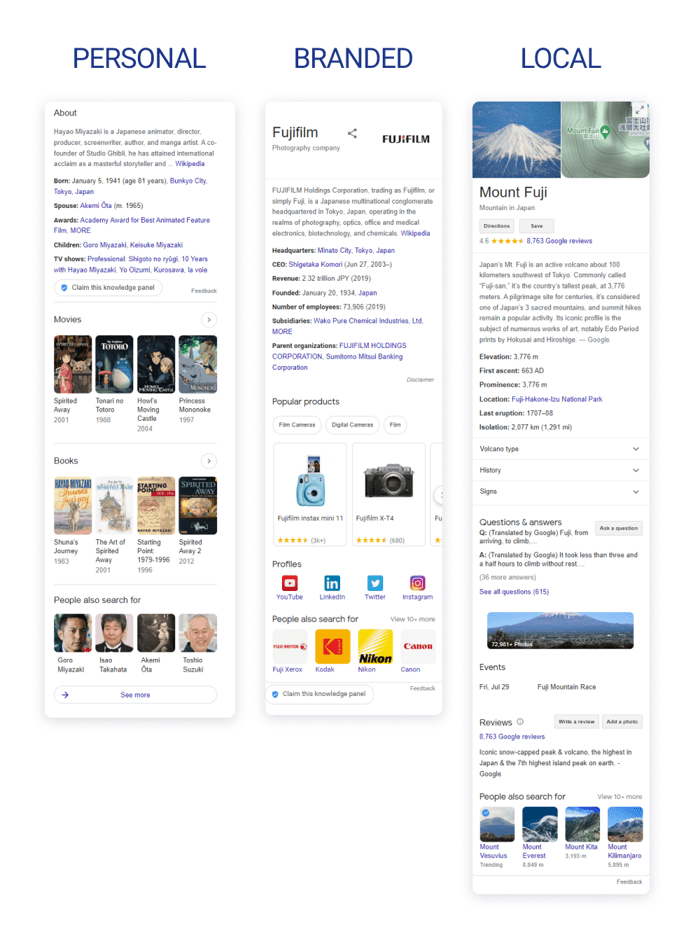
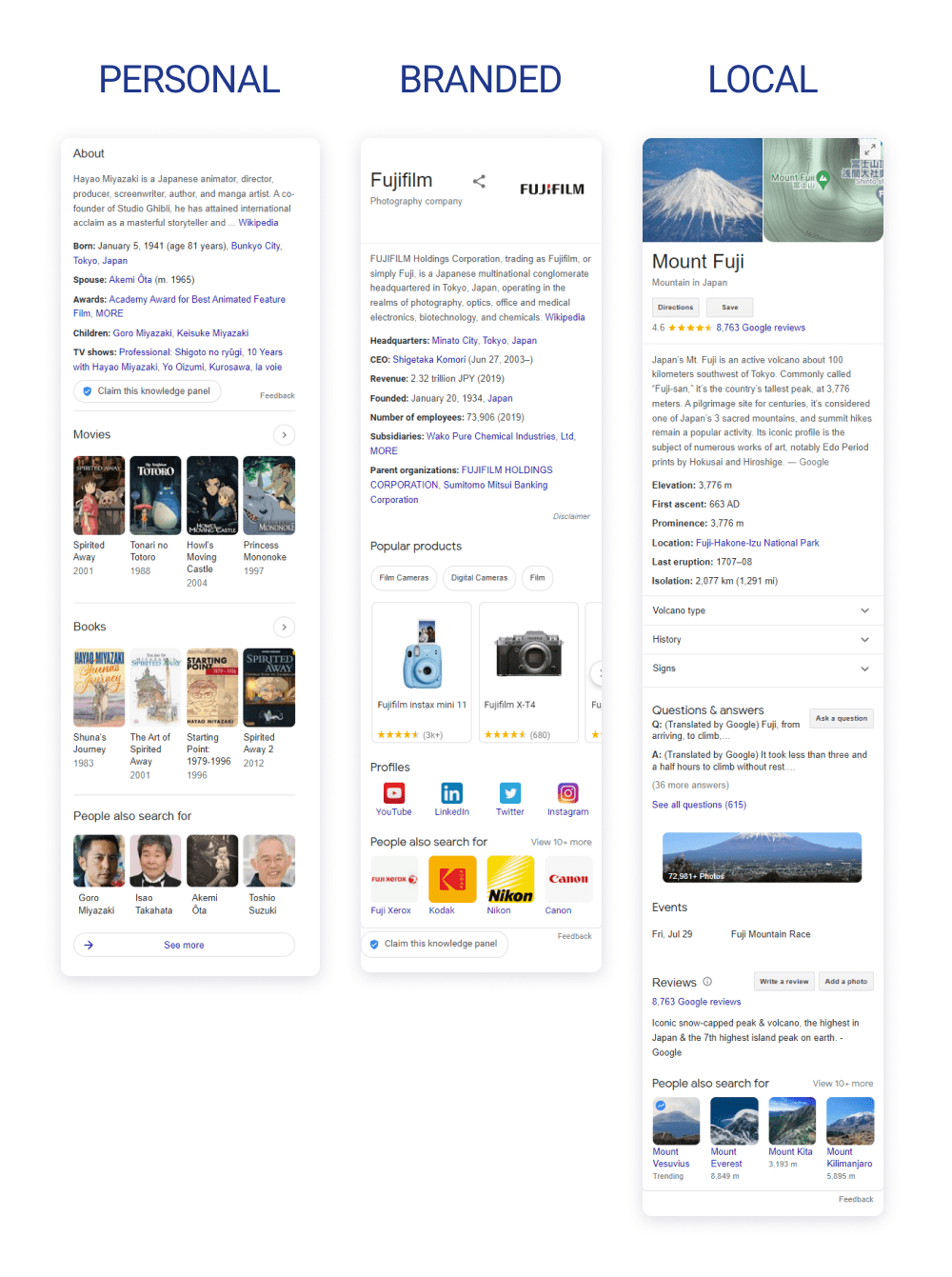
You cannot apply anywhere to ask for a personal or a branded knowledge panel. Google will generate it automatically once it finds enough information to connect all dots. As for local knowledge panels, things are a bit simpler because they are sourced mainly from the Google Business Profile.
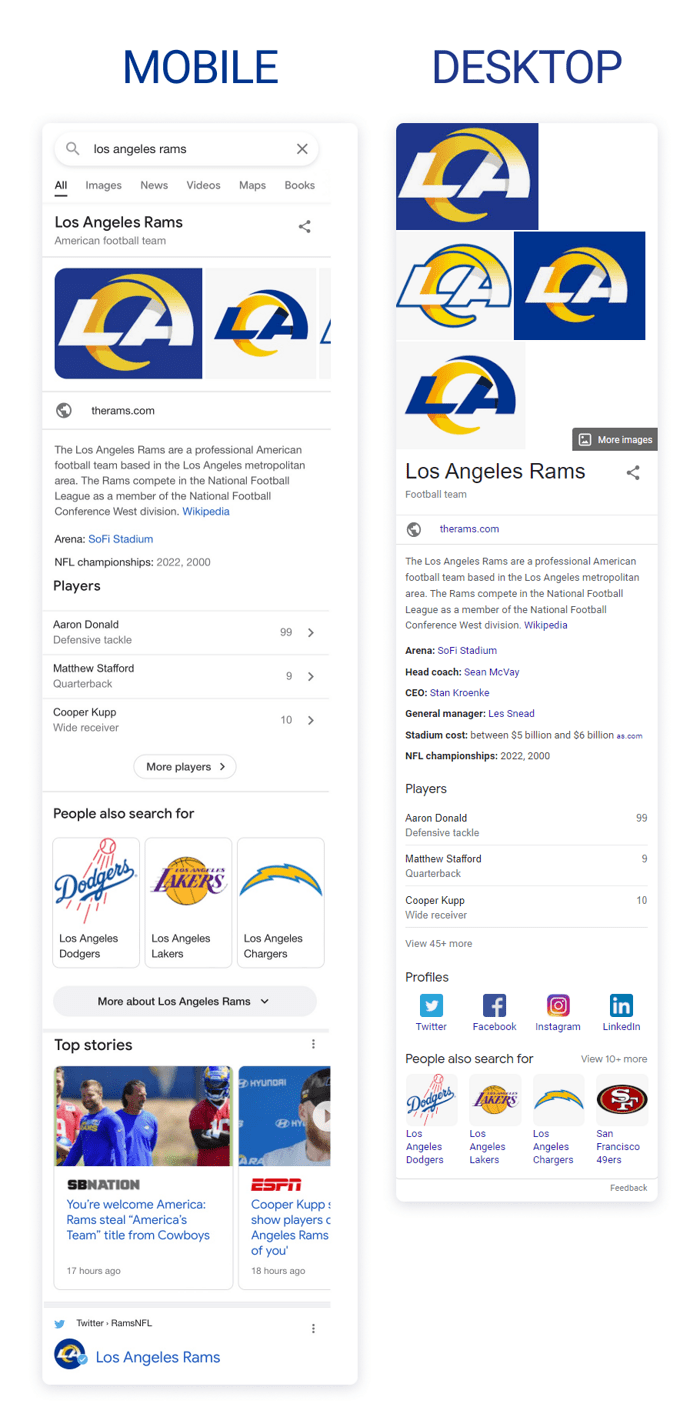
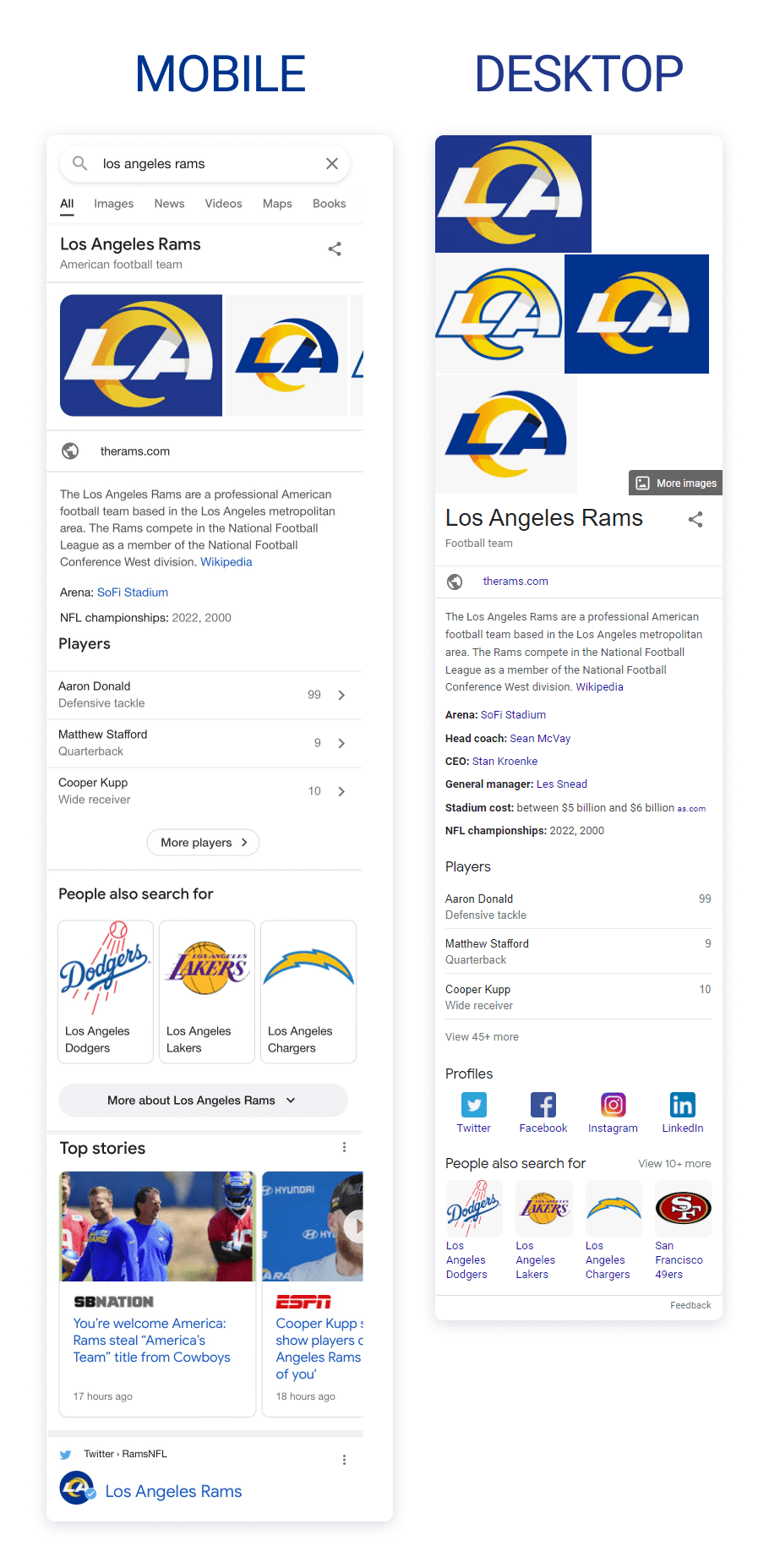
Besides, there is a nuance in how desktop and mobile knowledge panels are organized. If you compare them, you will notice that they are somewhat different.
When the first knowledge panels appeared, most users came to search from desktop devices. Nowadays, mobile users outnumber desktop users, so Google has to respond to this, adapting its SERP layouts to smaller screens.
The desktop knowledge panel comes in the right rail of the SERP next to organic search results. Only the title and the subtitle of a brand knowledge panel, alongside Google Images, may come at the very top of the SERP for celebrities.
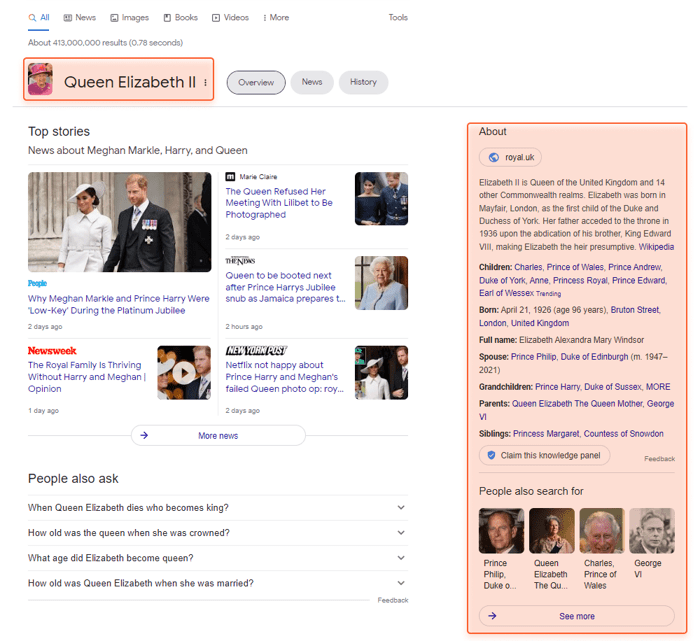
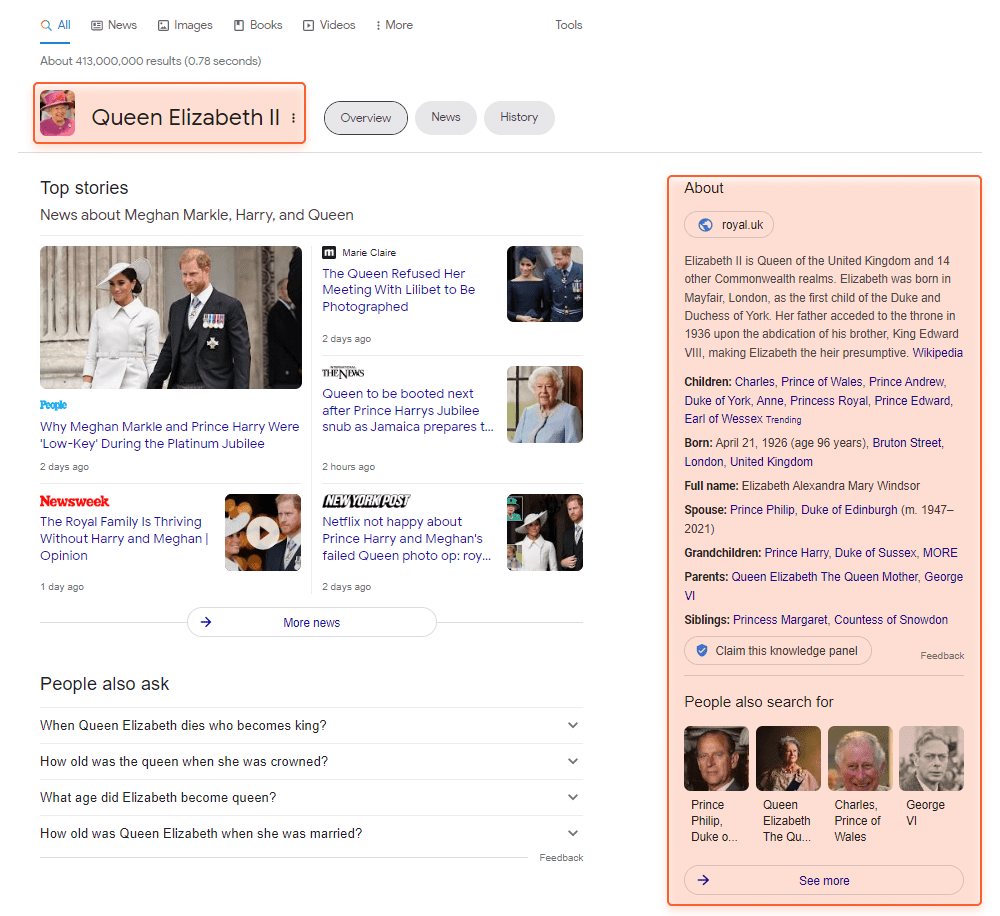
Meanwhile, mobile knowledge panels do not enjoy that much screen space. That is why a mobile knowledge panel is split into smaller chunks of information. Besides, a part of the knowledge panel can be hidden under the More about button.
The question is why at all should you care about a knowledge panel. The answer is pretty clear: a knowledge panel becomes kind of a Google visiting card about your person, brand, or service. And who doesn’t want a great visiting card?
The benefit of the knowledge panel is that:
Thus, searchers can get answers without clicking through to any website. The information provided from knowledge panels is used as a spoken answer to Google Assistant searches.
However, one should be aware that the presence of a knowledge panel lowers the average click-through rate from 28.5% CTR in the first position to 16.7% if a panel shows up.
The question is whether it is beneficial for your SEO to have a knowledge panel (by the way, the same applies to featured snippets). To understand it, you need to analyze the CTRs for your target queries from the first positions in the SERP. As users with informational search intent hardly convert, probably, it’s not a big issue that the knowledge panel draws away some part of clicks from the first positions.
As you see, there are some serious reasons to take care of your knowledge panel.
Unluckily, there is no page with a knowledge panel login and no opportunity to edit it directly. However, you can try to update information in the existing knowledge panel, and there are two ways of doing it:
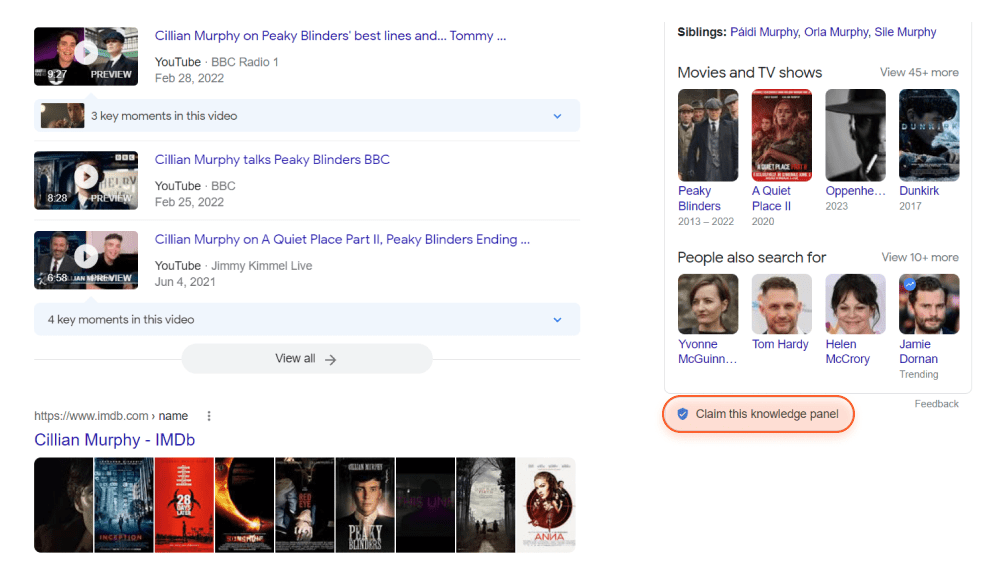
To do such edits, you’ve got to be a verified representative of the entity on Google. So, first, you need to verify that the knowledge panel is about you or your brand via Google and social accounts. To get verified, hit the Claim this knowledge panel button at the bottom of the panel and proceed with the instructions.
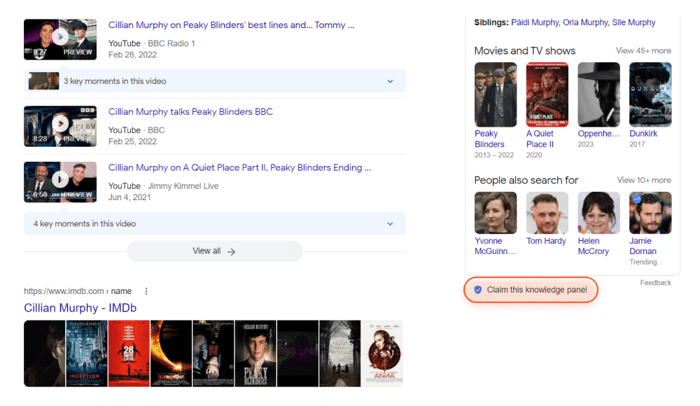
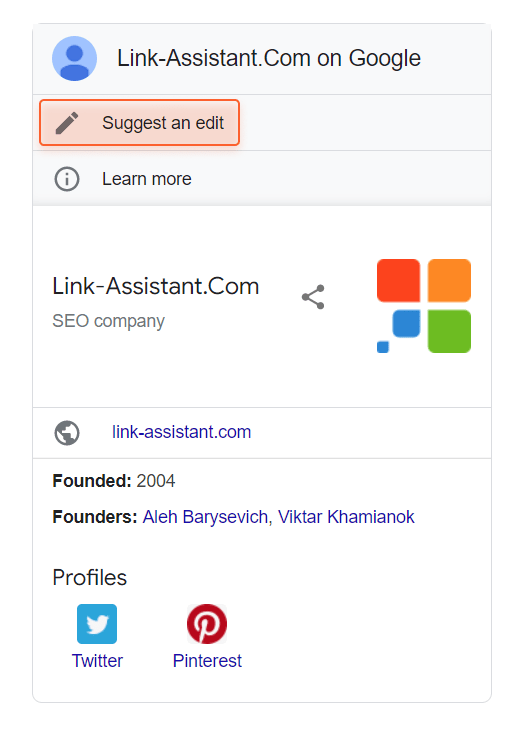
After that, being logged into your verified Google account, you can suggest a change to your associated knowledge panel “as an authorized representative of the entity”. Click the Suggest an edit button and select the field you want to update.
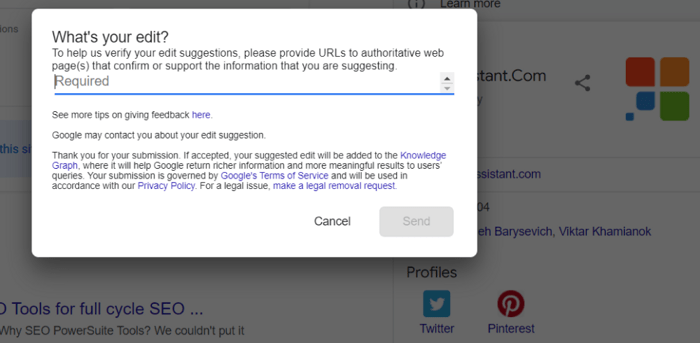
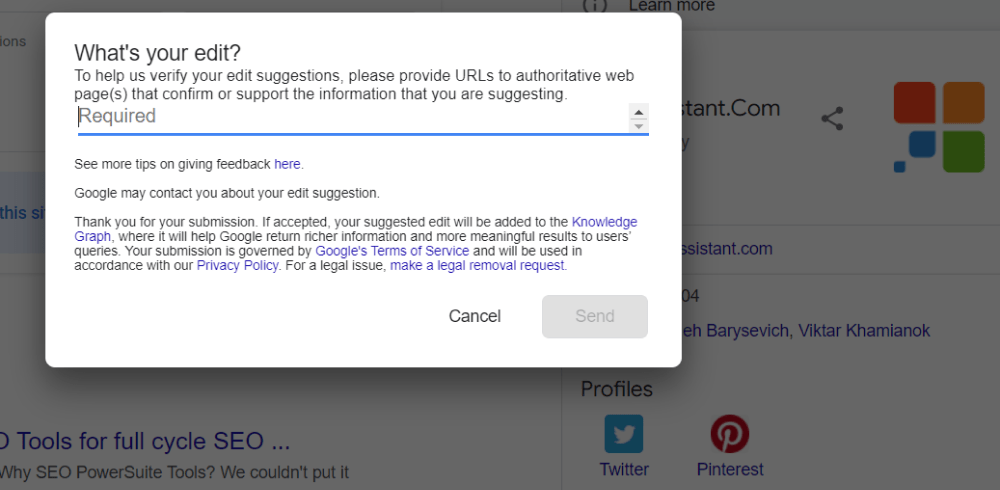
In the pop-up menu, write your explanations and provide URLs that present solid reasoning for the change.
You will get the update once your feedback has been reviewed. This usually takes a couple of days, but sometimes it may take more time.
If the knowledge panel is not yours, but you believe that some information there is untrue, you can submit your feedback. After pressing the Feedback button at the bottom of the panel, you can select every individual field and access the quick board. There, you can select the type of issue and leave your comment.
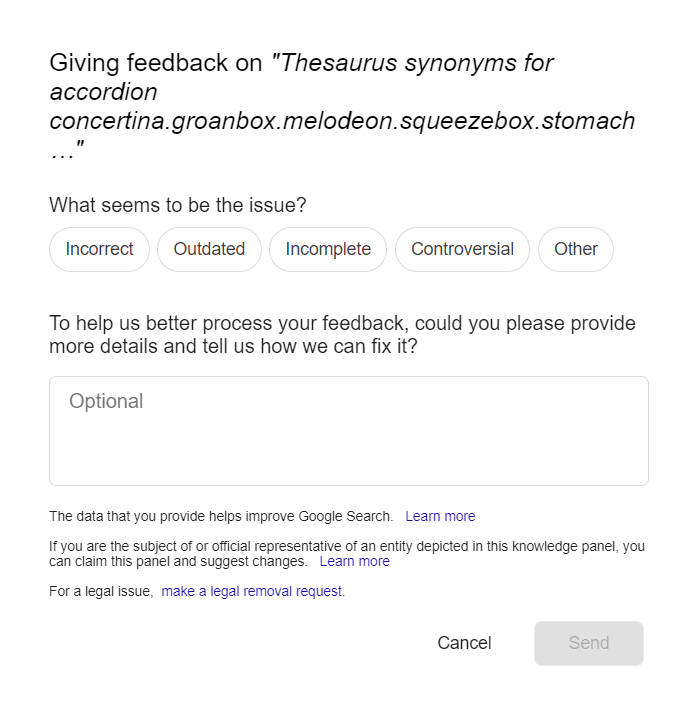
Certainly, not all information available on the web can be shown in the panel. So, suggesting a change, you cannot ask to add something — only alter or remove. Mind that there are editable and uneditable fields in a knowledge panel, and it depends on who is suggesting the change:
Information in the knowledge panel can be removed if it does not comply with Google’s policies. There are general Google policies to prevent unlawful deeds (for example, you can request the removal of a mention of underage children). Besides, there are search-related policies that prevent the manipulation of links and content.
To get a great knowledge panel, you need several factors to fall into place, such as:
So, here are a few steps that go beyond the knowledge panel itself to make it look good (or to help it appear).
A website is a nice thing to have because it’s your own platform. It won’t shut down unexpectedly or change the terms of use, and you are in full control of what is happening there. Though launching a site and optimizing it for search engines is a big chunk of work at the beginning, it is rewarding in the long run.
On your website, it is crucial to add information about your company. Create the About us page with up-to-date and relevant information. This page should reflect the most important stats about the entity, such as:
Once Google understands that your website is the official source for your entity, a link to it will be added automatically to the knowledge panel right under the subtitle.
Google Business is a free tool for local businesses that helps them enhance visibility in search and on Google Maps. Some chunk of information from the Google Business account shows up in the knowledge panel. For example, it will show the address, directions in case you run a brick-and-mortar store, open hours, and contact details.
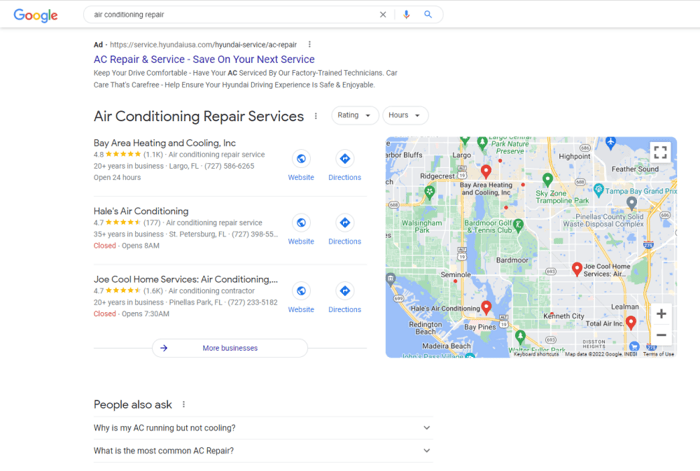
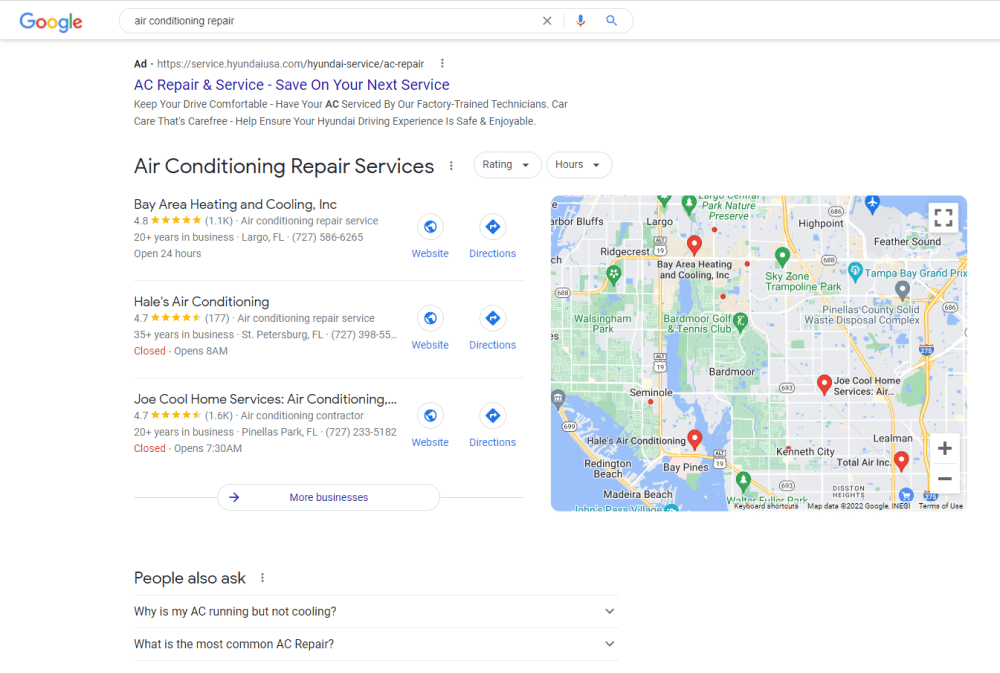
Besides, the local knowledge panel will include plenty of features to help you promote your business: photos, reviews, availability of products, and even the possibility to directly message to buy products from the local business.
The tool is free and does not require much time and effort to work with it. Moreover, by making the profile neat and SEO-optimized, you get a strong foundation for your local SEO. Your site will show up in search as a credible and authoritative business and draw thousands of customers right from Google search. So, here is our guide on how to set up and optimize Google My Business listing for your company.
And to cope with local SEO tasks, here is a local rank checker. It will let you track local rankings (including those on Google Maps). Besides, you can discover online competitors and their best SEO keywords. All these will help you optimize your site and track SEO progress.
Download Rank TrackerNote that the local knowledge panel is vital for the businesses who target users with local intent. Once you earn the local graph, it will be difficult to show up in other locations and worldwide. Thus, you determine whether you need maps and the local graph or you build a branded knowledge panel.
Structured data helps Google algorithms create some types of knowledge panels. Especially this refers to:
Structured data is implemented with the help of special syntax via Schema Markup, JSON-LD, or Microdata. There are free tools to write and test the code, such as Google Structured Data Markup Helper. It is important to avoid mistakes and observe that the code is implemented on the right page, related to the entity.
There are certain helpful property types in Schema that can help you improve your website’s E-A-T signals (expertise, authority, and trust). In particular, these are sameAs and knowsAbout properties.
The sameAs property type is used for things, persons, and organizations to unambiguously point to the item’s identity by connecting it to a trusted URL (or a list of URLs), such as a Wikipedia article or a Facebook group. For example,
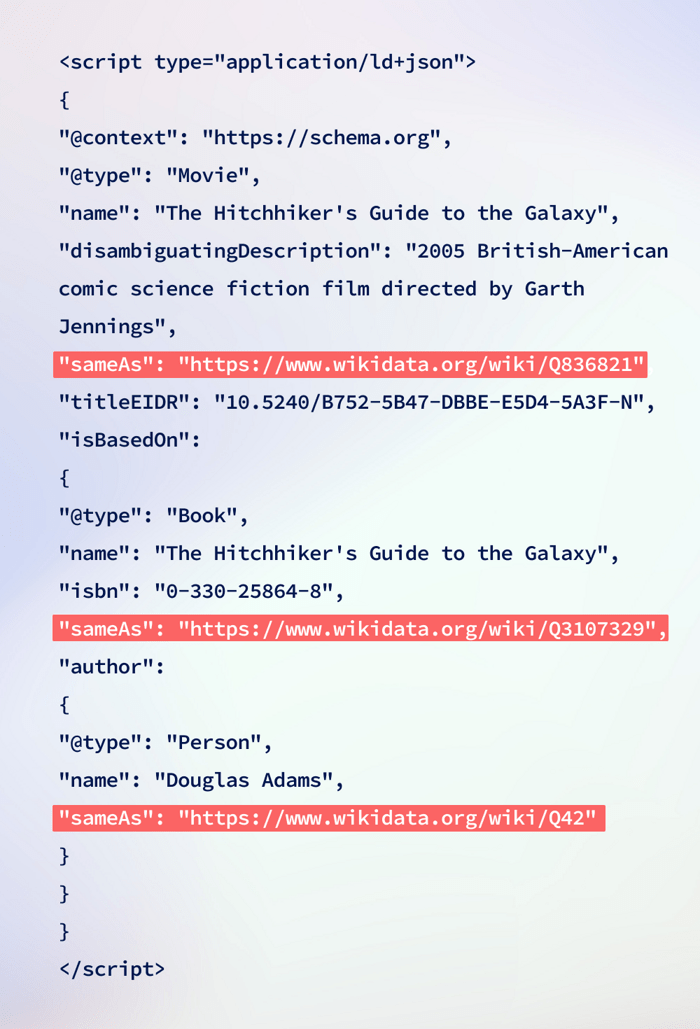
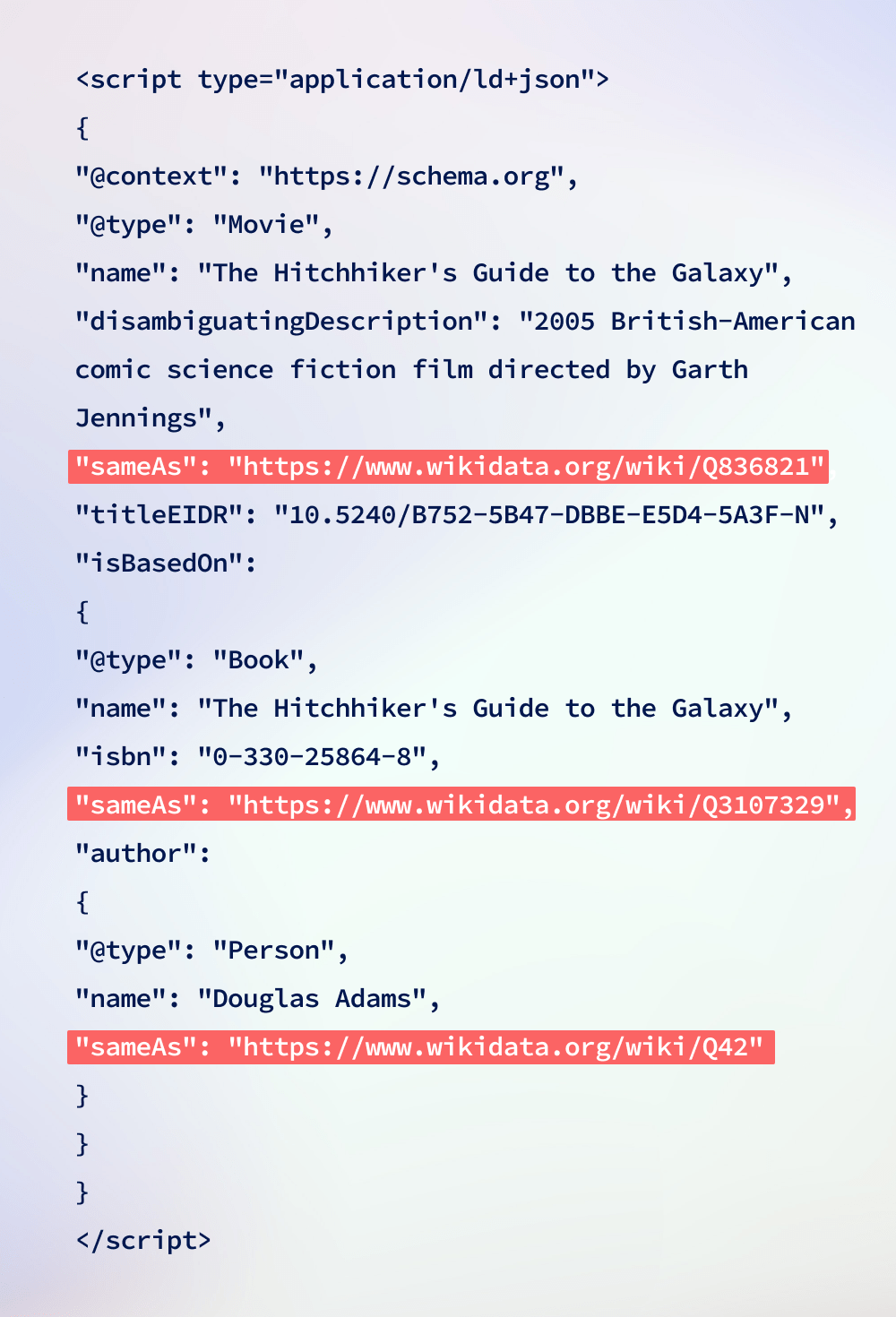
Briefly, the sameAs indicates that the thing we are talking about in our article is the same as discussed in another source that we link to via the markup. Seeing this, search engines establish a better understanding of the entity and authority of sources.
The knowsAbout property is sometimes used with persons, more seldom with organizations. The property indicates some possible expertise that the entity has. For example, you can indicate that the person knows about SEO, and the name will be more likely associated with the topic of search optimization.
To learn more about how to use the markup to improve your knowledge panel, refer to this guide on structured data markup.
While the hack to fill in a Wikipedia entry about the entity is commonplace and actionable, there are two issues to keep in mind.
First, it’s not only Wikipedia that matters to knowledge panels. Moreover, you can find knowledge panels when there isn’t any Wikipedia page for the entity at all. For example, this is the knowledge panel for Avinash Kaushik, a digital marketer, and Google Analytics Evangelist. (TBH, at a closer look, I found an orphan page about him in French Wikipedia, but that was too little). Information comes from social media and search links to his books.
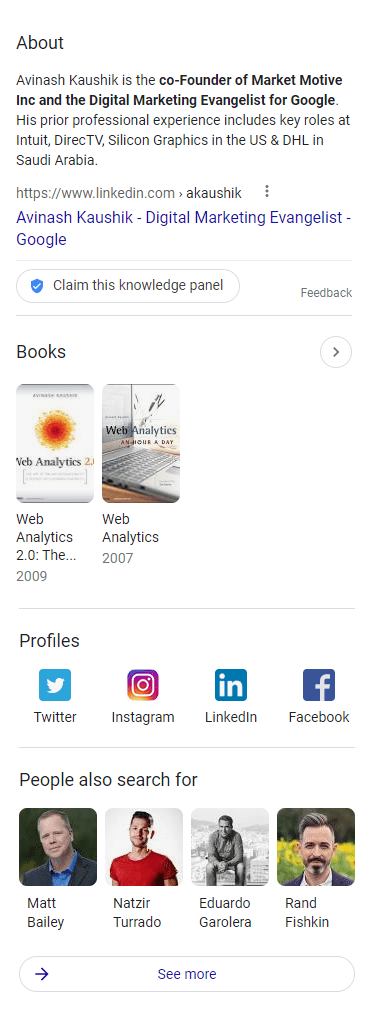
Second, publishing a nice-looking Wikipedia page won’t be as easy as it seems. Wikipedia is a free and crowd-sourced platform where anyone can edit your input. So, be ready that after you post an article, it will be mercilessly edited by other contributors.
Wikipedia has strict editing guidelines for the format, structure, copyright attribution, and citation of sources. In fact, adding a commercial entity to Wikipedia may be a hard time (e.g., much tougher as compared to building a commercial brand presence in the Korean encyclopedia in Naver). In all, it may depend on the language and volume of information in the local Wikipedia branch.
Anyway, when you decide to write a Wikipedia article, you will need citations from external resources, and this leads us to the next point.
A good sign of expertise is the number of citations coming from the media and the relevant expert community. The more mentions you get, the more authoritative your domain looks in the eyes of search engines and visitors. But do not wait until someone notices you, be proactive.
It is an easy thing to do since directories are mostly open and free for submission. In fact, Google Business listings and Yelp are two world-known directories. However, there can be many other directories at the level of your country, city, or business niche.
To automate the process, you can use a tool such as LinkAssistant to find high-quality directories and submit your information there. LinkAssistant is a link-prospecting tool that discovers directories according to your defined keyword. You can adjust settings to discover only high-quality domains with high InLink Rank (an SEO metric similar to Google’s PageRank).
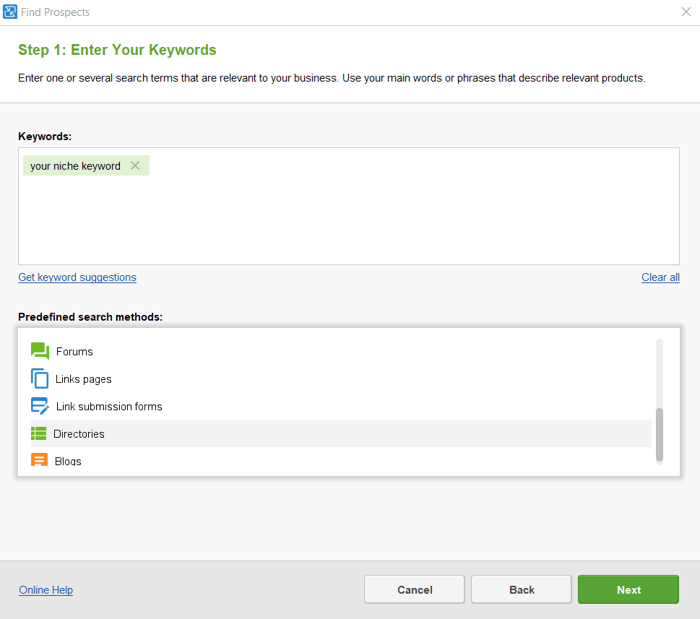
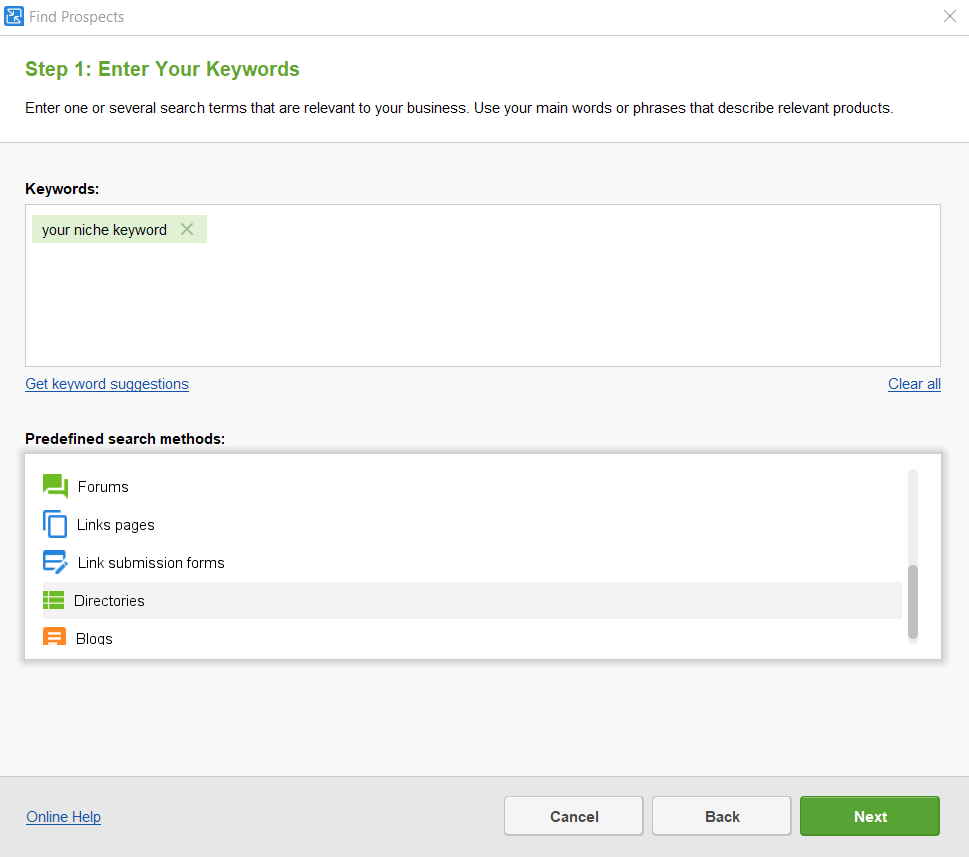
Let the tool find suitable directories and collect contact details. Then, submit your information, either by email or directly on the platform by filling in the automated form. Just make sure that your company information (such as NAP — name, address, and phone number) is correct and consistent across all the directories.
This is a competitive backlink analysis tactic when you find websites that write about products or services similar to yours and request a mention of you in their articles or listings. Backlink checker tools like SEO SpyGlass will help you find hundreds of such websites automatically.
So, when you launch SEO SpyGlass and create a project for your domain, you can switch over to the Link Intersection tool. There you add your competitors’ websites, and the tool analyzes their backlink profiles. To make things simple, there is a quick filter to get a list of Prospective websites. They link to all your competitor websites’ but not to yours.
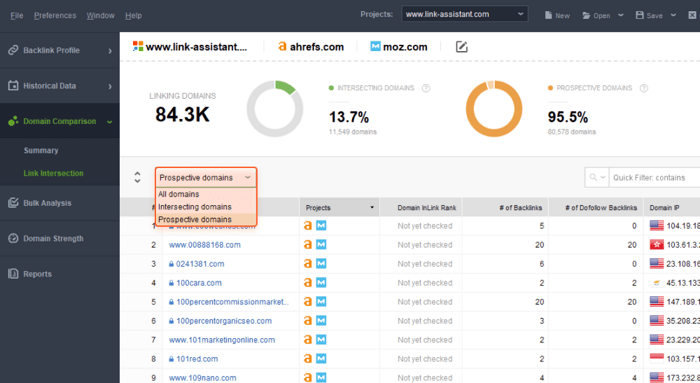
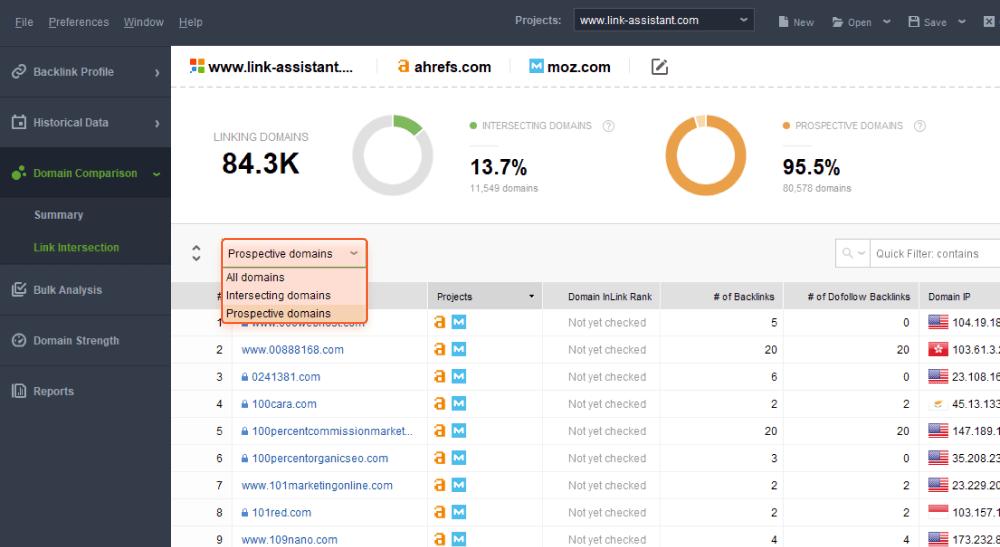
Additionally, the tool provides several quality metrics to estimate which domains deserve attention. For example, you can check the domain authority, the number of dofollow backlinks, IP location, etc.
Then, all you have to do is reach out to the site owners with a request for a mention or partnership. It depends on the business, but as a rule, websites specializing in competitive niches won’t mind including another item into a listing to make it comprehensive.
No need to do crazy things here. You don’t want to show up in soft news, crime, or gossip columns, right? Think about what valuable events you can organize for your audience that could get you exposure in local news. Citations in niche magazines will suit as well. This can be a charity event, an eco-friendly activity, a seasonal holiday party, or a conference to exchange ideas with your industry peers. Such activities bring lots of fun. Besides, they strengthen ties within the community in the long-run.
This step is vital for the spheres where influencers are worthy competitors to traditional retail and online stores. This refers to the beauty and clothing industry, entertainment, news, culture — any branch where a single blogger can get a following much bigger than the whole newsroom. Like it or not, this is a new reality, and we have to adapt to it.
You can use social listening tools such as Awario to discover influencers on the web and on popular social media, such as YouTube, Facebook, Twitter, Instagram, and Reddit. The tool collects mentions of your defined keyword (this can be your brand name). The search can be narrowed down to a particular location.
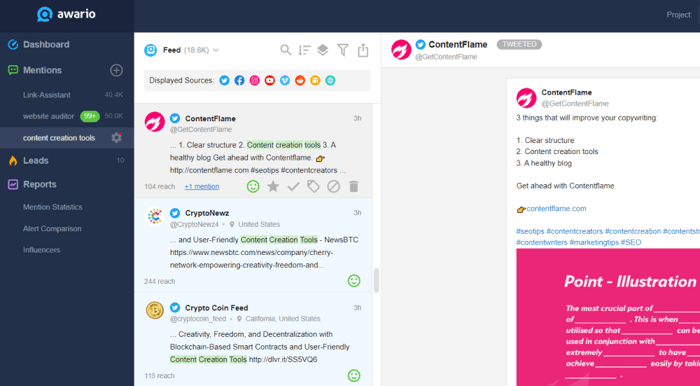
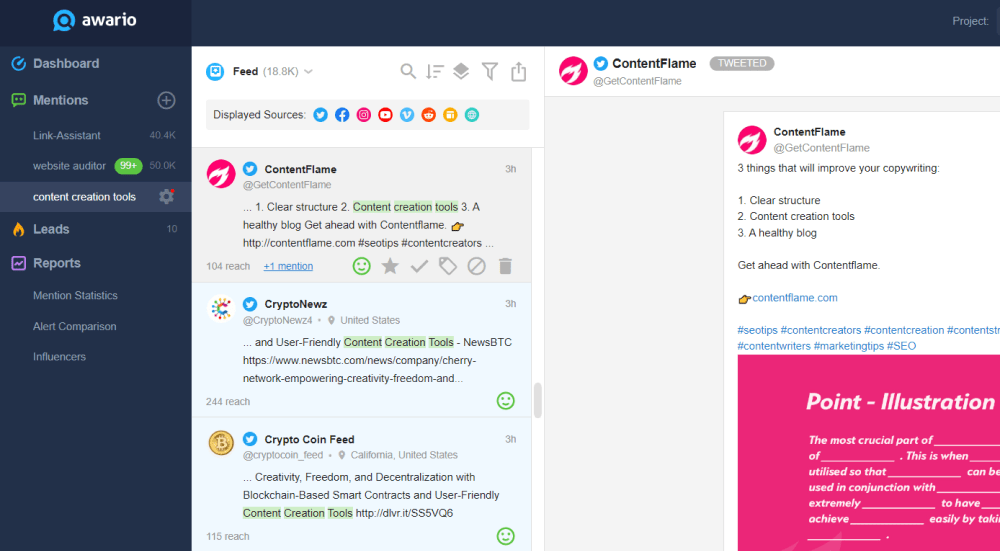
You can review the article where the mention appeared as well as the influencer’s popularity stats. Awario will provide the followers’ count, the number of tweets or posts, posts’ karma, the domain authority, top SEO keywords, and other stats relevant to the platform.
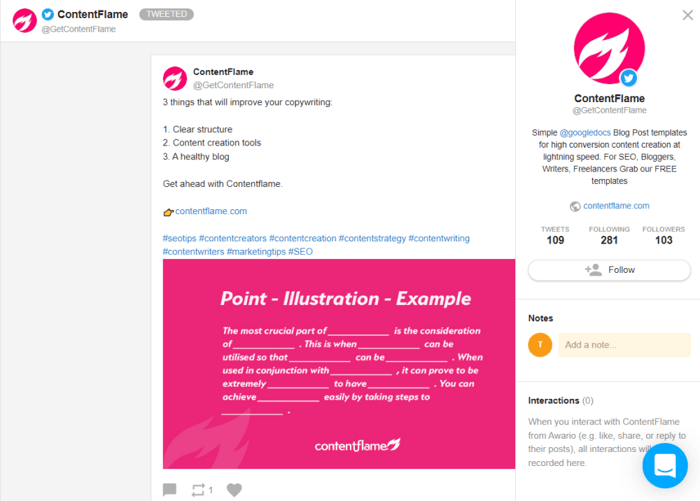
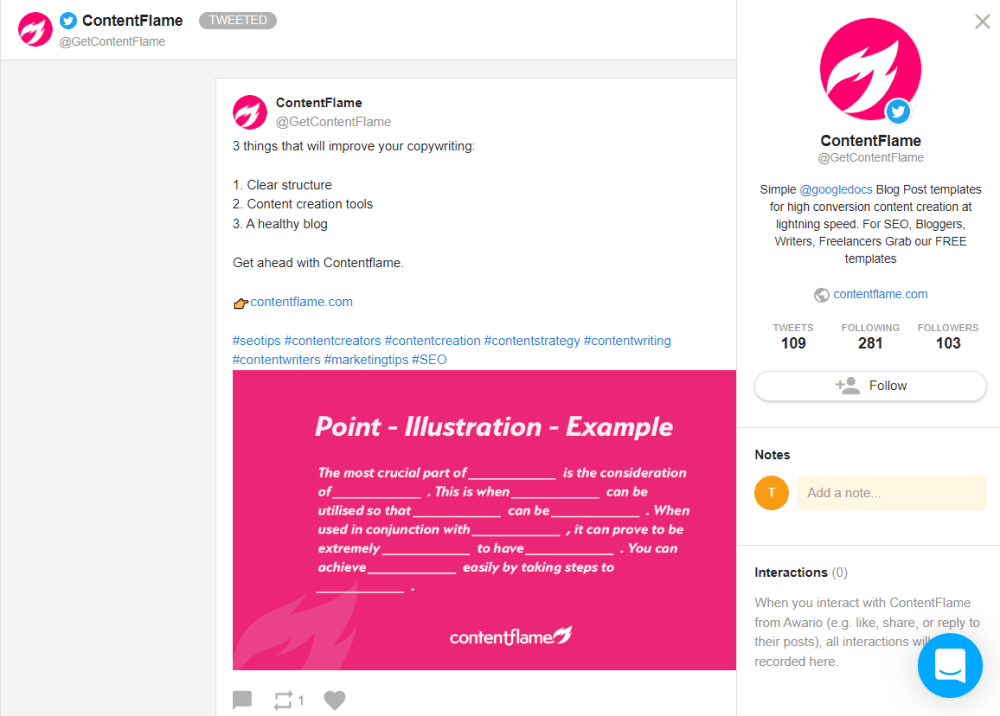
You can even get an email of the influencer (if available), click through to the respective platform, or message the influencer right from the tool. Awario lets you organize the influencers in a list and add notes to them, so all the information will be conveniently organized. This makes it a social listening and outreach management tool in one place.
Another interesting feature of Awario is measuring sentiment around your brand on social media. This is helpful when you run marketing campaigns and want to measure their impact. Also, you can spot negative reviews and settle them, which will also help you improve customer care service.
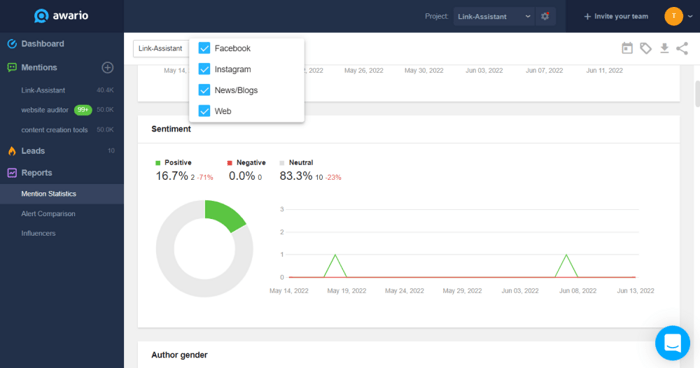
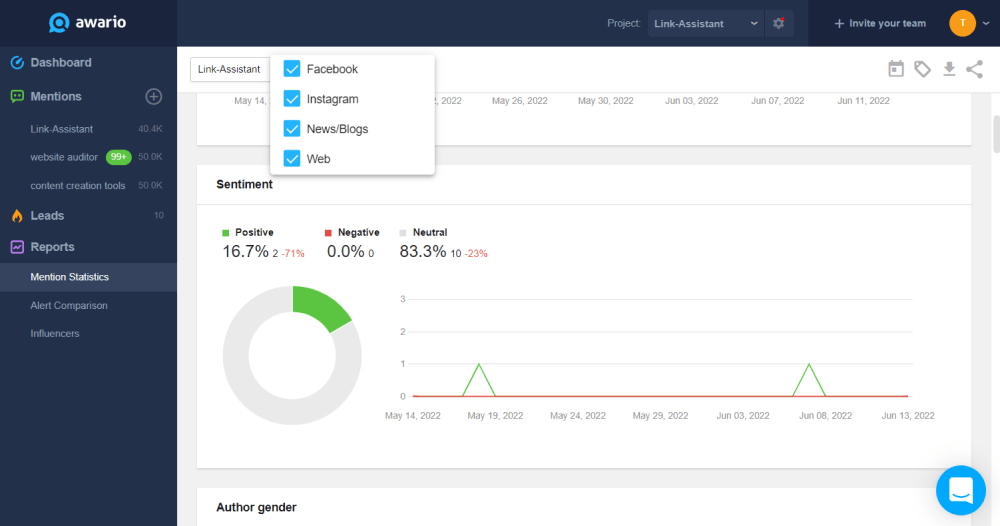
Awario collects the tone of mentions and basic demographic stats of the social buzz — age, gender, location, and the languages of the audience interested in your topic keyword. Having these stats, you can run marketing and PR campaigns to leverage the brand reputation.
There are instances when a knowledge may disappear from Google SERP or get cut down significantly. There can be two reasons:
Here is a nice example of how internal fixes on our websites have changed a knowledge panel. We made a redirect from seopowersuite.com to link-assistant.com and, as a result, one of our tools, WebSite Auditor, lost the official source link, the breadcrumbs, and the description in its knowledge panel. In other words, Google stopped recognizing our site as the ‘home’ for the entity.
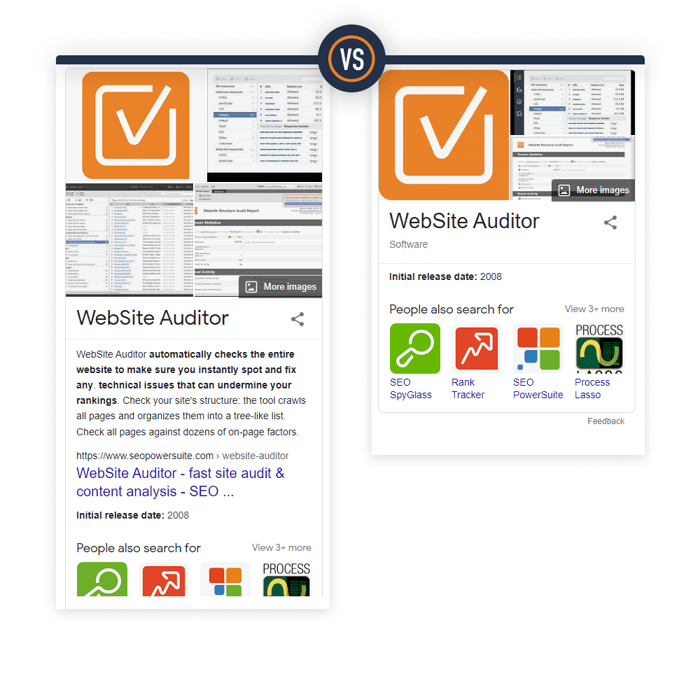
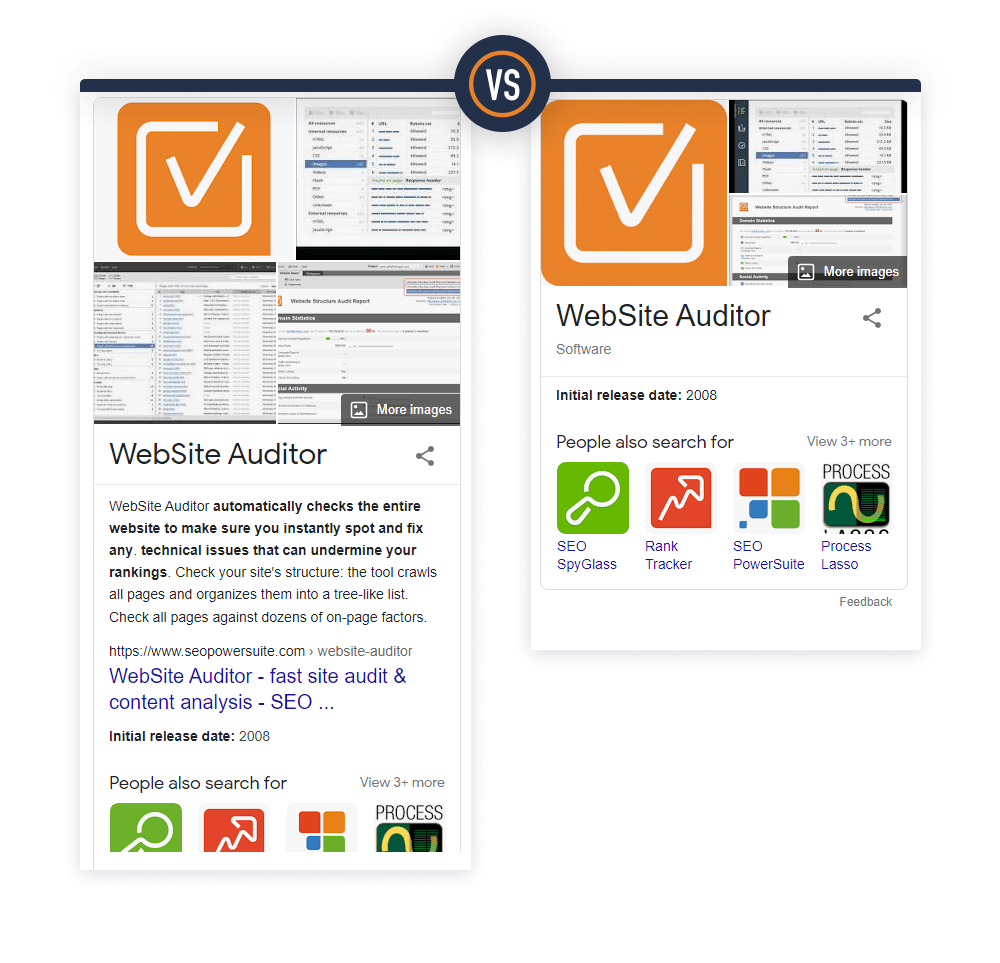
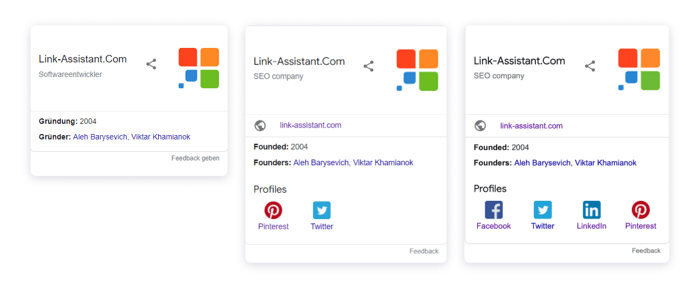
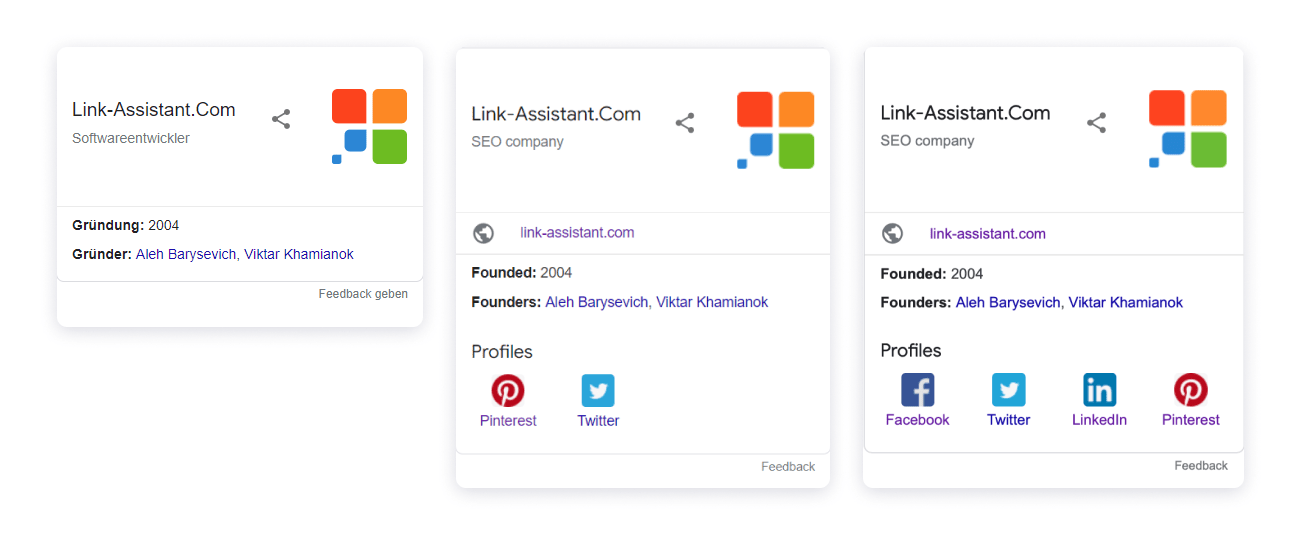
Another interesting example is how social media profiles are highlighted in the knowledge panel for our brand name link-assistant.
Our website had social links in the footer and structured data implemented with the sameAs property.
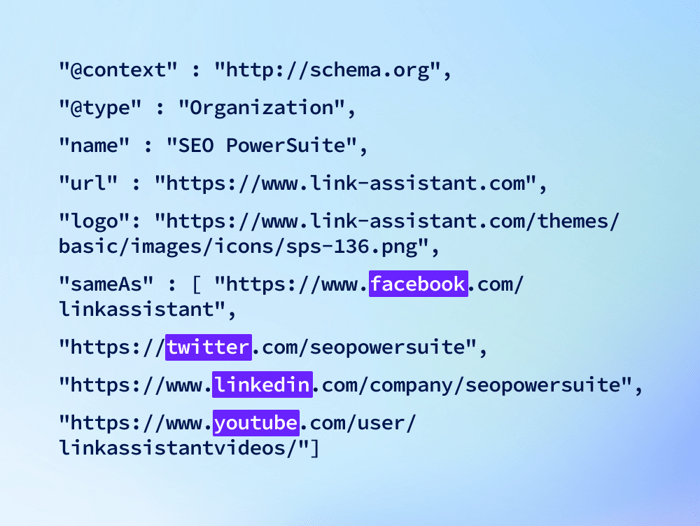
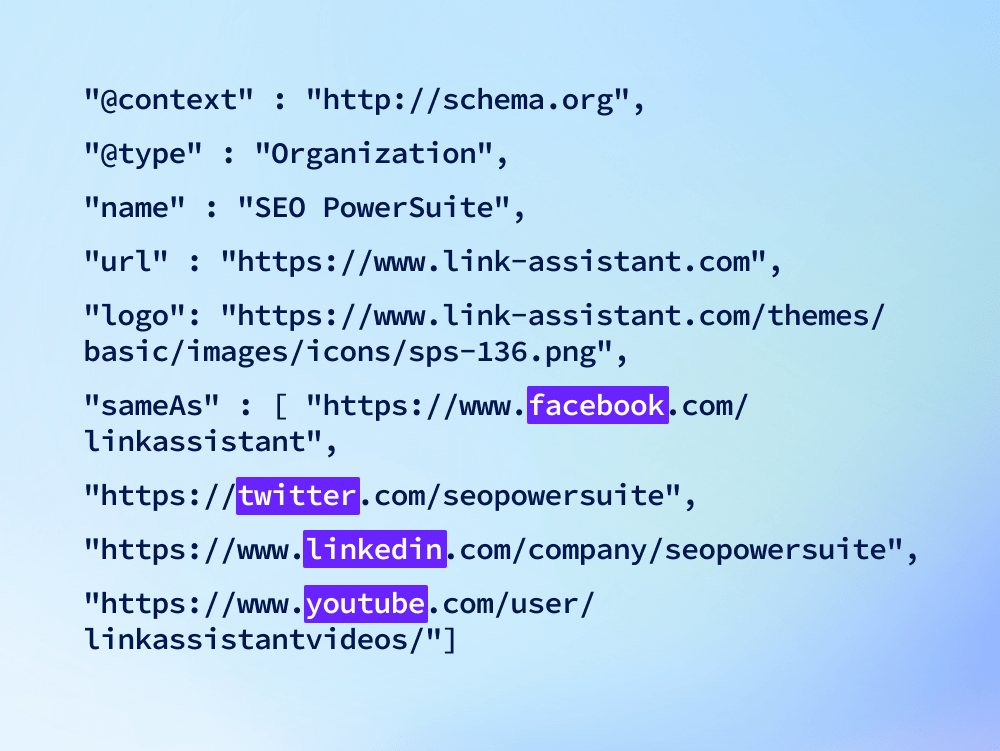
However, social media channels showed up differently for three different people on the same day. Curiously, the panel showed Pinterest which had not even been listed in the Schema markup (but we like our Pinterest channel and have popular posts there). Right then, we updated our knowledge panel, listing all social media one more time through Suggest an edit option. Now I see all four channels listed in the panel.
What comes to external factors, every SEO is anxious about Google updates because nobody knows what they will end up with. One such Knowledge Graph Algo Update (nicknamed Budapest Update) happened in July - August 2019.
Here is an interesting study that took notice of a tangible shakeup in the number and depth of knowledge panels at that time. The results showed that the update benefitted entities with more references, especially those that were the most recent.
This only proves that big numbers win on the web, and it requires continuous effort to maintain an entity’s visibility and prominence in SERPs. Besides, one should not put all eggs in one basket. Try to involve several sources in feeding your knowledge panel.
By the way, this May, Google has rolled out another core update which is said to have affected knowledge panels, too. Some SEO experts remark that the number of knowledge panels has dropped. This is probably because Google has removed some sources from feeding the Knowledge Graph. However, the update is quite recent, and we should observe the impact for a while.
As you've probably guessed, there isn't one tool that would allow finding and editing knowledge panels on Google quickly. But there are some tools that can help understand what exactly Google knows about you or your brand. Understanding where the information comes from and how the entity is shaped, it will be easier to update important sources and get what you need to be actually present in the search engines.
Google offers a free Knowledge Graph Search API that lets you check information about entities on live data from the Knowledge Graph. The API is compatible with Schema.org and understands JSON-LD specifications. You can use the API, for example, to
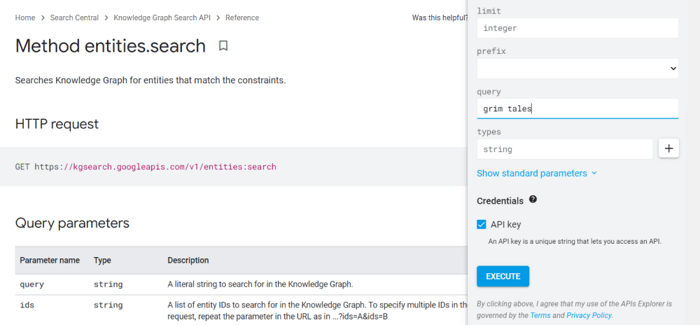
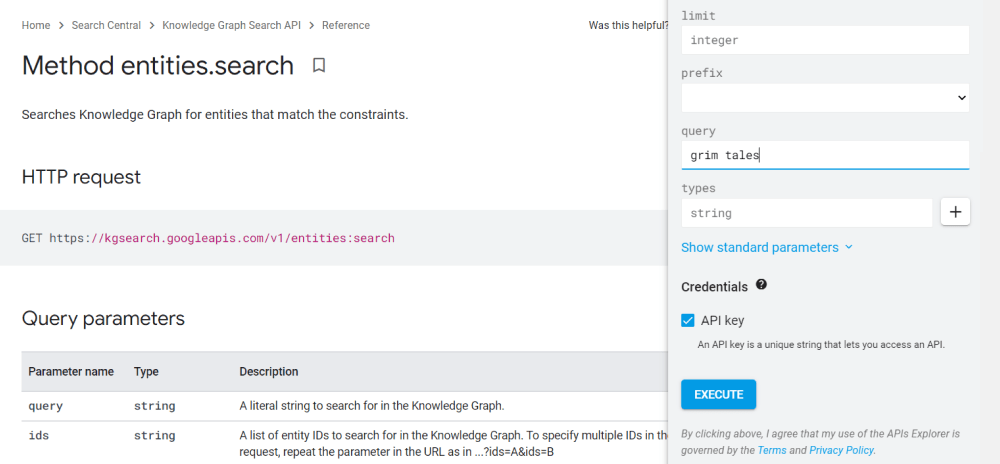
In the Knowledge Graph API, you call the entities.search method to extract the IDs of the entity and the information that Google Knowledge Graph has about it. For example, paste your search term in the query field and hit Execute.
The Google Knoweldge Graph API will return the results with a list of all entities, matching your search definitions. Alongside the ID, you can find the entity type, the sources, and the result score, which is an indicator of how well the entity matches your request definitions.
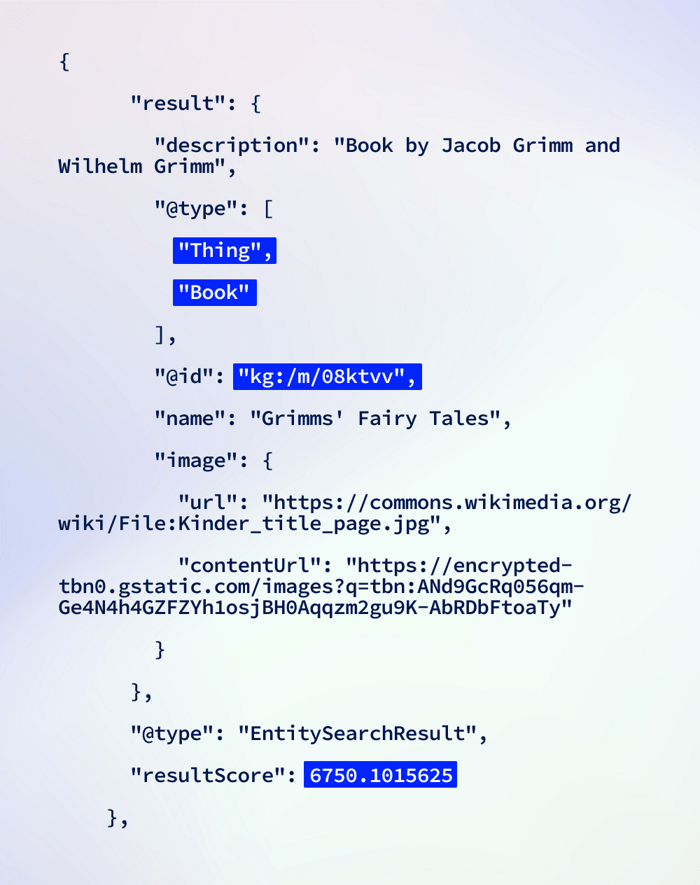
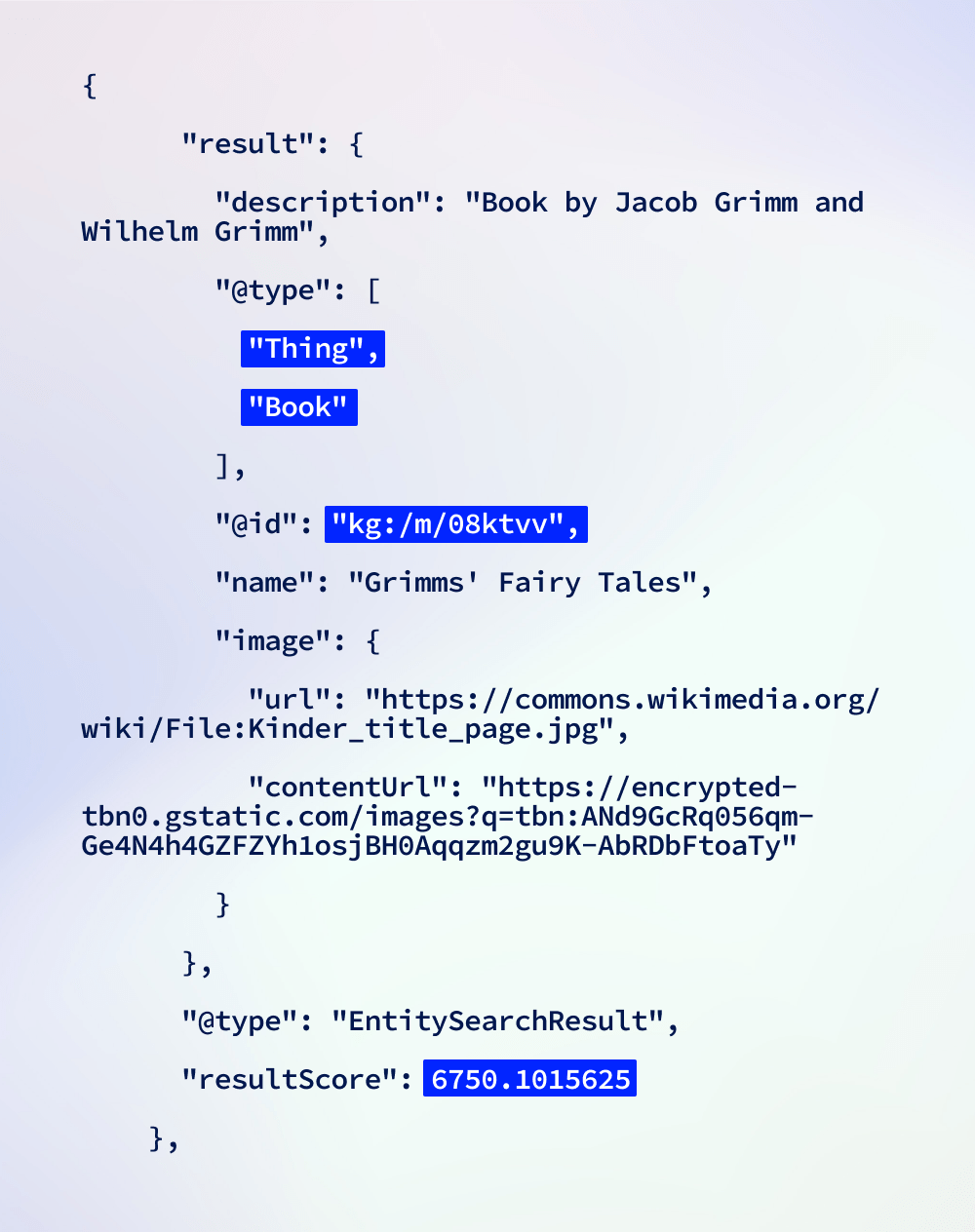
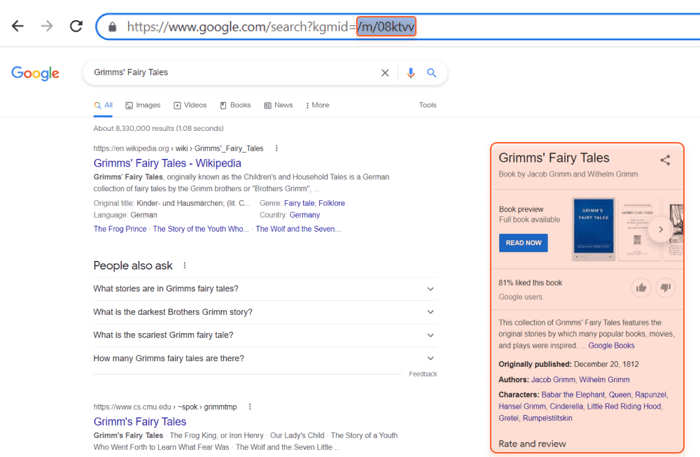
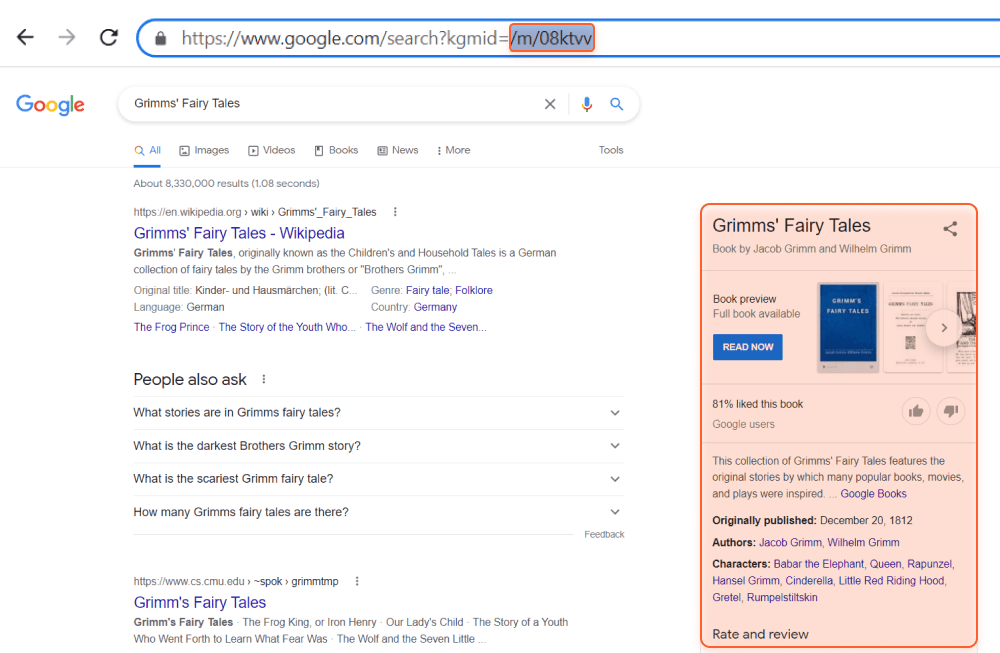
You can copy and paste the ID number of the entity into Google search with the respective parameter, and the search engine will show you how the entity looks.
There is also a free Knowledge Graph Search Widget. It is a JavaScript module that lets you add topics to input boxes on your website. Users start typing a term, and the widget quickly finds relevant matches via the Knowledge Graph Search API. The Knowledge Graph Widget can be embedded in the HTML of your document and will work only with the API key. To see how it works, try the demo of the search widget.
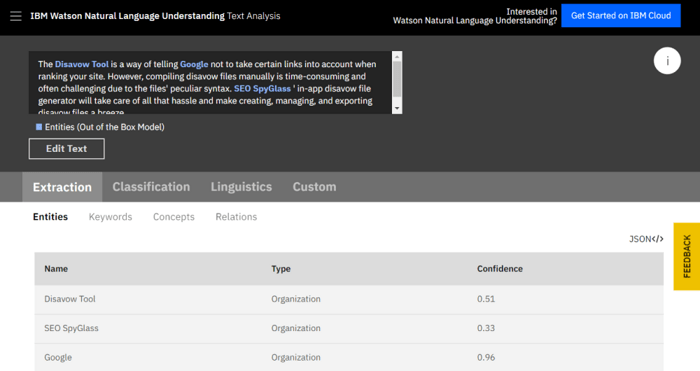
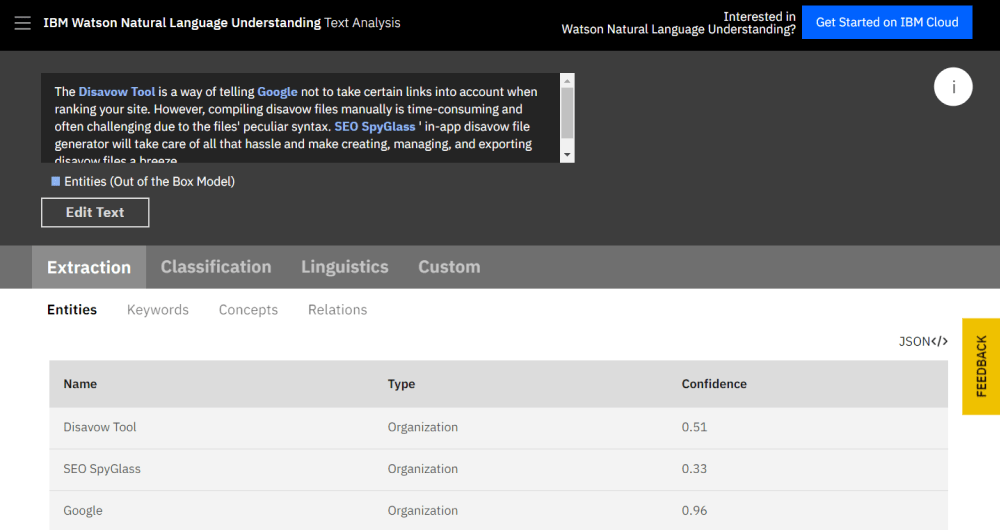
IBM Watson Natural Language Understanding includes a collection of text analytics features that extracts meaning from unstructured data. And there is the NLP API which will let you check entities to see how they are understood by search engines.
To test the NLP API, just paste in a text and discover what entities it finds. Alongside, you can see the confidence score ranging from 0 to 1. The higher the score, the more confident the system is that the suggested entity matches the searcher intent.
And there is a Knowledge Graph Search tool for mining entities on Google. Simply enter a search term and get hundreds of entities around it distinguished as prominent on Google.
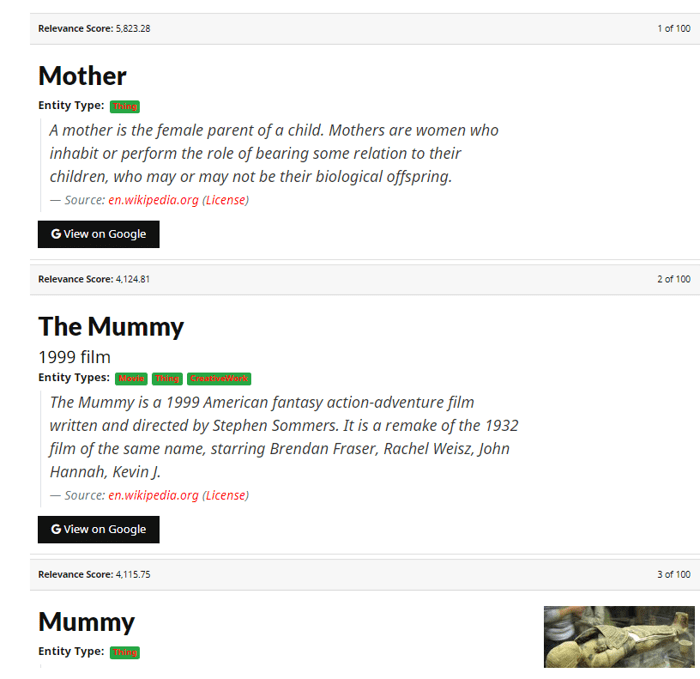
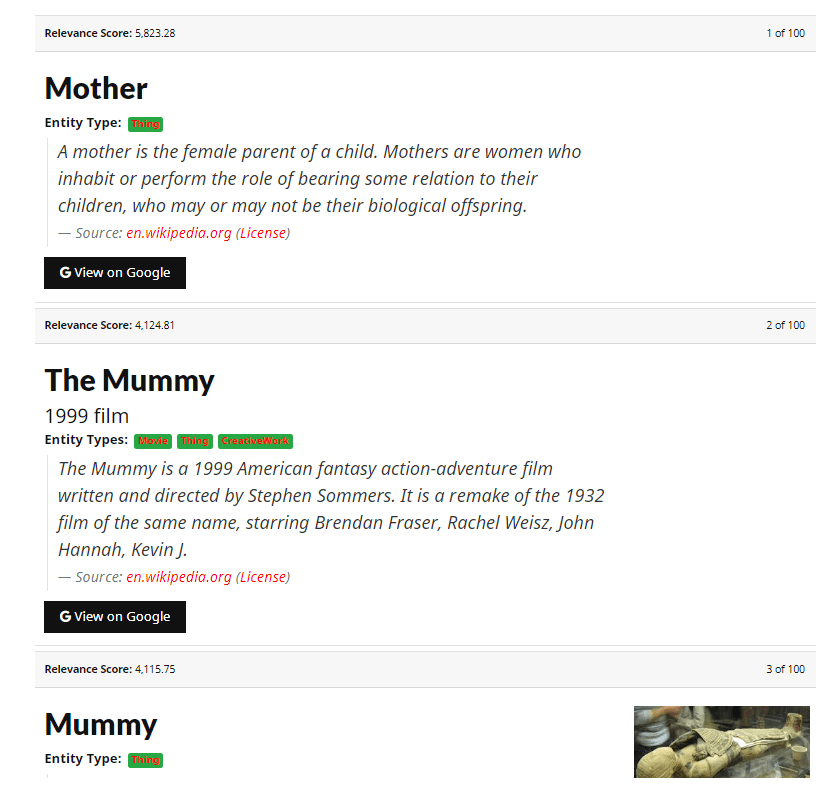
However, this does not necessarily mean that the entity has its own knowledge panel. Though, if the notion is an entity, it might be easier to earn a panel for it.
Have you ever earned a knowledge panel quickly? Do you have your own hacks on how to make a brand more prominent on Google? You are welcome to share your thoughts about it in our group on Facebook and Twitter.
 Article stats:
| Linking websites | N/A |
| Backlinks | N/A |
| InLink Rank | N/A |