10
•
9-minute read

Around October 8, ChatGPT stopped tagging the links in its answers. People kept clicking and landing on websites as usual, but analytics tools had no source to read, so they most likely filed those visits under Direct. According to Adobe analyst Cedric Huesler, OpenAI confirmed the bug to him on October 14, and a fix began rolling out the next day.
If you checked your reports that week, you may have blamed your own content for a drop that was really a labeling problem.
That's the awkward part of measuring AI search right now: the traffic is small, and some of it gets misfiled. Still, the visitors seem worth the effort. In Marie Haynes' analysis of GA4 data from 100 sites, ChatGPT sent less than 1% as many sessions as Google organic, but its visitors converted at 13.8% versus 3.02%.
So this guide skips the AI visibility score, which counts mentions, not visits. In about 30 minutes, with no extra tool, you'll find AI visits in GA4, ask customers what they remember, and put four numbers on one page that you can reuse every month.
GA4 now sorts some AI visits into their own channel, but it shows less than it misses. So you need to check three places: the built-in channel, your Referral traffic, and Direct.
Since May 13, 2026, Google Analytics sorts visits from recognized AI assistants into a built-in AI Assistant channel. There is nothing to set up. Open Reports > Acquisition > Traffic acquisition, make sure the primary dimension reads Session default channel group, and look for an AI Assistant row.
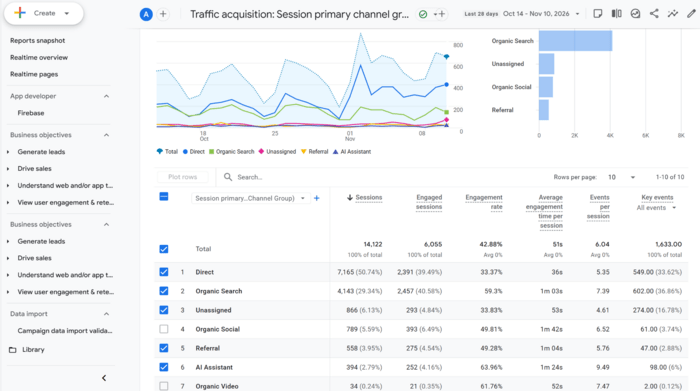
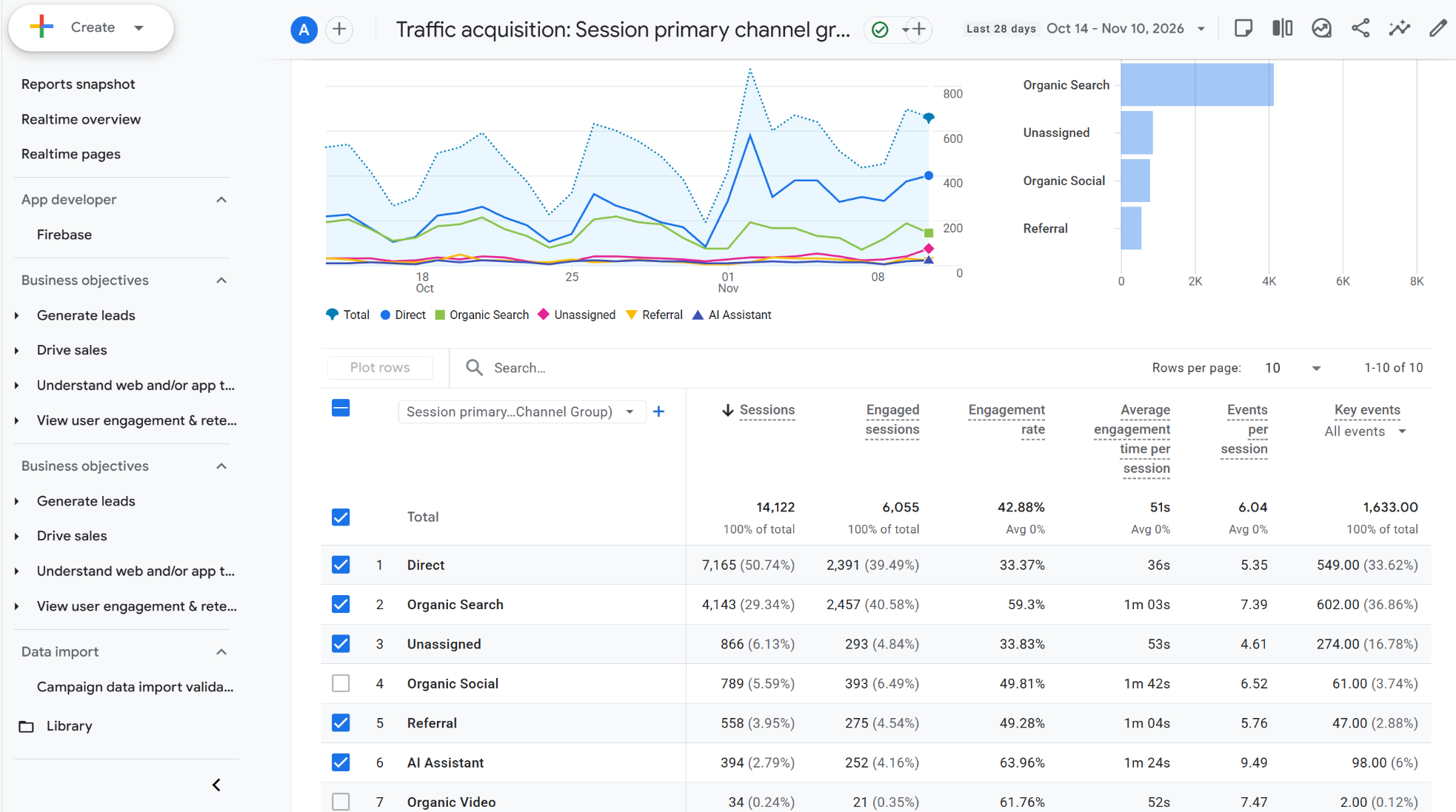
Two limits are worth knowing before you trust that row:
To find what's missing, switch the primary dimension to Session source / medium and search for Perplexity, Claude and any other assistant your audience uses.
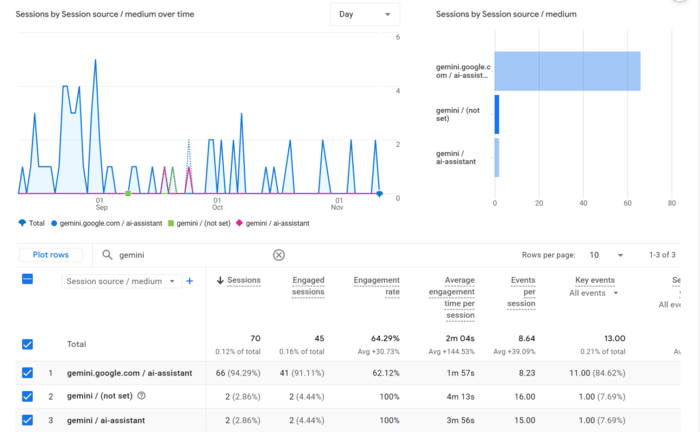
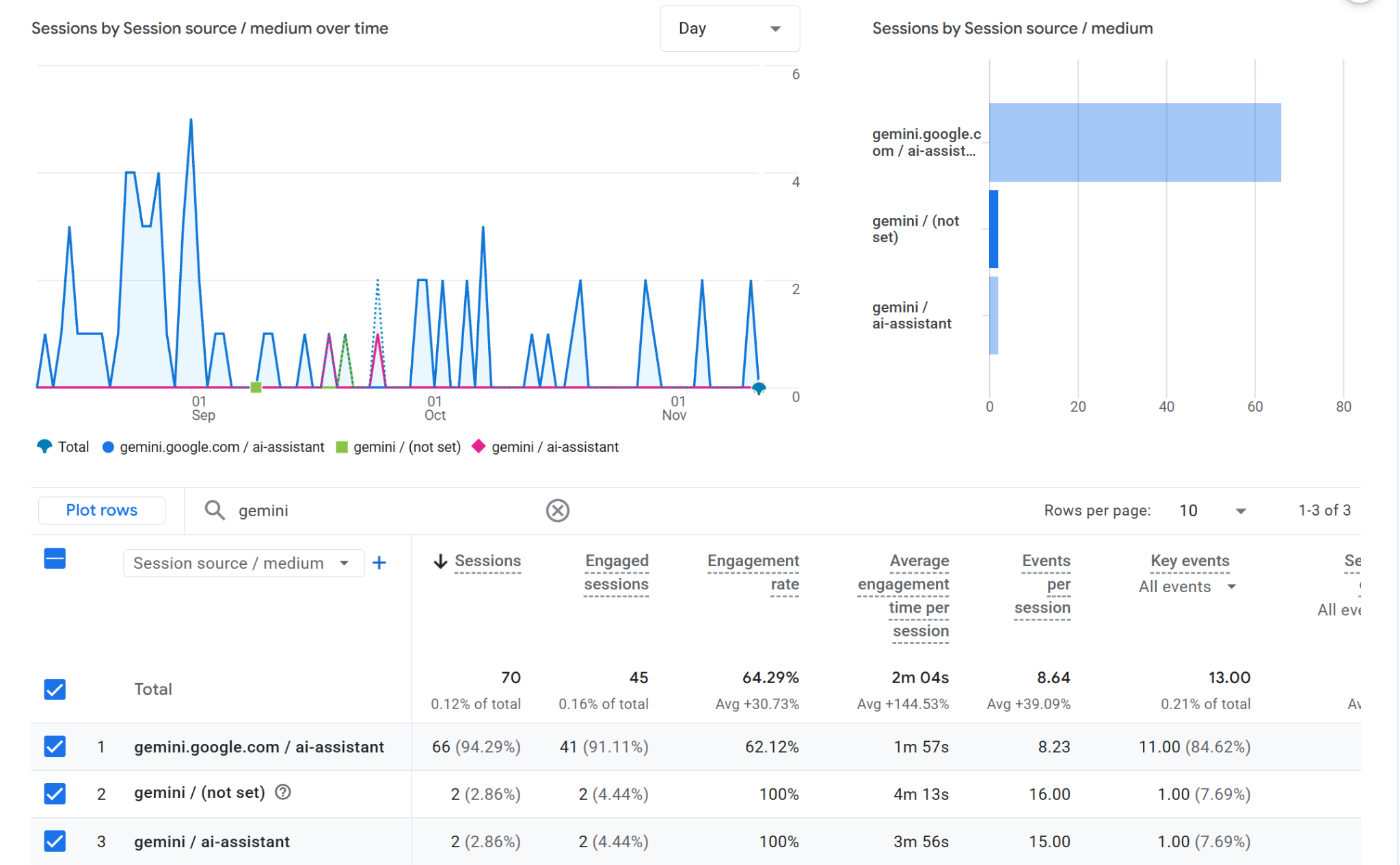
If AI sources show up under Referral, give them a channel of their own. Google's guide to custom channel groups covers the details, and you'll need Editor access or higher.
When someone clicks a link, their browser usually tells your site where the click came from. This information is called the referrer and GA4 uses it to spot AI traffic. If the referrer is missing, GA4 can't tell where the visitor came from, so it files the visit under Direct. That means some AI visits are always hiding there.
Your homepage is a good place to start looking. Tomek Rudzki of Peec AI tested the same prompts before and after GPT-6. After GPT-6, 42% of ChatGPT answers included a direct link to a website, up from about one in ten. More than half of those links went to a homepage.
Here is how to check your own site:
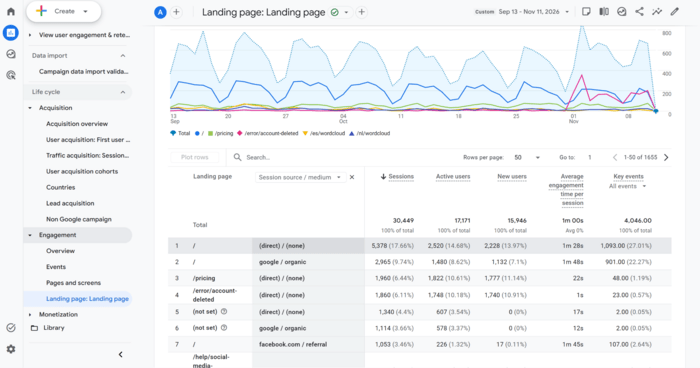
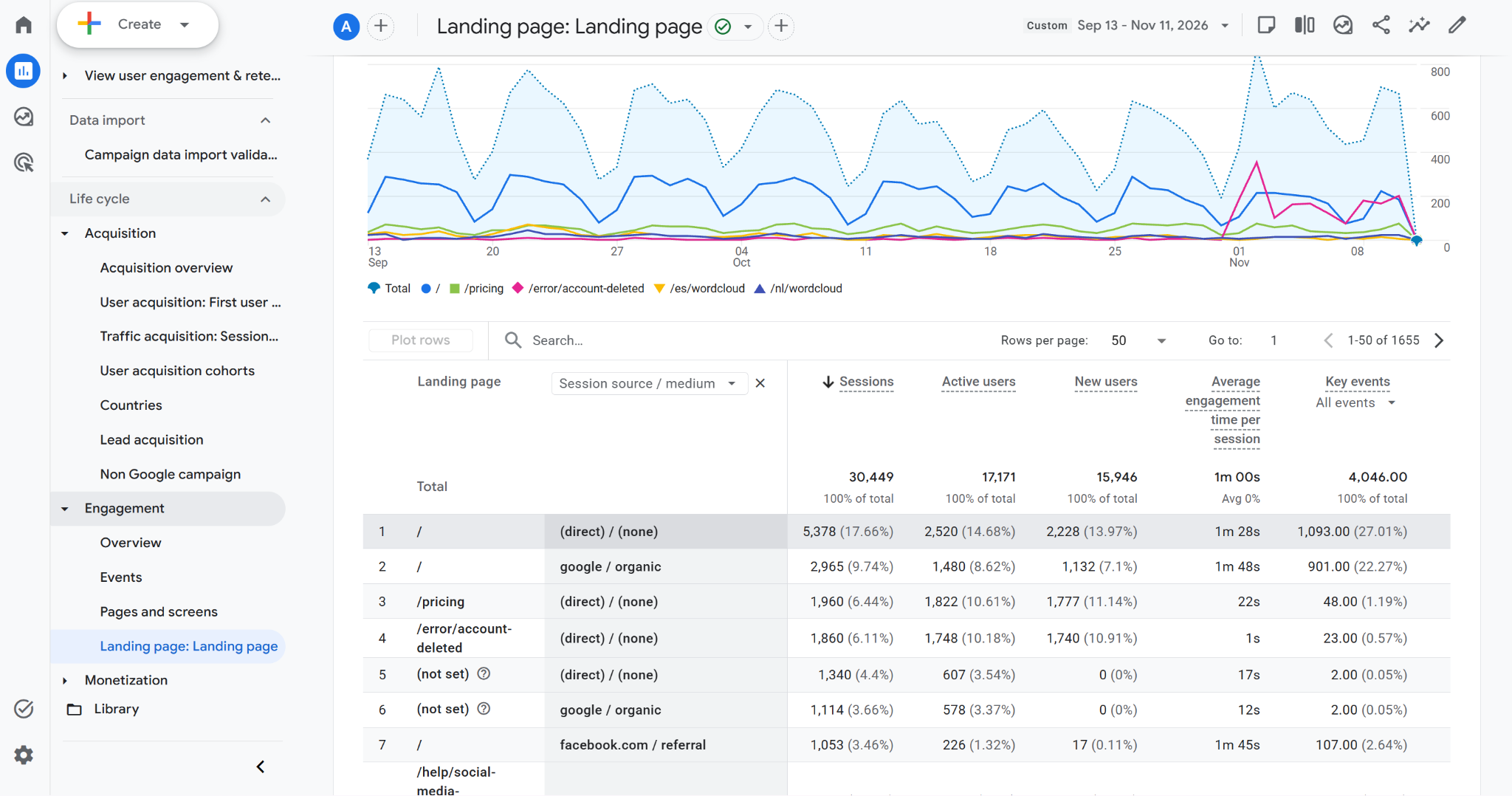
While you are in this report, note which pages the AI rows land on. You will use that list in Step 4.
Here is what to look for. Around October 8 or 9, ChatGPT visits fall sharply. At the same time, Direct visits to your homepage go up, and your total visits stay about the same. That pattern means the visitors didn't disappear - they only lost their label. LLM Pulse saw this on the sites it monitors: ChatGPT visits fell by about 46% from October 9 to 11, while total traffic stayed roughly flat.
If your total traffic fell too, something else happened, and the tracking bug is not the whole story. Direct also goes up for other reasons, such as a newsletter link without tracking or a mention on a podcast. So, you can never know which single visit came from ChatGPT.
Now leave a note for your future self. Without one, someone may look at these charts in six months and decide your AI traffic collapsed because of something you did. GA4 has a feature for this called annotations. You need the Analyst role or higher.
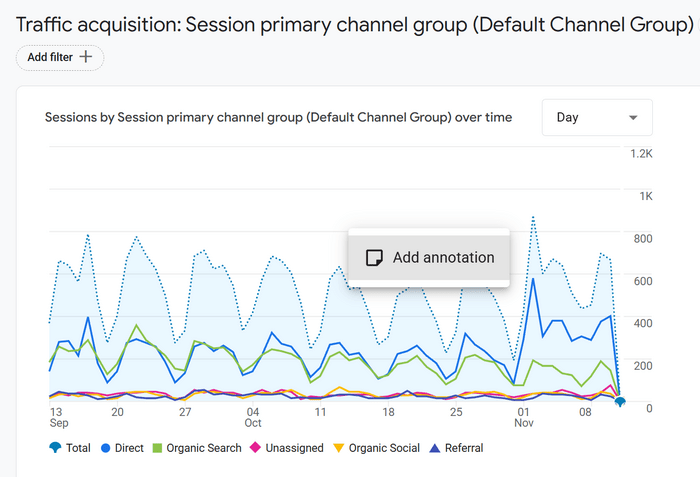
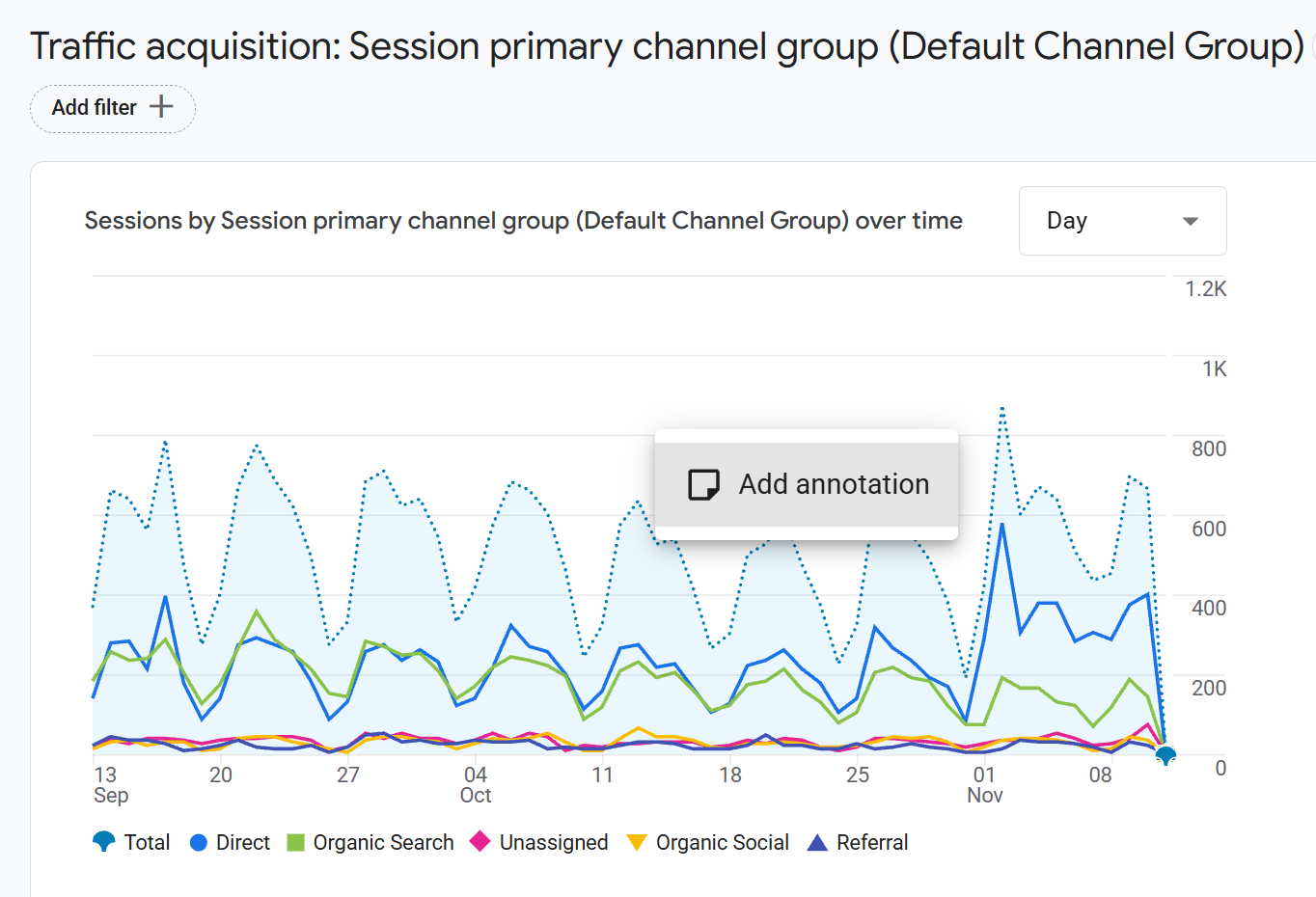
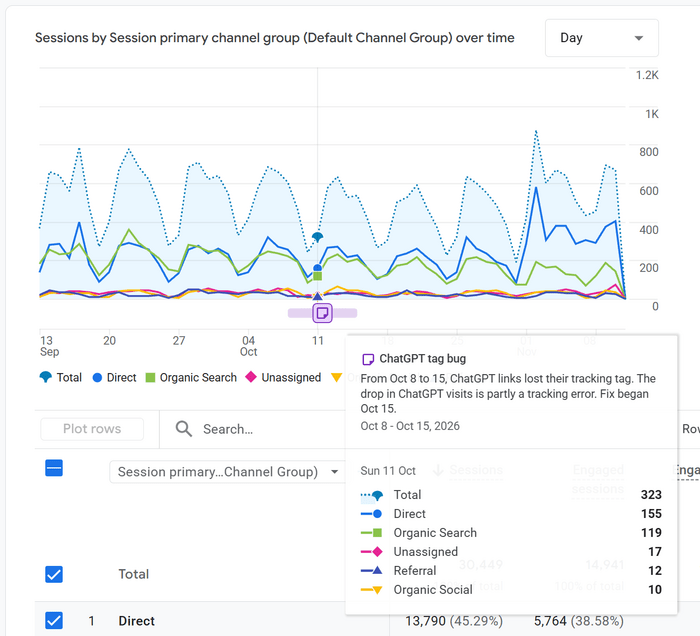
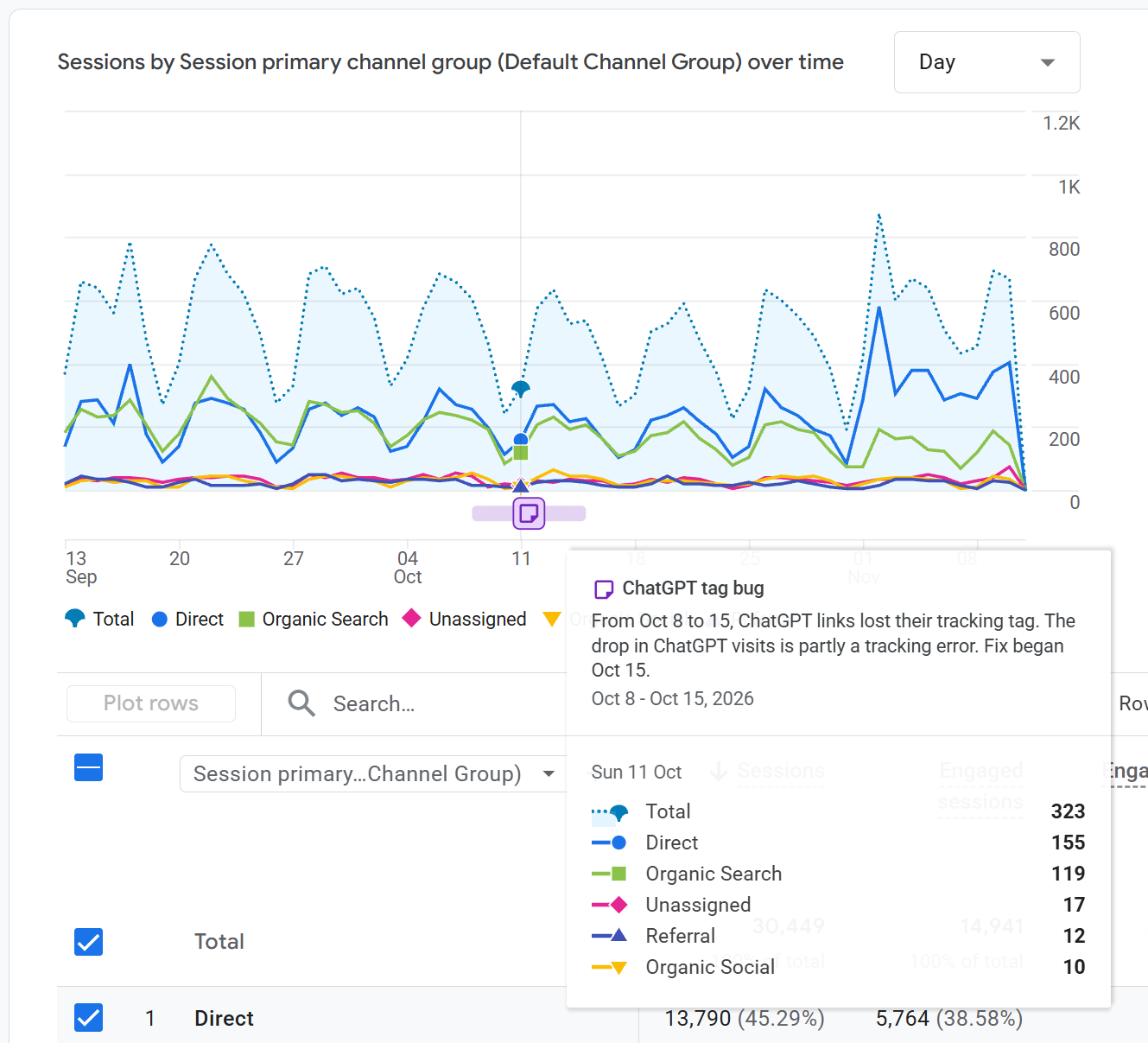
If you report from a spreadsheet or slides, add the same note there. That is where this kind of mistake usually starts.
Analytics can only describe a visit from the outside. It can't tell you that a customer asked ChatGPT for a recommendation, read the answer, and then typed your company name into Google.
That visit looks like someone who already knew you, and the AI step disappears from the record. Your customers remember it, though, so ask them.
The method is an old one actually: a "How did you hear about us?" question on a form, a thank-you page, or a phone call. The only change is a dedicated answer for AI tools, worded the way people talk about them. "ChatGPT or another AI tool" does the job.
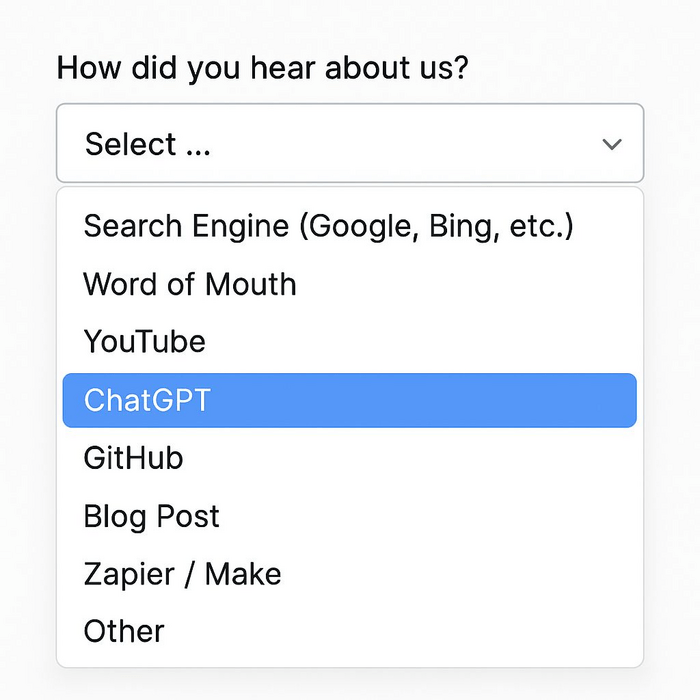
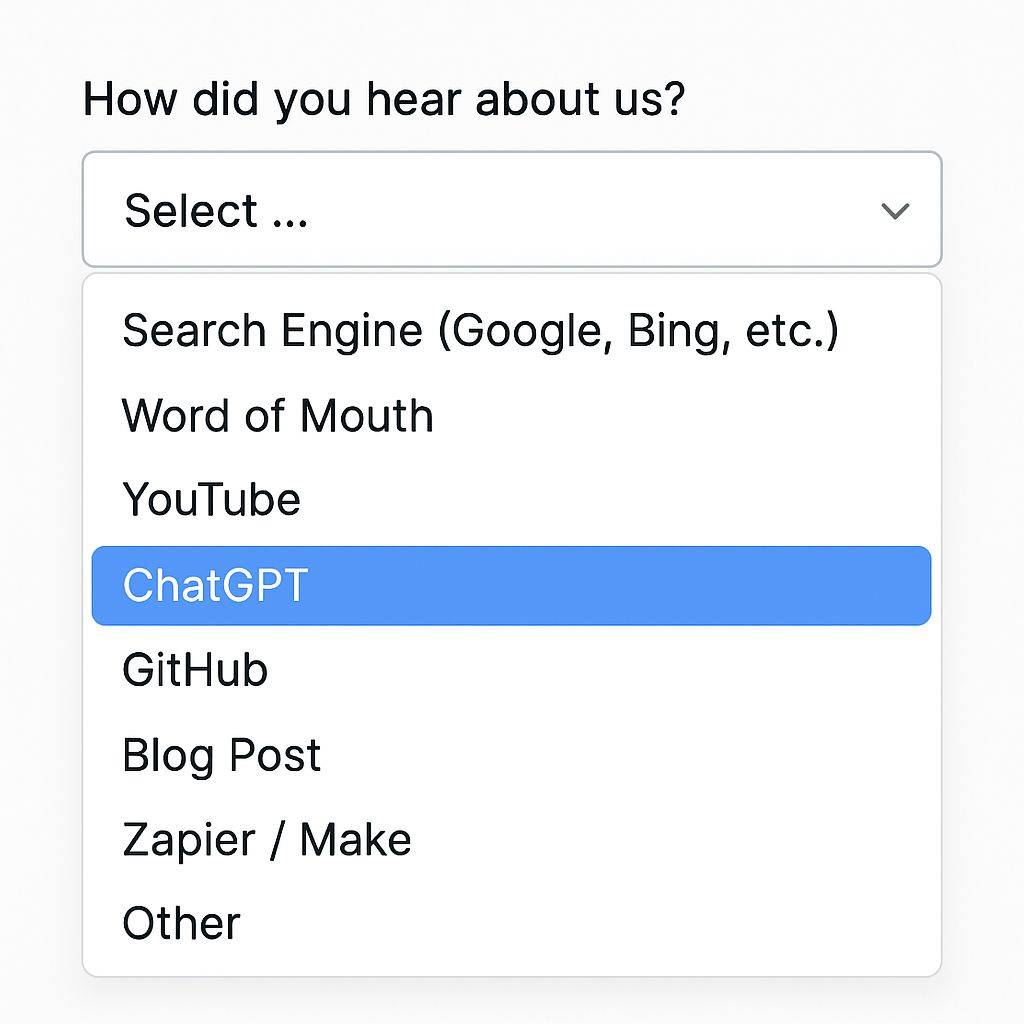
Two rules apply no matter what your business sells. Ask after the person has already bought or booked, and keep the question optional. According to Omniscient Digital's guide to self-reported attribution, a required field on a demo form can cost you conversions, while a question buried below other optional fields gets very few answers.
The best format depends on how your customers buy, so here is how it could look for three kinds of businesses.
Local services. A plumber or a dental clinic usually gets bookings by phone or through a short web form, so cover both. On the form, offer a short list: Google search, Google Maps, a friend or neighbor, Facebook or Instagram, ChatGPT or another AI tool, and Other. On the phone, whoever answers asks the same question and notes the reply in the booking record. It adds a few seconds to each call and needs no software.
Ecommerce. Put one question on the order confirmation page, where it can't get in the way of checkout. A list beats a blank box here, because a busy store collects too many answers to read one by one. Fairing, which runs post-purchase surveys for online stores, warns that AI answers get lost in the "Other" field when there's no dedicated option, and suggests naming a few tools in the label so shoppers recognize it. Something like "AI tool (ChatGPT, Perplexity, Gemini)" fits.
B2B software. The path to a signup is longer and messier, and no list can hold the full story. Use an open text box on the demo or trial form instead, or have your sales team ask on the first call. Omniscient's guide makes the case that a dropdown mostly tests how well people know marketing channels, while an open box captures what they actually remember.
A typical answer might read, "Asked Perplexity for invoicing tools for freelancers and you were on the list." One line like that tells you more than a ticked box.
Once a month, count the answers that mention an AI tool. In an open box, search for ChatGPT, Perplexity, Gemini, Claude and plain "AI," because people spell these in all sorts of ways. Then treat the result as a rough share, not an exact count.
Two things push that share down. People tend to remember the last step before they buy, so a customer who asked ChatGPT and then searched your name will often answer "Google." Some people also skip the question entirely. That is why the trend matters more than any single month.
Is the AI share growing? And is it bigger than your analytics suggested? If a noticeable group of customers say they found you through AI while GA4 shows only a tiny AI channel, the difference is the traffic hiding in Direct from Step 1.
Now you have two views of the same thing: what analytics can see, and what customers remember. Step 3 puts both on one page.
Four numbers on one page tell you more about AI search than any visibility score, and each one comes from a tool you already use. Building the page once in a spreadsheet, and refreshing it every month is quick.
Here are the four, and where to find each:
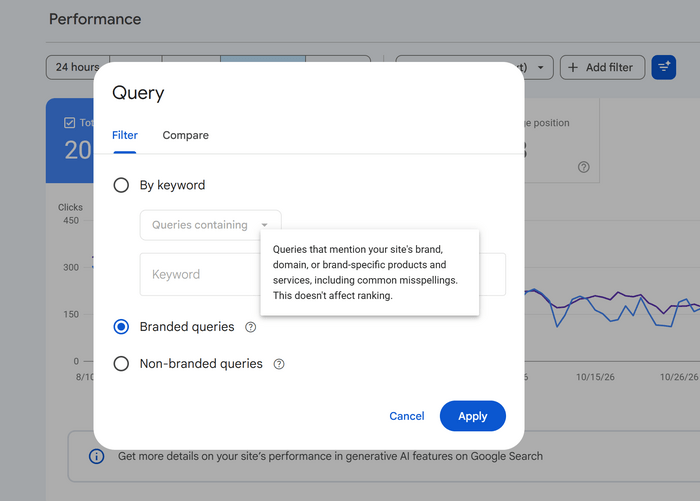
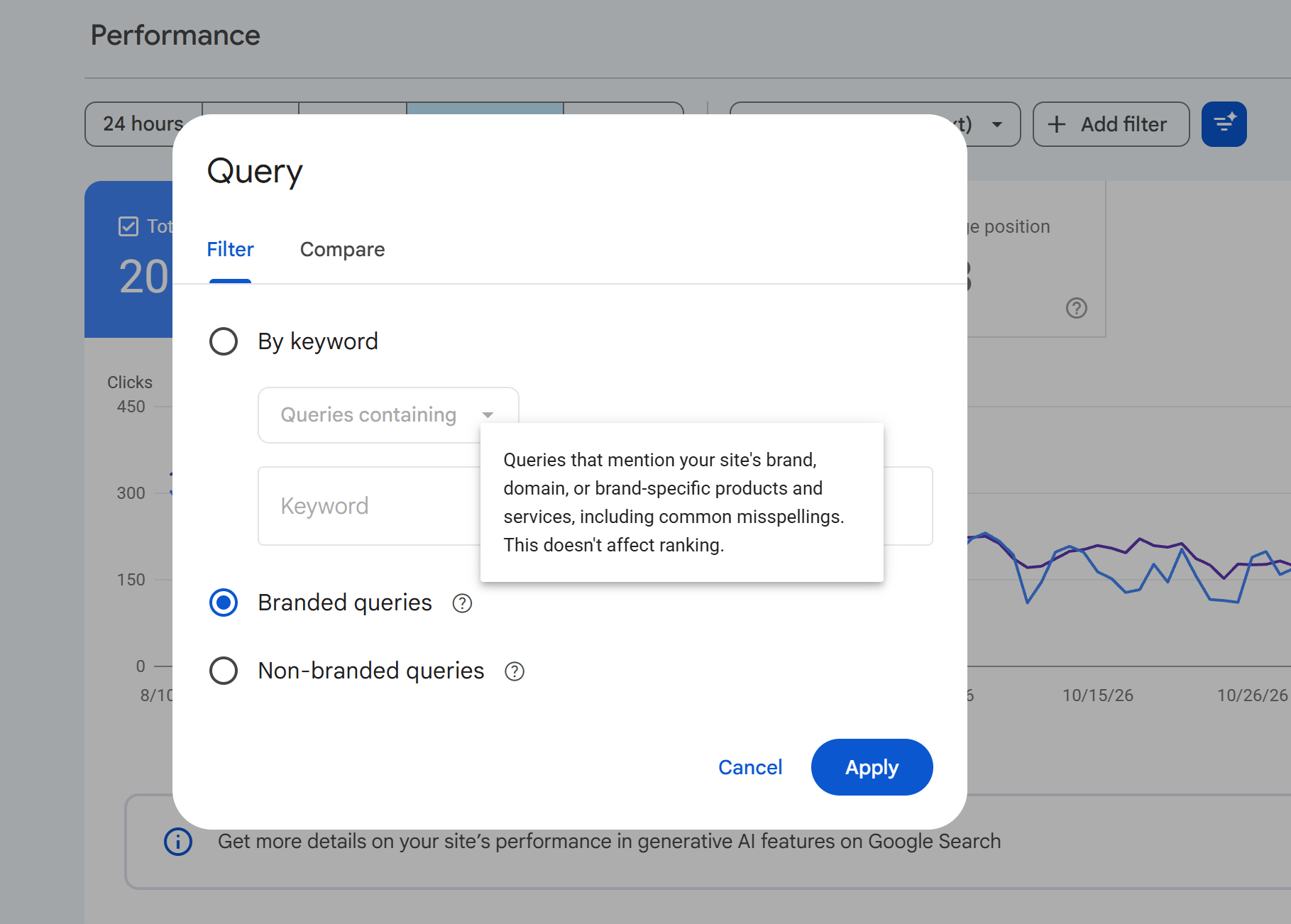
Under each number, write one sentence saying whether it went up, down or stayed flat, and stop there. What matters is the direction of all four together. Omniscient Digital's guide makes the same point: read self-reported answers next to branded search, direct traffic and GA4's AI sessions, instead of trusting any one of them alone.
A month's report might read: AI visits flat, branded search up, homepage Direct up, customers mentioning AI up. That combination hints that AI search is doing more for you than the AI channel shows. If all four are flat, AI search probably isn't moving your business yet, and the conclusion has a rule for what to do about that.
Put it in an appendix at the bottom of the page. A mention is not a visit, and the score also moves around. A Search Engine Journal report on a recent preprint found that asking AI engines the same question can produce different sources each time, and warned that one before-and-after reading can’t separate your change from ordinary noise.
The study is an early preprint, so treat it as a caution, not a verdict. If your tool repeats its checks and shows a range, trust it more. If it shows one clean number, treat it as a rough guide.
Now use the list of landing pages you wrote down in Step 1. These are the pages where AI visitors first see your site, and they are rarely the ones you would have picked. In its own data, Ahrefs found that AI traffic splits across free tools, product pages and the homepage, and not just the blog posts most teams spend their time on. Yours will have a different mix, which is why you check.
Take the top five or ten pages from your list and go through them one at a time. Open each page the way a stranger would, with no context, and ask:
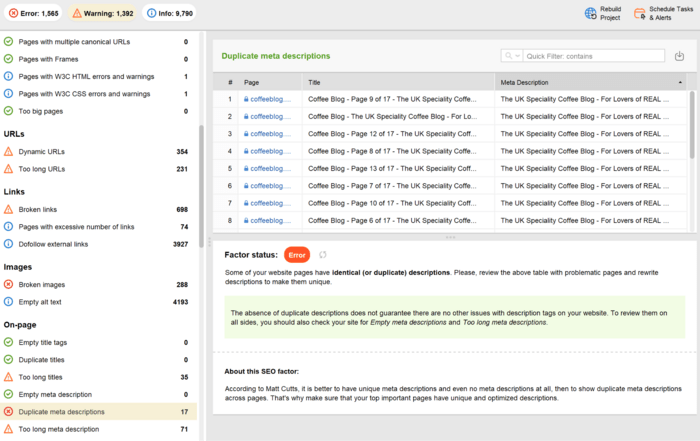
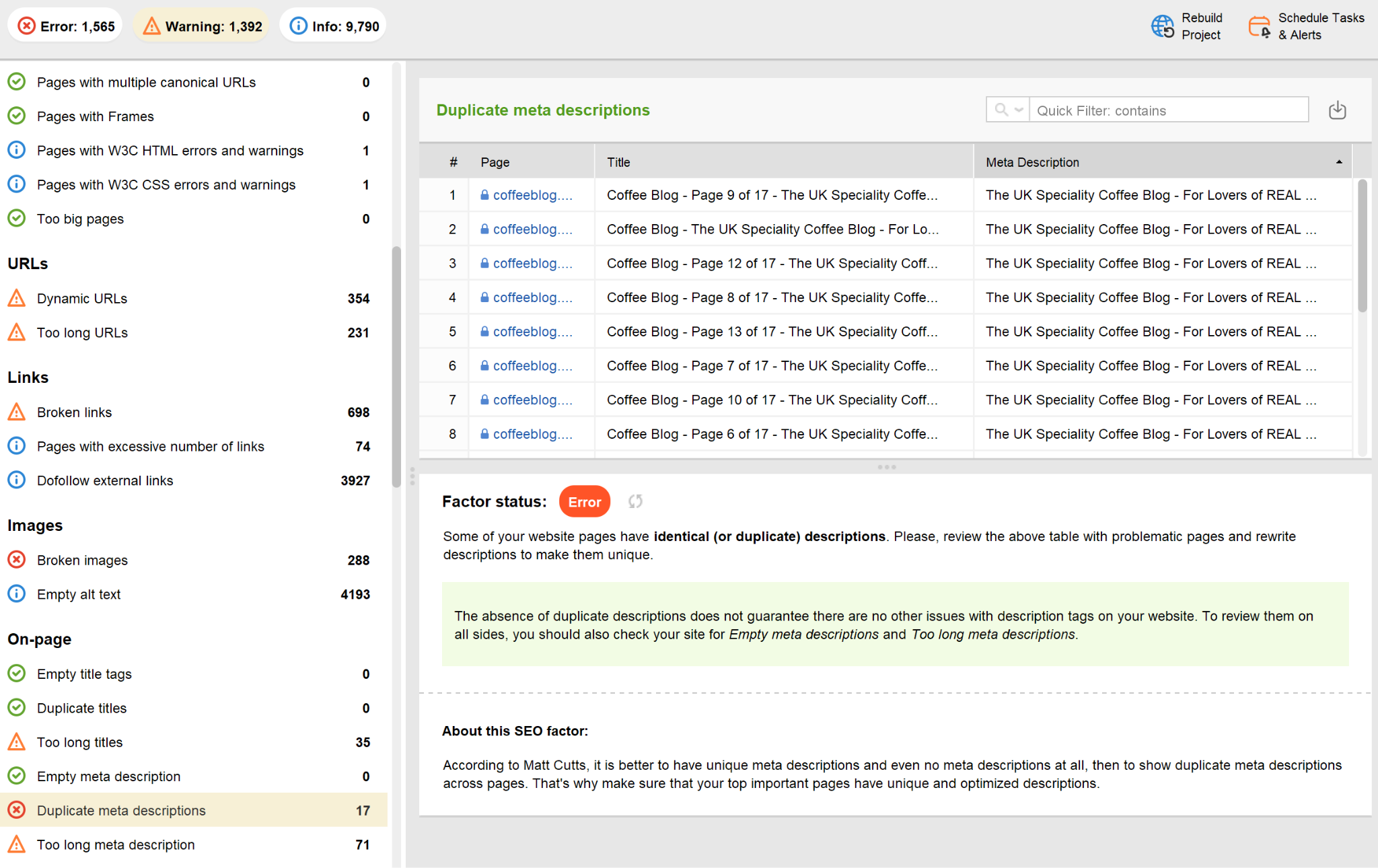
To catch technical problems on these pages, crawl your site with WebSite Auditor. Check the results for broken links, redirect chains and pages blocked from indexing, and fix the ones that affect your top landing pages first.
This is also the cheapest work in the whole article. You aren't trying to get mentioned more often. You are making the visits you already get worth more.
This step is about the other number you probably look at every week: your rankings. Before you read a drop as bad news, make sure it's real.
In September, Google started returning odd results to some automated rank checks. Nozzle looked at 27.5 million result pages and found that about 8% of them had been "poisoned" since September 13. On those pages, the tracked site was missing from the top 10 far more often than normal.
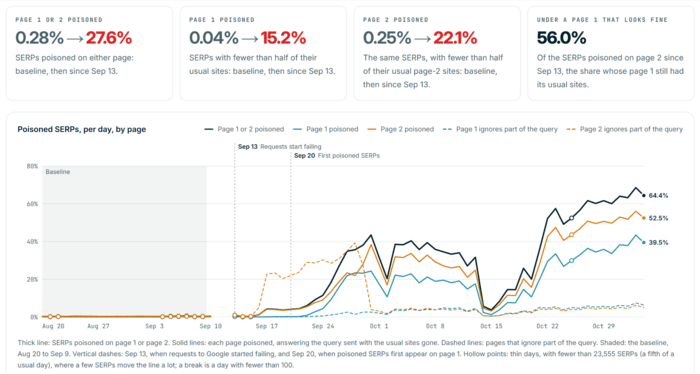
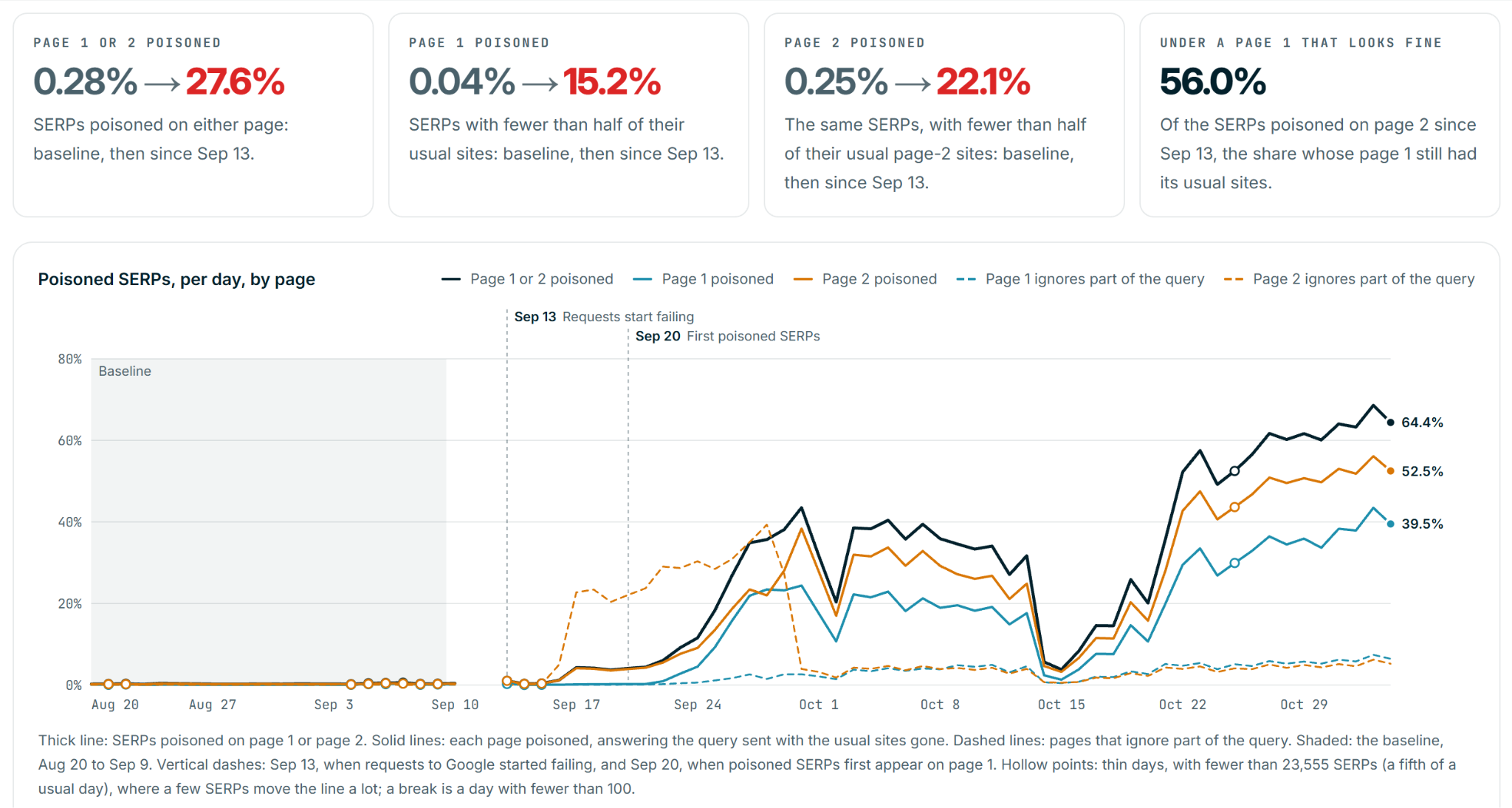
Most of the affected pages went back to normal within a few days, as PPC Land's write-up of the same study explains. To make it harder to read, Google ran a spam update at about the same time, and that update can cause real drops of its own.
So a rank tracker can show a fall that your visitors never saw. The fix is simple. When one of your keywords drops, open Search Console and look at the same query and the same dates. If impressions and clicks are steady, your site almost certainly didn't change, and you can wait a few days before touching anything. If impressions and clicks fell too, the drop is real, and it's time to look into it.
Finally, add a short data-quality note to any September or October report you've already sent, saying that some rank checks were affected. It costs nothing, and it saves you a hard conversation later about a drop that wasn't one.
Here is a simple rule. Once a quarter, open your one-page report and look at AI's share of your conversions. If it's small and flat, keep doing what works for you in regular search, fix the pages from Step 4, and don't build a whole program around AI. If the share is growing, or customers keep telling you AI sent them, give it more time, because by then you'll have your own numbers to back that up.
That's the whole idea. Measure what AI visitors do on your site, not how often AI mentions you. A mention is nice to have, but a customer is what the business needs.


 Article stats:
| Linking websites | N/A |
| Backlinks | N/A |
| InLink Rank | N/A |