2752
•
8-minute read


Finding content ideas is rarely the real problem. Most keyword tools can produce hundreds of topics in seconds. The harder part is deciding which ideas are genuinely worth your time—and which ones your website has a realistic chance of ranking for.
That is why starting every content plan with a blank keyword list is often inefficient. It treats each new idea as if your website has no history, no existing rankings, and no topical authority. In reality, Google may already be showing your pages for relevant queries, including topics you have never deliberately targeted.
Those impressions are useful signals. They can reveal where an existing page needs to be expanded, where a more focused page should be created, and which related topics Google already associates with your site. Competitor data can add another layer by showing which subjects are already attracting search demand in your market.
In this guide, I’ll walk you through the five practical ways to turn those signals into high-potential content ideas—and then prioritize them based on demand, relevance, and your chances of ranking.


Before adding an idea to your editorial calendar, check whether it has four basic qualities:
That last point is often overlooked. Finding a promising query is only the beginning. The real decision is whether the opportunity belongs on an existing page or needs a page of its own.
Google Search Console is usually treated as a performance-reporting tool: you open it to check clicks, impressions, and ranking changes. But the same data can also show where your existing content could expand next.
When Google displays one of your pages for a query, it is making a connection between that page and the subject behind the search. Sometimes that connection is obvious: the query closely matches the page’s main topic. In other cases, the page begins appearing for a related use case, audience, question, or intent that it does not yet address properly.
Those less obvious queries are often valuable content signals. They show that Google already sees some relevance between your site and the topic, even if the page ranks poorly or attracts very few clicks. This gives you a more grounded starting point than choosing a new keyword solely because it has attractive search volume.
The challenge is interpreting the signal correctly. A query generating impressions may point to:
You cannot make that decision from the query alone. You need to see which page Google associates with it and how well the query fits that page.
This is why the analysis should begin at the URL level rather than with a sitewide export. A domain-wide query list may contain thousands of potentially interesting terms, but it removes the context needed to decide what to do with them. You can see that a query generates impressions without understanding why your site appears for it, which page is ranking, or whether creating another page would help or create unnecessary overlap.
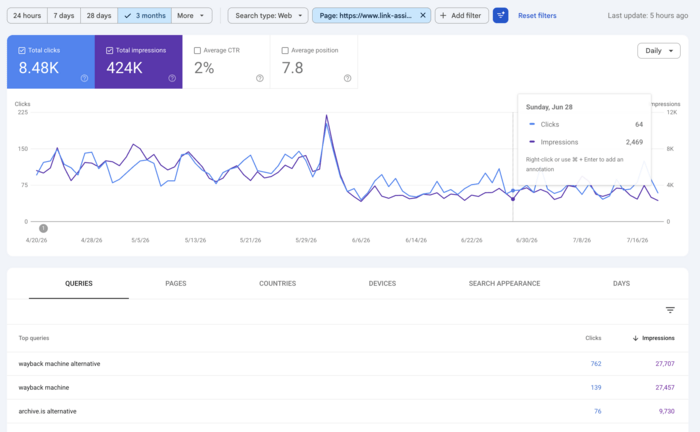
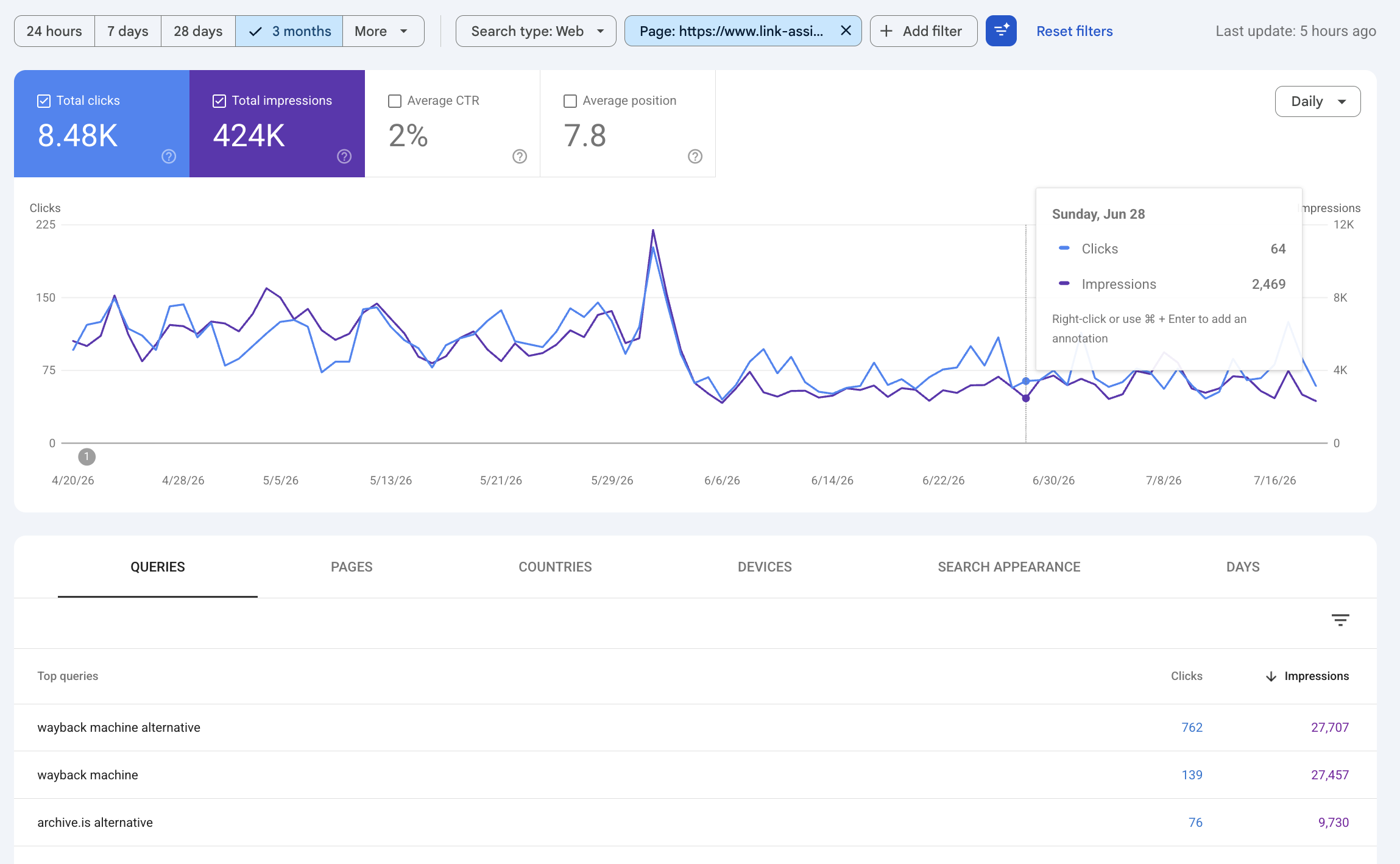
Instead, start with a strategically important URL: a core guide, product category, comparison page, or topic hub. In Performance > Search results, select the URL under Pages, then switch to Queries. You will now see the search territory Google has begun building around that specific page.
Within that list, look for queries that:
The purpose is not simply to collect more keywords. It is to identify where Google is already testing the boundaries of the page’s relevance—and decide whether those boundaries should be expanded.
In my case, one of the most interesting discoveries during the analysis was the keyword “archive.is alternative.”
Looking at the number of impressions this query is already generating, combined with the relatively low number of clicks, I can see a clear opportunity here. It suggests that users are actively searching for this topic, but the current page is not fully satisfying their intent.
This makes it a strong candidate for a dedicated article — one that could potentially attract significantly more clicks by targeting this search intent directly rather than covering it as part of another page.
A single query can suggest an angle, but a stronger content opportunity usually appears when several related queries point to the same topic.
Search demand is rarely concentrated in one exact keyword. It is often spread across different questions, modifiers, use cases, and intents. Viewed separately, these queries may look too small to matter. Grouped together, they can reveal a substantial topic worth developing.
For example, a page about ecommerce email marketing may receive impressions for:
These are not just keyword variations. They represent different branches of the same broader subject: campaign types, automation, examples, and software selection.
Group queries that share a common:
For instance, “abandoned-cart email examples,” “best abandoned-cart subject lines,” and “how many abandoned-cart emails to send” can usually be covered within one focused resource rather than three separate pages.
Not every related query needs its own URL. Ask:
From there, choose one of three actions:
A broad ecommerce email marketing guide might remain the main hub, with separate pages for welcome sequences, abandoned-cart campaigns, and software comparisons.
The goal is not to create more pages. It is to turn related search signals into a clear topic structure without fragmenting demand or creating overlap.
Competitor research is useful because it shows which topics are already attracting search demand in your niche. But the value comes from looking at the right competitors and understanding why their content performs—not from copying a list of keywords.
The websites competing with you in search are not always your direct business competitors. They may also be blogs, review sites, publishers, marketplaces, or software brands that rank for the same topics you want to cover.
The best way to find your digital competitors is to use the Competitor Research module of Rank Tracker. This module helps you find competitors who rank for the same keywords as your site.
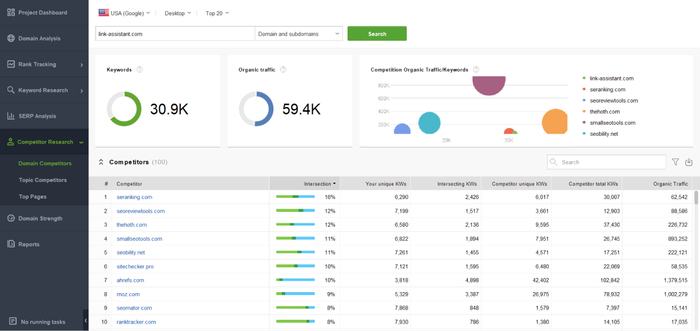
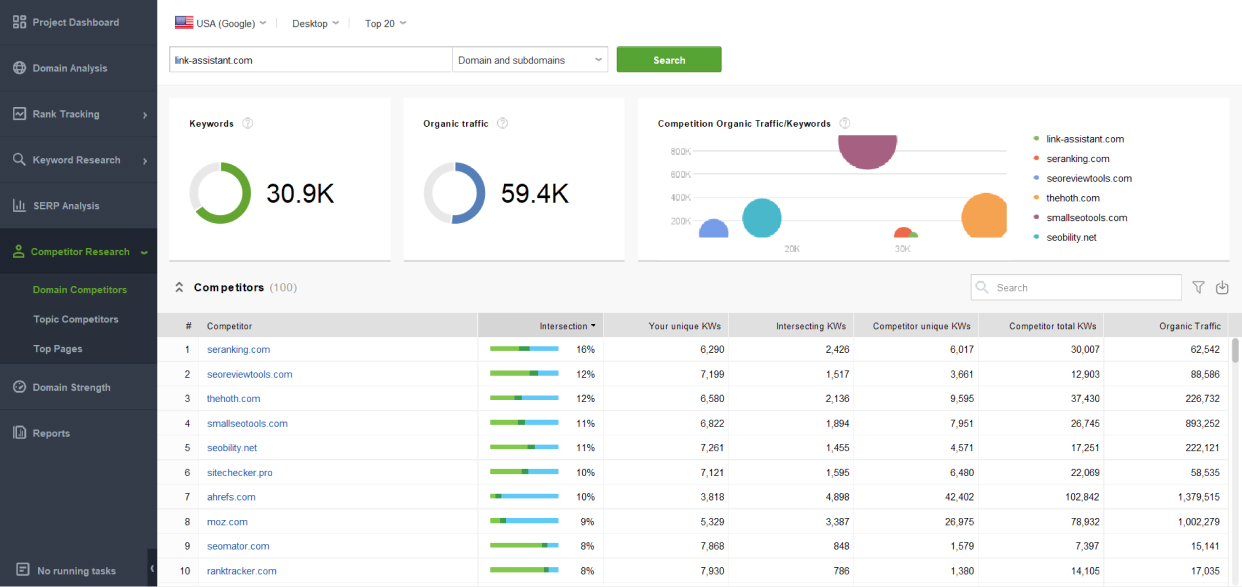
Once the competitors are found, look at the pages that bring them the most organic visibility. For that, jump to the Top Pages module.
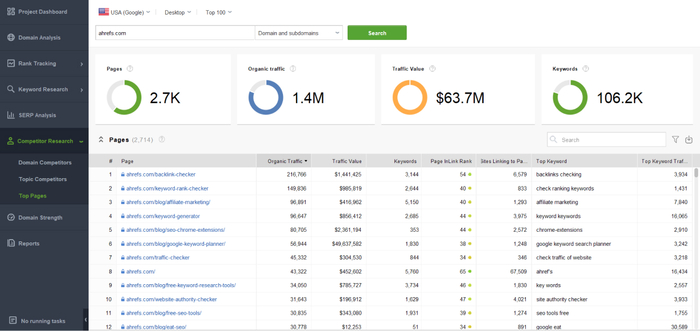
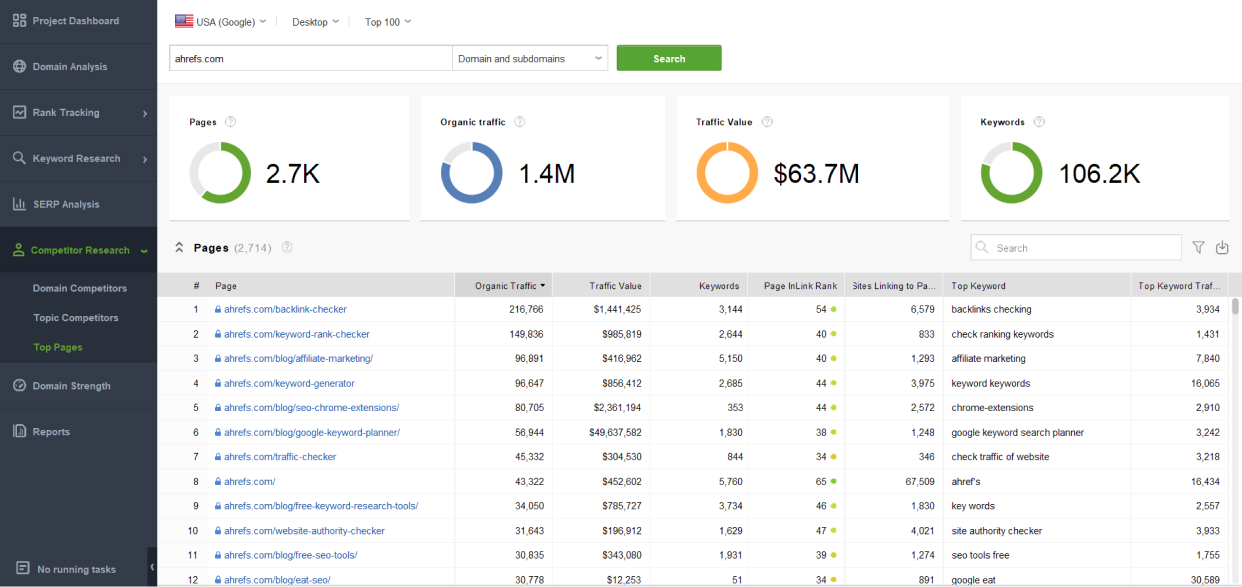
For each page, consider:
This helps you move beyond isolated keywords and understand the full content opportunity.
For example, a competitor may rank for dozens of queries around “SEO reporting.” The real opportunity may not be one keyword, but a broader topic that includes reporting templates, tools, examples, dashboards, and client workflows.
The next step is to decide whether your version would add anything useful.
Look for a clear way to improve on what already ranks, such as:
Simply making the article longer is not enough. If the current results already answer the query well, another generic version is unlikely to stand out.
Treat these findings as evidence of demand, not as an automatic content plan. A topic may work well for a competitor but still be too broad, too competitive, or too far from your business goals.
The best opportunities are the ones that have proven demand, fit your audience, and give you a clear reason to create something better.
By this stage, you may already have several promising topics from Search Console, related queries, and competitor research. The harder question is what to do with each one.
Not every opportunity requires a new article. One topic may need a dedicated page, while another could be addressed by expanding an existing resource. A page may be ranking but underperforming, or it may be trying to cover too many subjects at once.
RankDots Opportunities is built around these decisions. Instead of giving you another keyword list, it turns search data into a prioritized set of recommended actions.
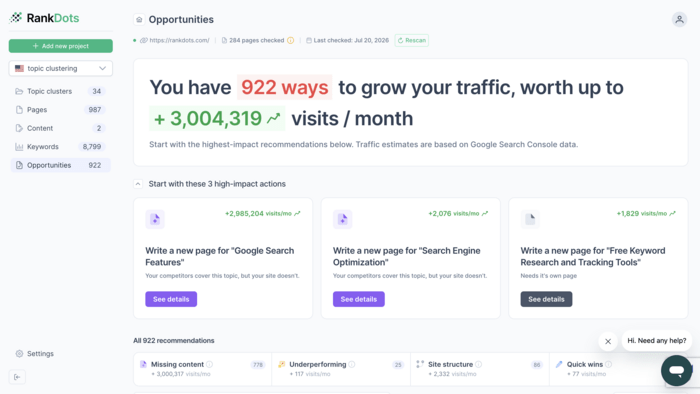
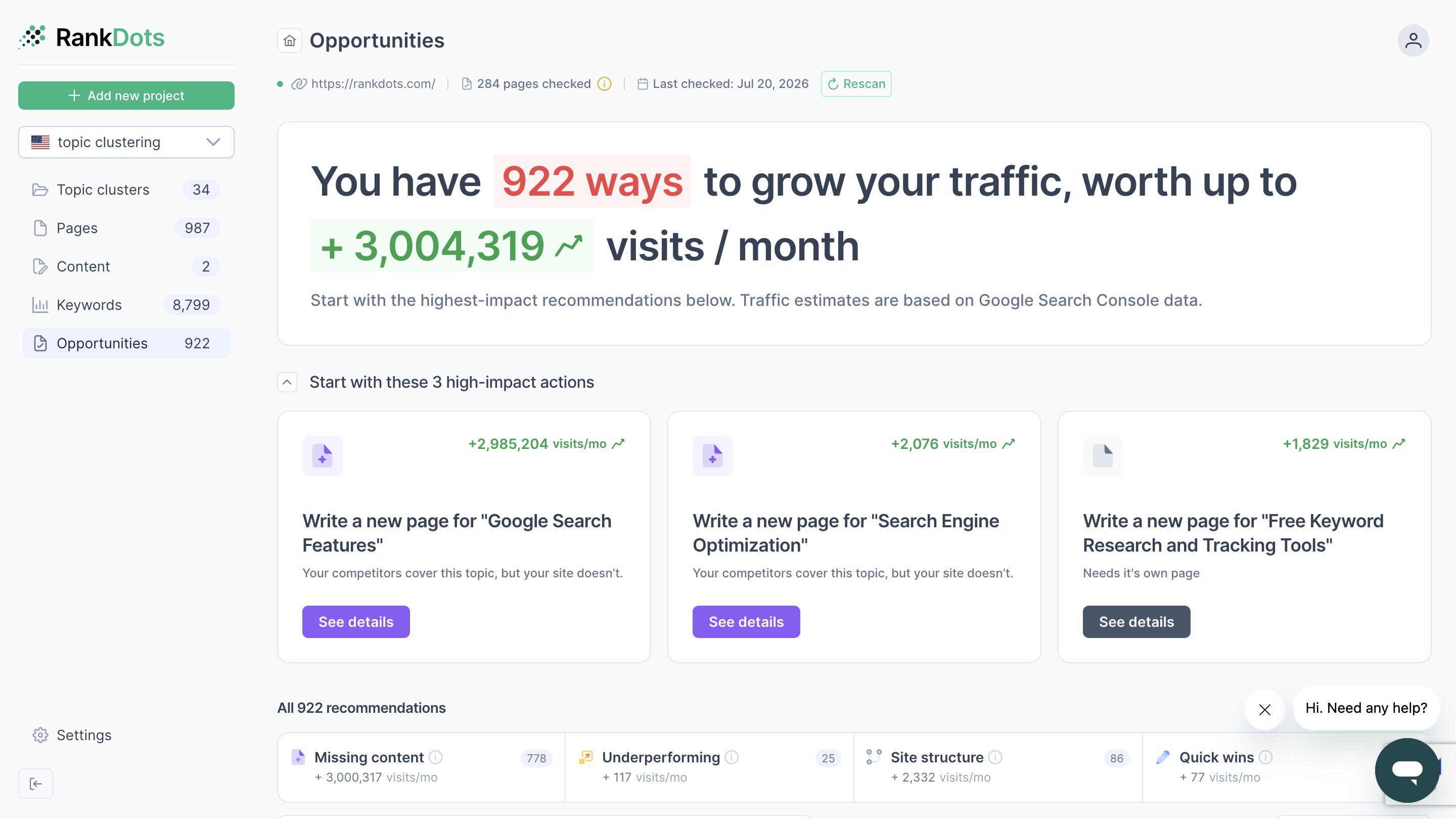
Once your Google Search Console is connected and the site has been analyzed, the Opportunities dashboard shows:
The recommendations are grouped into four practical categories:
This makes the list easier to work through. You can begin with the biggest opportunities, focus on one type of problem, or filter out recommendations you have already completed or decided to skip.
Each recommendation tells you what RankDots suggests doing, rather than leaving you to interpret the data from scratch.
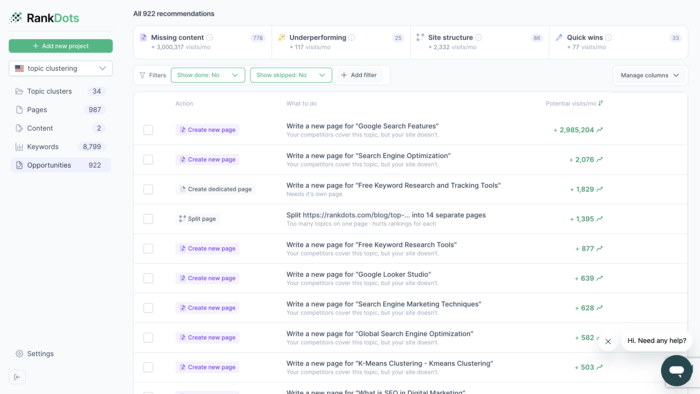
Depending on the opportunity, the suggested action may be to:
This is where the module goes beyond a traditional content gap report. Instead of simply flagging missing keywords, it looks at how each topic fits with the pages already on your site and recommends the most suitable next step.
You can open any opportunity to see why it was suggested.
For a new-page recommendation, RankDots may show that competing sites already have focused pages for the topic while your site does not. The details include the related keywords, search demand, difficulty, potential visits, and the sites currently ranking.
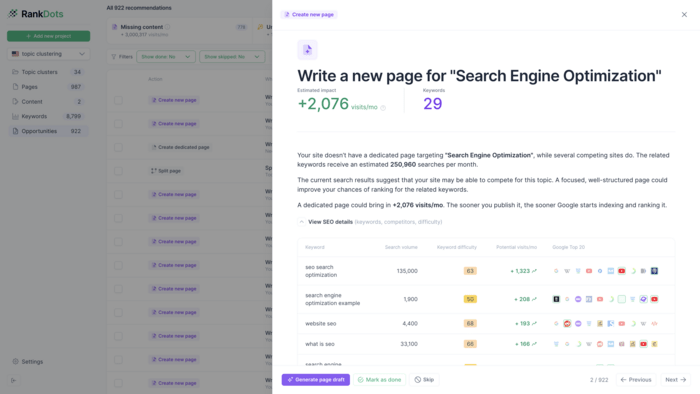
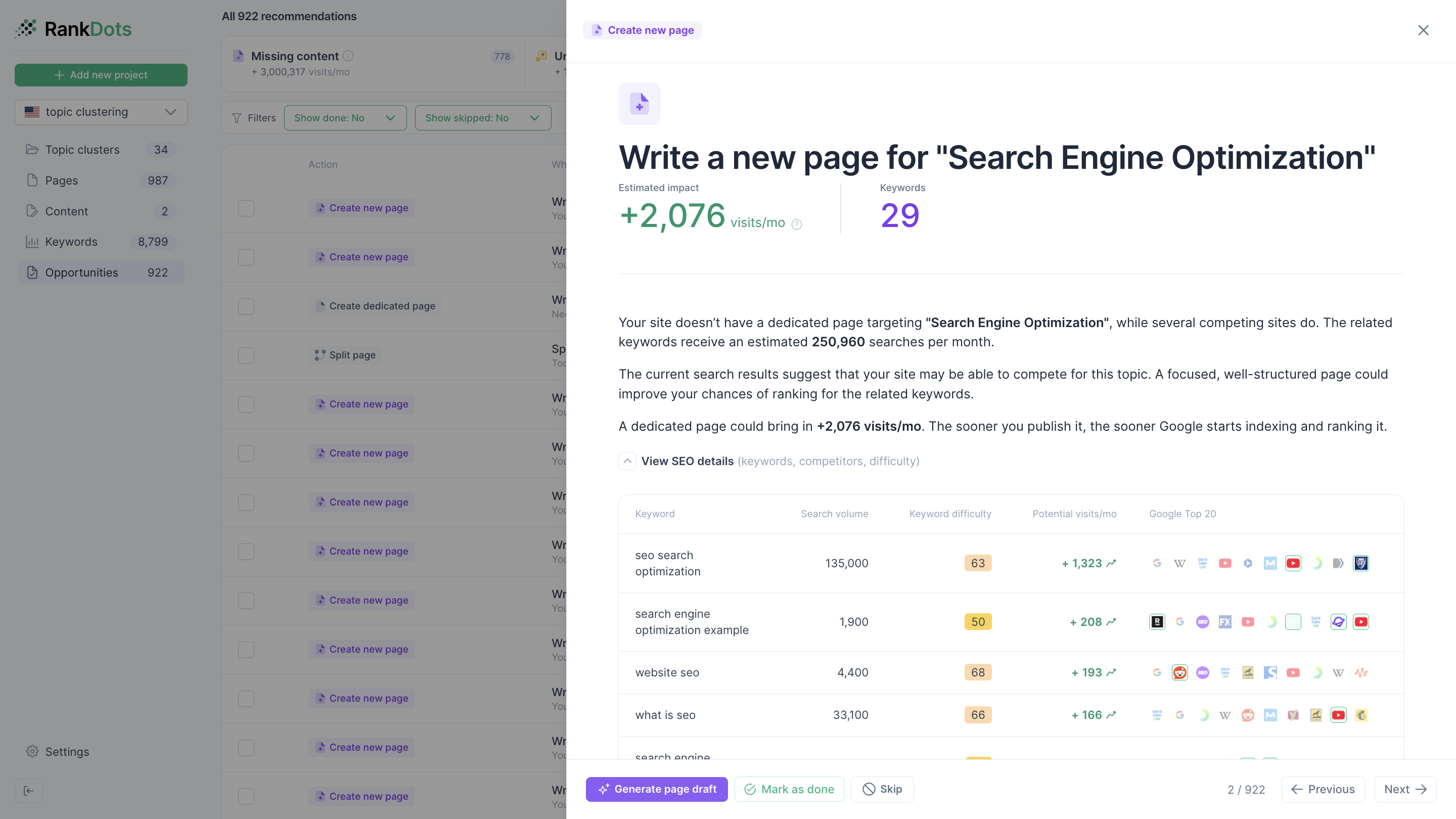
For an existing page, the module can show how much of the topic the page currently covers and which important keywords are still missing. This helps you distinguish between a page that needs a few additions and one that requires a more substantial rewrite.
The estimated traffic impact gives you another way to compare opportunities, although it should be treated as a planning estimate rather than a guaranteed result.
RankDots also lets you move from the recommendation into execution. For a missing page, you can generate a draft and then review it before publishing. For an existing page, you can begin a rewrite or expansion from the opportunity panel.
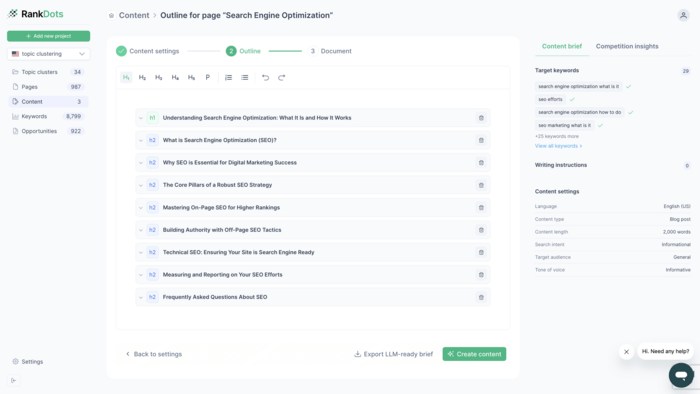
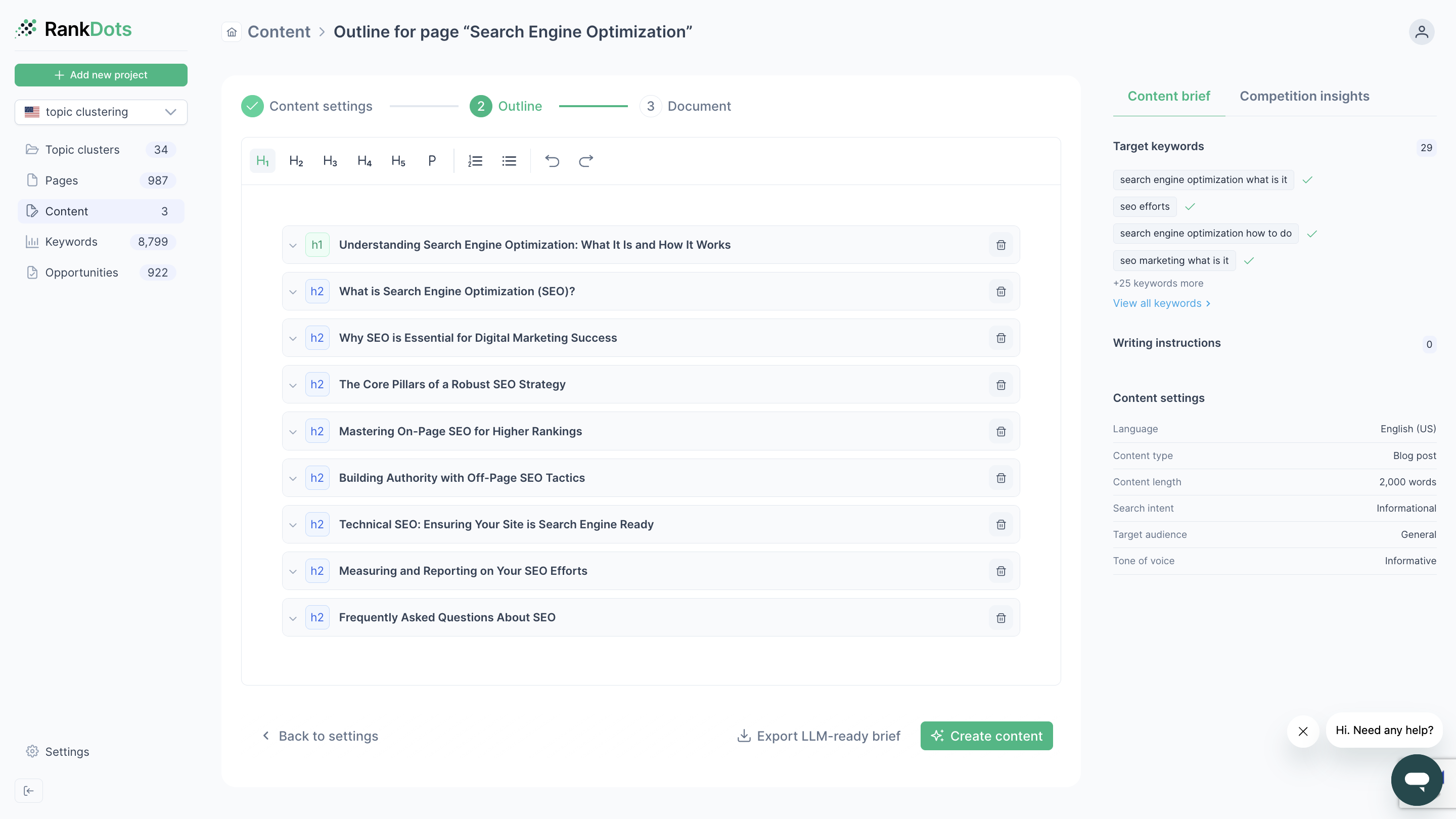
The main benefit is that you are not choosing topics in isolation. You are seeing each idea in the context of your current site and receiving a concrete recommendation for what to create, update, or reorganize.
A long list of opportunities is not yet a strategy. You still need to decide what to work on first.
Search volume is useful, but it should not make the decision alone. A large topic may be highly competitive, weakly connected to your product, or dependent on a page type you cannot realistically produce.
A smaller topic where you already receive impressions may deliver results sooner.
Evaluate each opportunity using six factors:
A simple one-to-five score is enough. It will not predict traffic precisely, but it helps the team compare opportunities consistently.
Then sort the roadmap into three groups:
Imagine choosing between two projects.
One is a page already ranking between positions 8 and 15 for a commercially relevant topic. The other is a completely new page targeting a much larger but highly competitive subject.
The second may look more impressive in a keyword tool. The first may be the better investment because the site already has some relevance and requires less work.
Your next high-traffic idea may be hiding in existing impressions, an adjacent topic, a competitor’s proven page, a gap in your site structure, or a URL that is close to performing better.
Start with five important pages. Review the queries attached to them and classify each promising opportunity as:
Update, support, create, merge, or monitor.
Then prioritize the ideas with the strongest combination of demand, relevance, feasibility, and potential impact.
That will usually produce a more realistic content roadmap than starting from an empty spreadsheet.


 Article stats:
| Linking websites | N/A |
| Backlinks | N/A |
| InLink Rank | N/A |