10839
•
12-minute read


If you’ve ever struggled to get your content to rank on Google, chances are you’re targeting the wrong keywords.
While high-traffic keywords might seem appealing, they often come with fierce competition, making it nearly impossible to secure a top spot. Instead, a smarter approach is to focus on low competition keywords—search terms that strike a balance between reasonable search volume and low competition.
Here’s proof: We recently found one of these hidden gem keywords, wrote an article around it, and almost instantly started seeing prominent traffic.
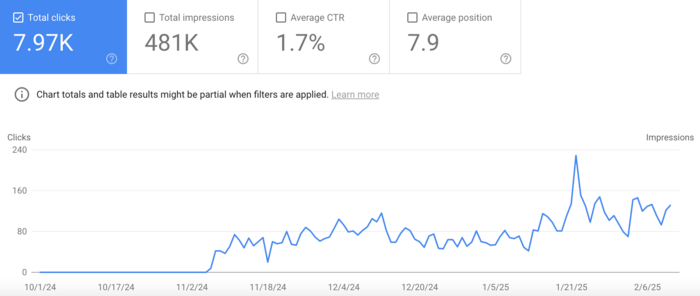

But what made it work wasn’t just the keyword itself. It was the fact that it opened the door to a broader, underserved topic with multiple closely related queries we could cover.
In other words, the quick win came from spotting not only an easy-to-rank keyword, but an easy-to-rank topic — a cluster of search terms where competition was still weak across the board.


In this guide, I’ll show you exactly how to find those low-competition keywords using SEO PowerSuite — and how to spot easy-to-rank topics with RankDots so your wins don’t stay one-offs, but build on each other.
If your content isn’t ranking, you’re probably targeting keywords that are too competitive.
The smarter approach is twofold:
Use RankDots to discover low-difficulty topic clusters and high-potential pages. Use SEO PowerSuite’s Rank Tracker for extensive keyword research.
Keywords help you get in the game.
Topics help you win consistently.
Low-competition keywords are search queries that:
For example, instead of targeting “best smartphones” (which is highly competitive), a more achievable keyword would be “best budget smartphones for students 2026”—a long-tail variation with lower competition.
Different types of low-competition keywords can help you reach the right audience without getting lost in the crowded SEO landscape.
Here are some effective examples:
As the name suggests, long-tail keywords are longer, more specific phrases (usually three or more words). While they have lower search volumes, they’re easier to rank for and often attract highly targeted traffic.
Examples:
Users searching for these terms typically know what they want, leading to higher conversion rates.
Adding a location to your keywords narrows the competition and makes them more relevant for local searches. This is essential for businesses targeting a specific area.
Examples:
For businesses relying on local customers, geo-specific keywords improve discoverability.
These keywords focus on a specific subset within a larger market, making it easier to rank in a competitive niche and attract the right audience.
Examples:
Niche-specific keywords help you reach a smaller but more engaged audience with less effort.
People search by asking questions, and ranking for these queries can help drive targeted traffic—especially with the rise of voice search.
Examples:
These keywords work especially well for blog posts, FAQs, and knowledge bases.
When users search for specific products or features, they’re often further down the sales funnel. Targeting these queries can attract buyers ready to make a decision.
Examples:
Targeting product-specific keywords helps attract high-intent users who are closer to making a purchase.
By focusing on these keyword types, you can rank in a competitive niche faster, drive targeted traffic, and improve conversions—all without competing against industry giants.
An easy-to-rank topic is a group of closely related search queries where competition is weak across the board. Not just for one keyword, but for the entire subject.
Think of it this way.
Targeting a single keyword is tactical. Owning a topic is strategic.
Let’s say you find a keyword like “how to make soy candles.” It has decent volume and low competition. Great. But when you look closer, you notice related queries:
If Google’s results for these queries are inconsistent — a mix of small blogs, thin content, forums, outdated guides — that’s not just an easy keyword. That’s an easy-to-rank topic.
And that’s where growth compounds.
A single low-competition keyword can bring traffic. But it usually plateaus.
A low-competition topic allows you to:
Instead of hoping one page ranks, you create a cluster that reinforces itself.
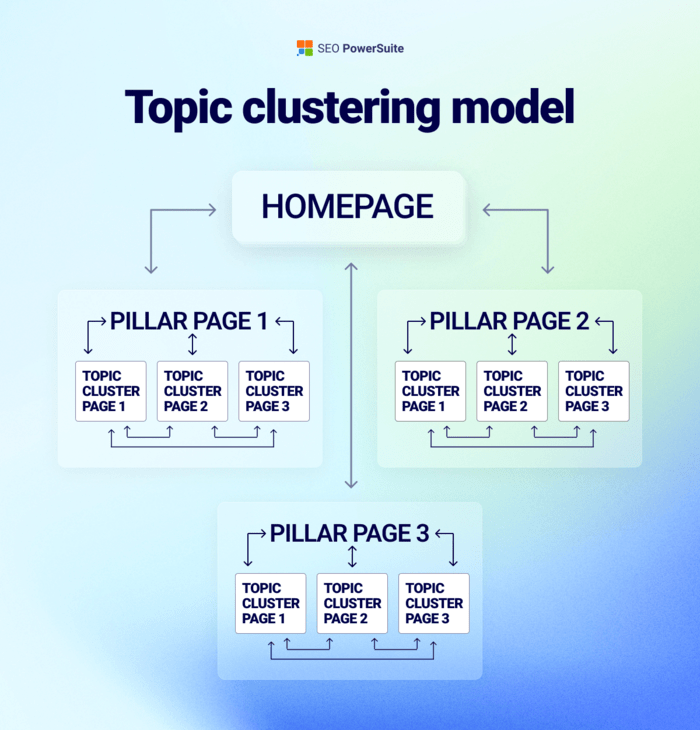
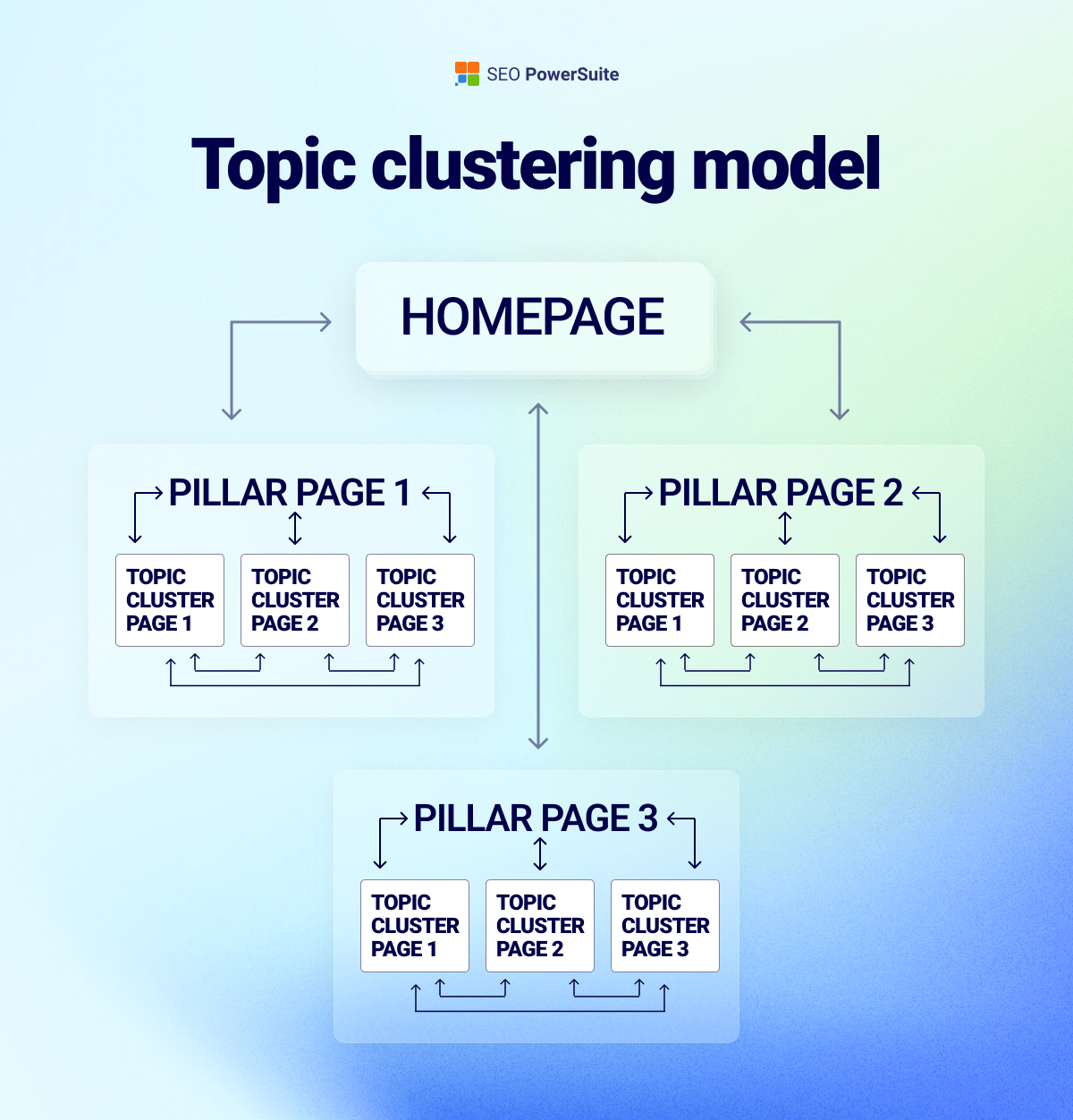
This is how smaller sites compete with bigger ones. Not by attacking their strongest keywords — but by identifying weakly defended topic areas and covering them better than anyone else.
In practice, easy-to-rank topics share a few traits:
If one keyword naturally expands into five or ten connected searches — and competition looks manageable across them — you’re not looking at a keyword opportunity.
You’re looking at a topic opportunity.
And in 2026, that’s the smarter way to build sustainable rankings.
|
|
|
|
|---|---|---|
|
|
|
|
|
|
|
|
|
|
|
|
|
|
|
|
|
|
|
|
|
|
|
|
|
|
|
|
|
|
|
|
Before we dive into individual low-competition keywords, let’s zoom out for a moment.
If you only focus on single keywords, you can absolutely win rankings. But when you organize those keywords into clearly defined topic clusters, you increase your odds dramatically — and your results tend to last longer.
Here’s how to systematically find easy-to-rank topics using RankDots.
Open RankDots and enter:


Once you hit Find topics, you’ll be asked to specify your topic.
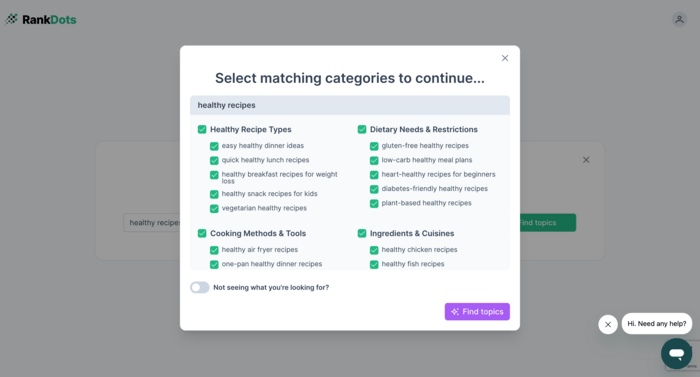
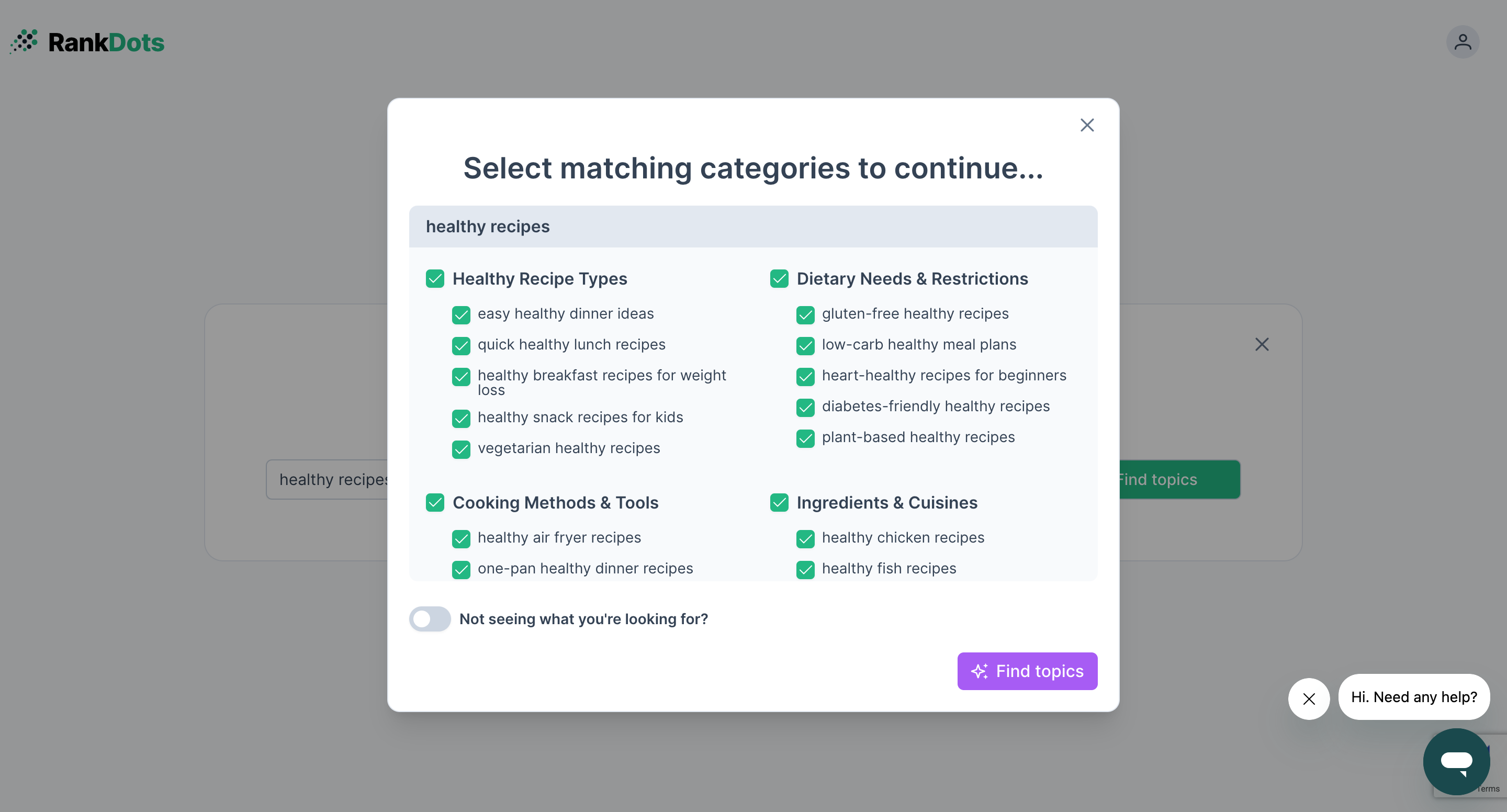
After that, RankDots will start collecting all relevant keywords and automatically group them into structured topic clusters using powerful AI.
Instead of a long, chaotic keyword list, you now see organized themes — each representing a potential content hub.
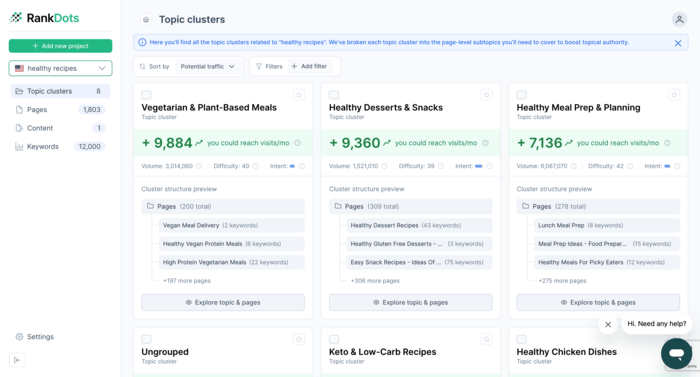
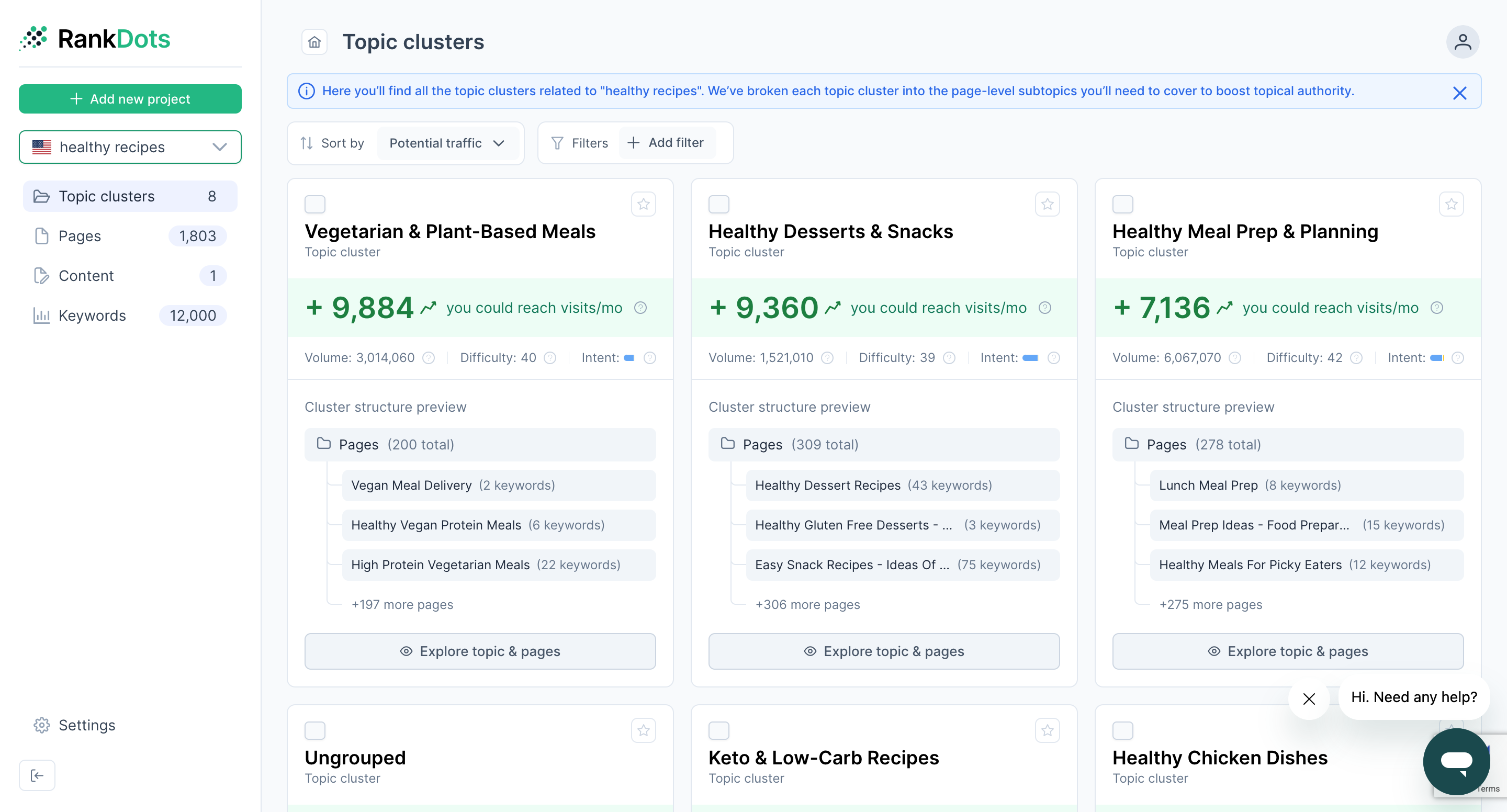
Each topic cluster in RankDots appears as a card with key metrics, including topic difficulty.
Now you’re looking for clusters with the lowest difficulty. This is where opportunity lives.
Use filters to exclude clusters with a difficulty score greater than 45.
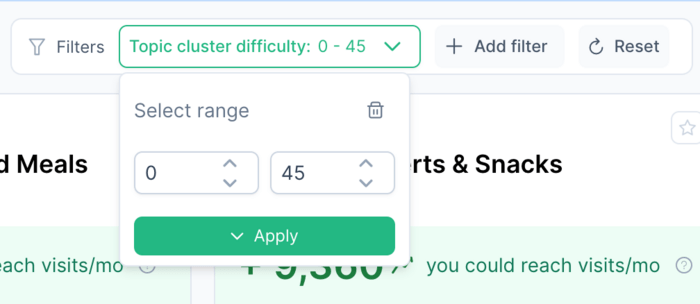
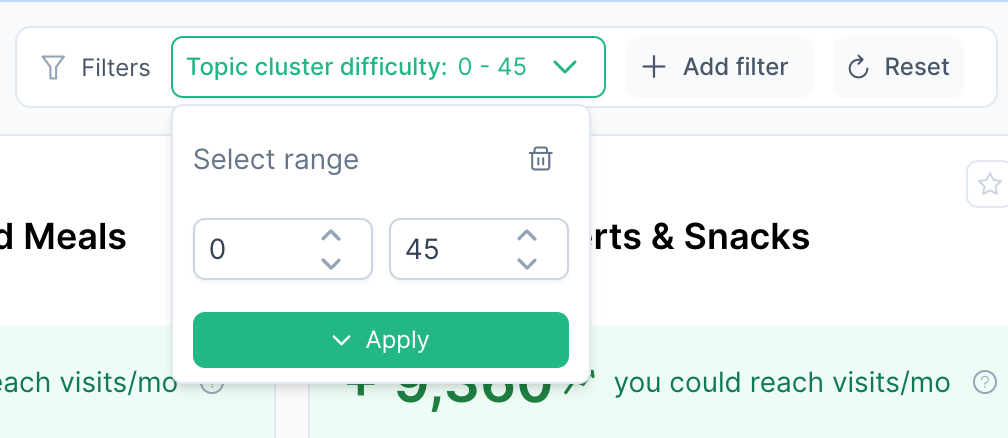
A low-difficulty topic means competition isn’t strong across the cluster as a whole, which often makes ranking easier and more stable than targeting one isolated term.
Sort by difficulty, scan traffic potential, and identify topics that are both:
When something stands out, click Explore topic & pages.
Inside the topic view, RankDots breaks the cluster into page opportunities.
Choose the page with the strongest upside and click Create content.
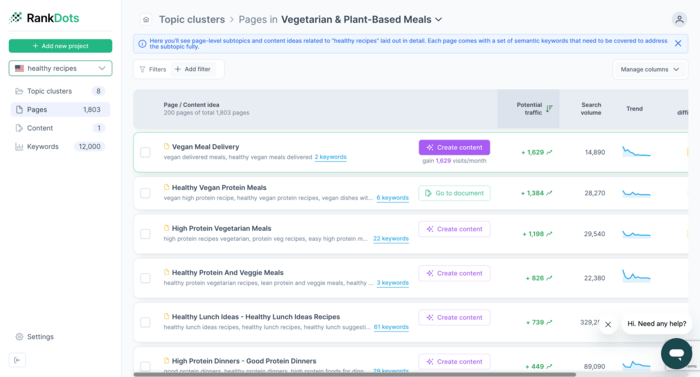
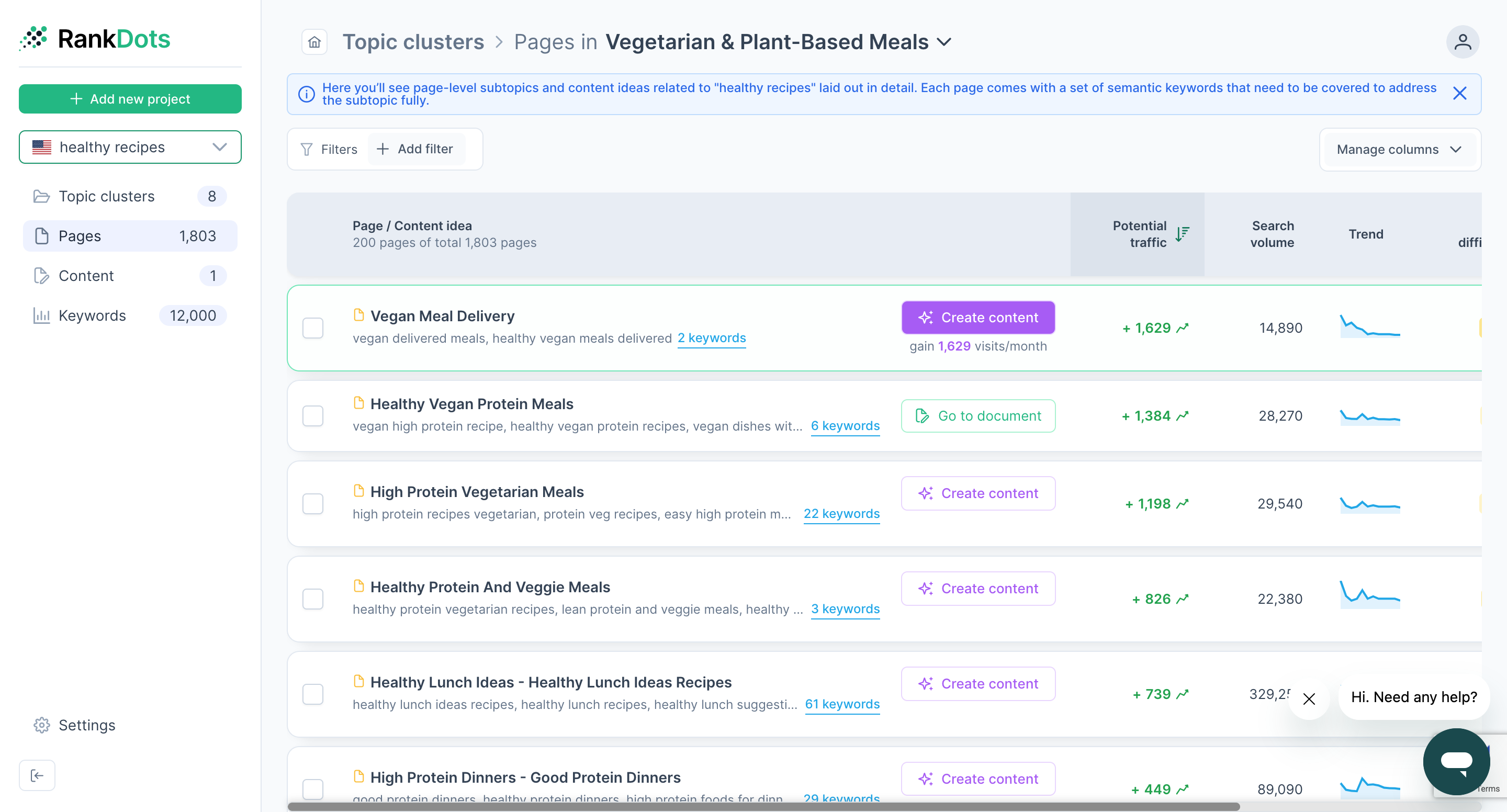
RankDots’ AI will help you generate structured, intent-matched content that naturally covers related queries within the cluster — giving your page broader ranking potential from the start.
Starting with topics doesn’t replace keyword research.
It simply ensures that when you move on to finding low competition keywords, you’re doing it inside a clear structure — not collecting disconnected terms that never build authority.
Think of it this way:
Keywords tell you what to write.
Topics tell you how to win.
Now, let’s break down how to find those low competition keywords step by step.
Now that you have a clear understanding of what low competition keywords are and why they’re a game-changer for your SEO strategy, it’s time to take action.
In the next section, I’ll break down a step-by-step approach to finding the best low competition keywords for your website. Whether you're optimizing a blog, an e-commerce store, or a local business, these strategies will help you identify the right keywords, analyze their potential, and use them effectively to drive organic traffic.
Before you start finding low competition keywords, you need a strong foundation—your seed keywords. These are the core terms that define your niche and serve as a starting point for finding low-competition, high-value search queries.
Let’s say you run a homemade candle business. Your seed keywords should reflect the products you make and the type of searches your audience might use. Some strong examples include:
At this stage, quality matters more than quantity. A handful of well-defined seed keywords will make it easier to discover highly targeted, easy-to-rank variations in the next steps.
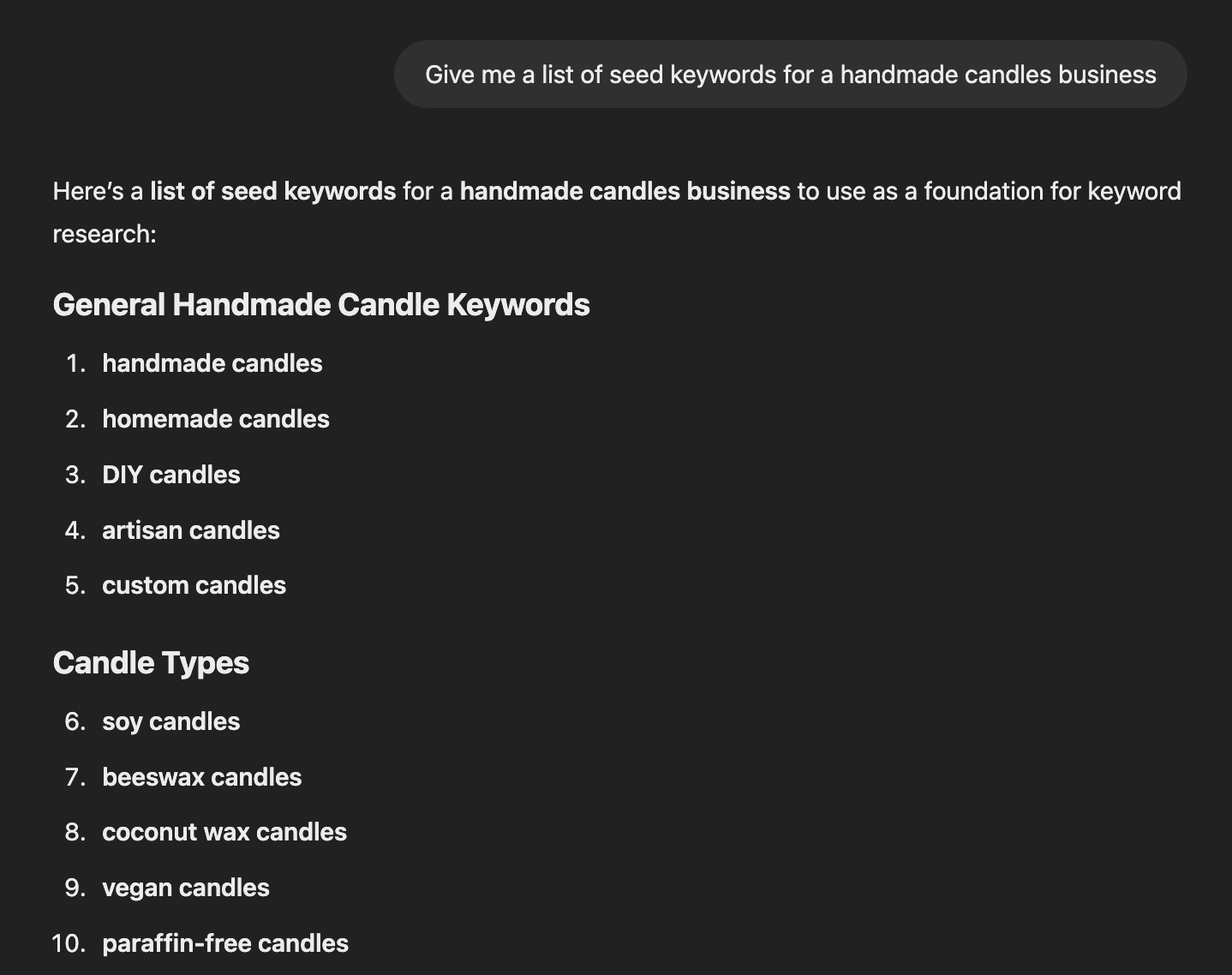
To enhance your brainstorming process, you can use ChatGPT to generate seed keywords.
By asking ChatGPT prompts such as “Give me a list of seed keywords for a handmade candles business”, you can uncover unique angles you may not have considered.
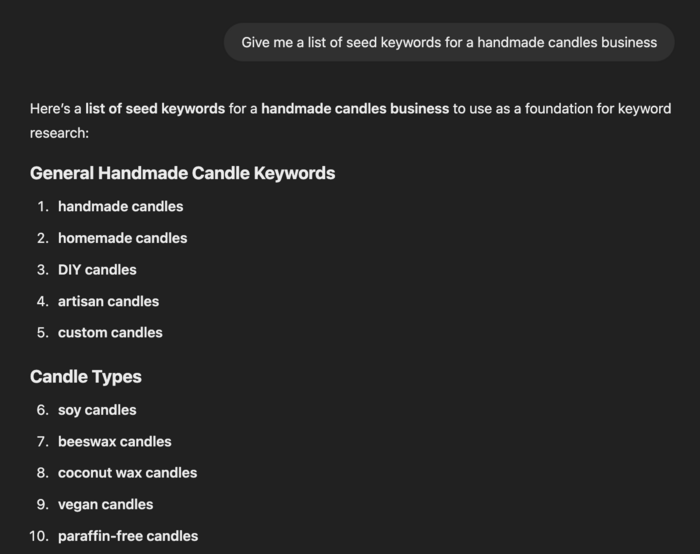
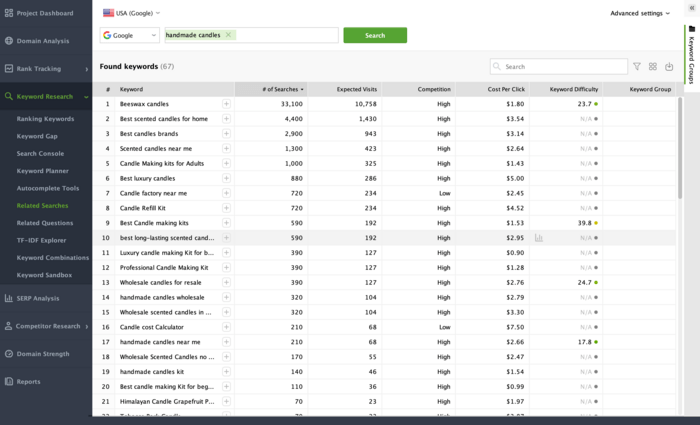
Once you have your seed keywords, use Rank Tracker to expand your keyword list. Enter your seed keyword and let the tool provide suggestions from sources like Google’s autocomplete, related searches, and question-based queries.
Here’s how I’m doing this.
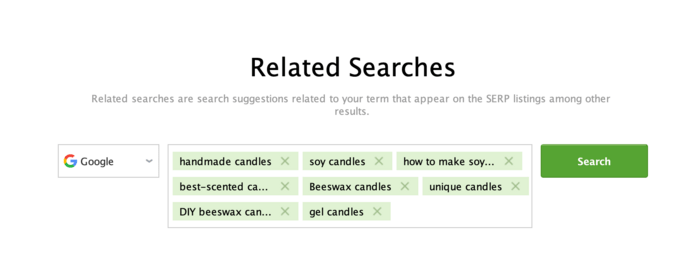
First, I go to Keyword Research > Related Searches and enter “handmade candles”. Rank Tracker will collect keywords related to this search.
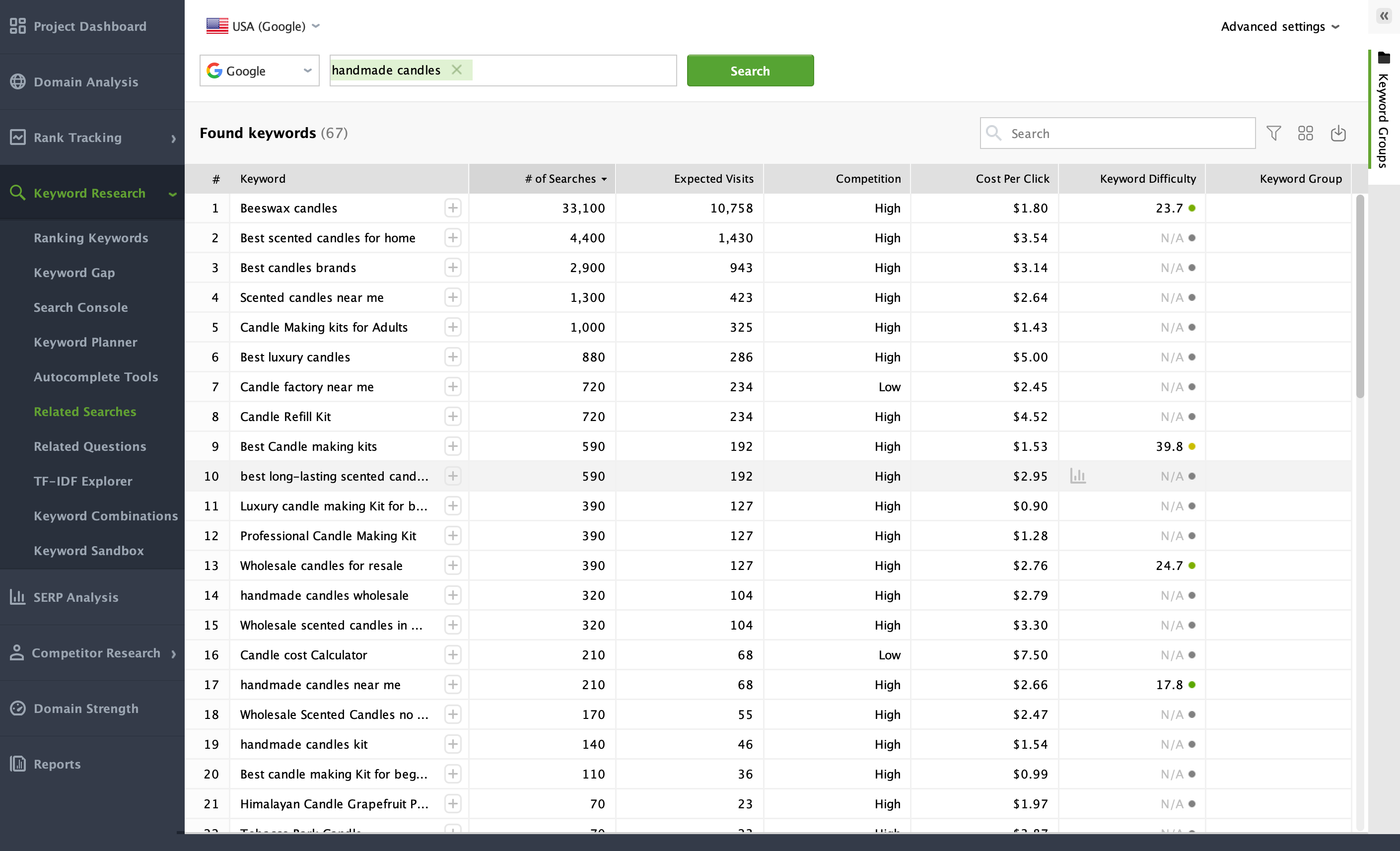
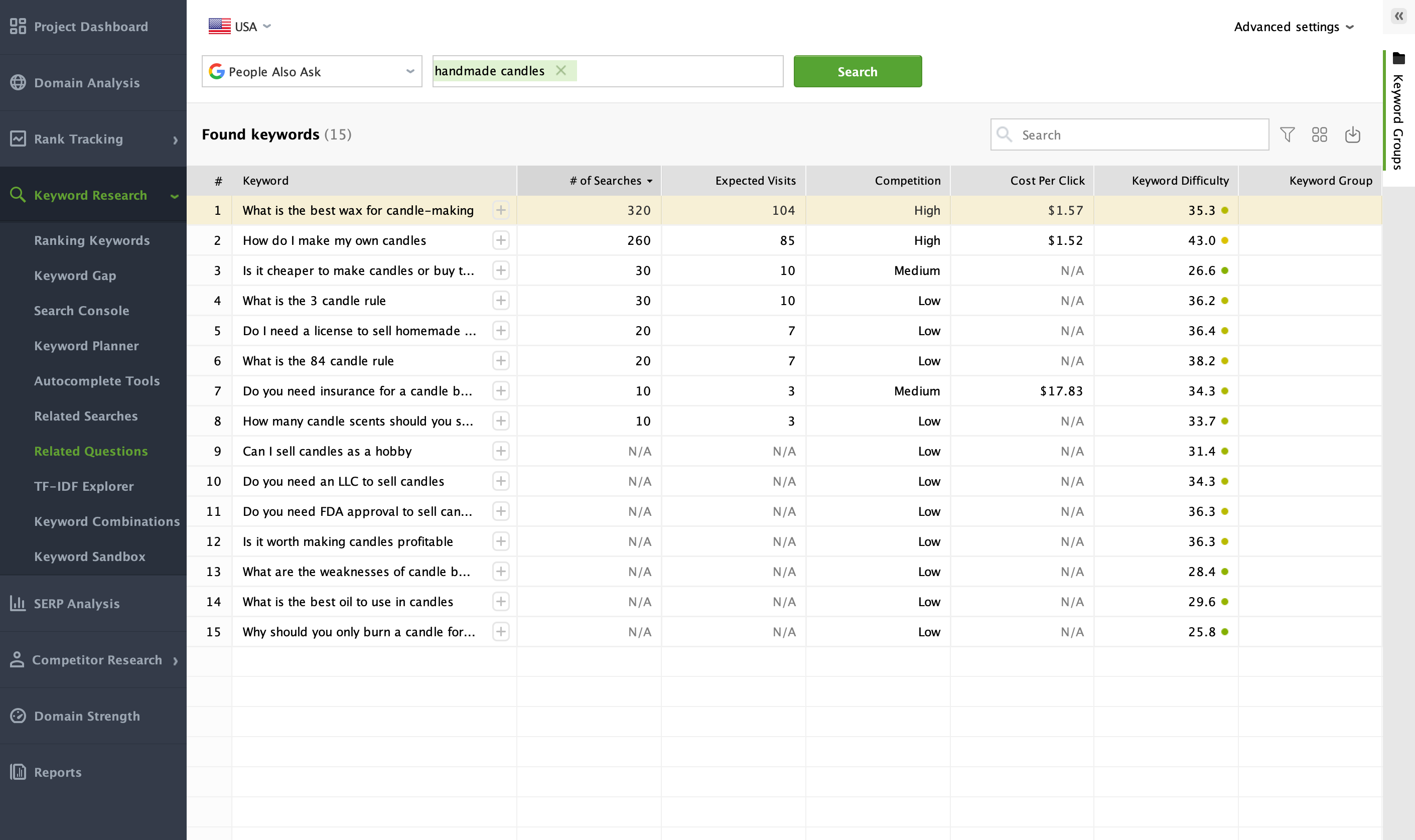
Then, I will try to expand my keyword list by going to Keyword Research > Related Questions. Here, I will choose People Also Ask and enter the same keyword.
In a few moments, the tool will come up with even more keyword ideas for my future analysis:
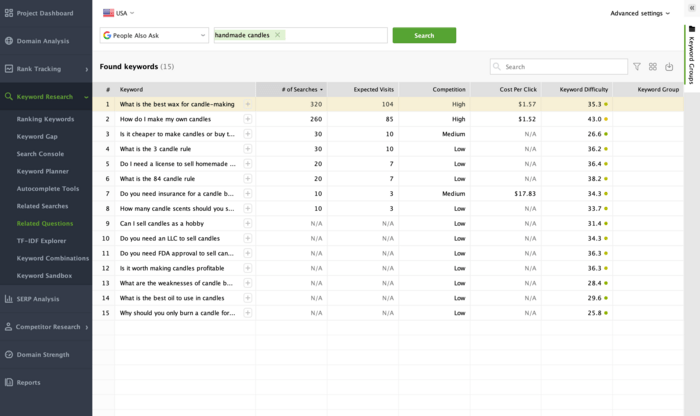
You can add as many search terms as you like during your research. Instead of limiting yourself to just “handmade candles” (as in my example), include all the relevant topics you discovered.
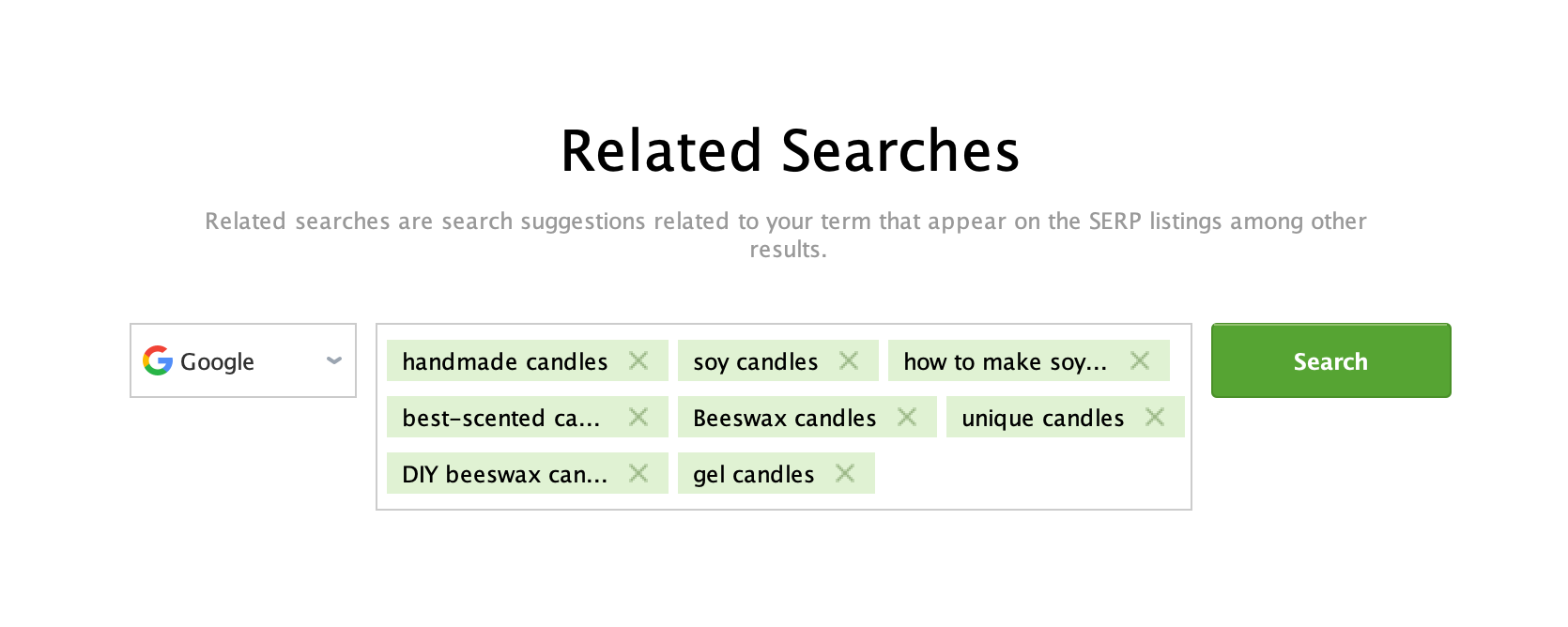
This way, Rank Tracker will be able to collect hundreds of relevant keyword suggestions in one shot:
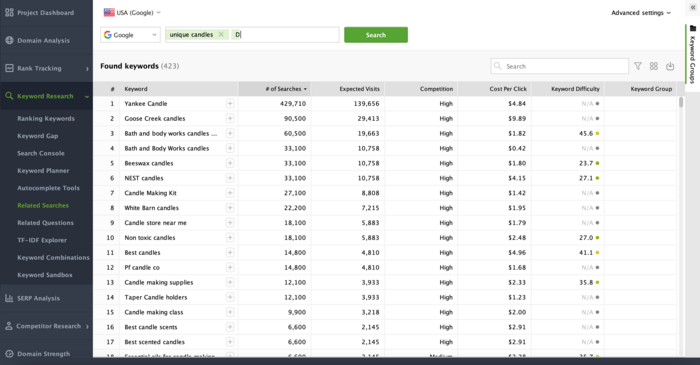
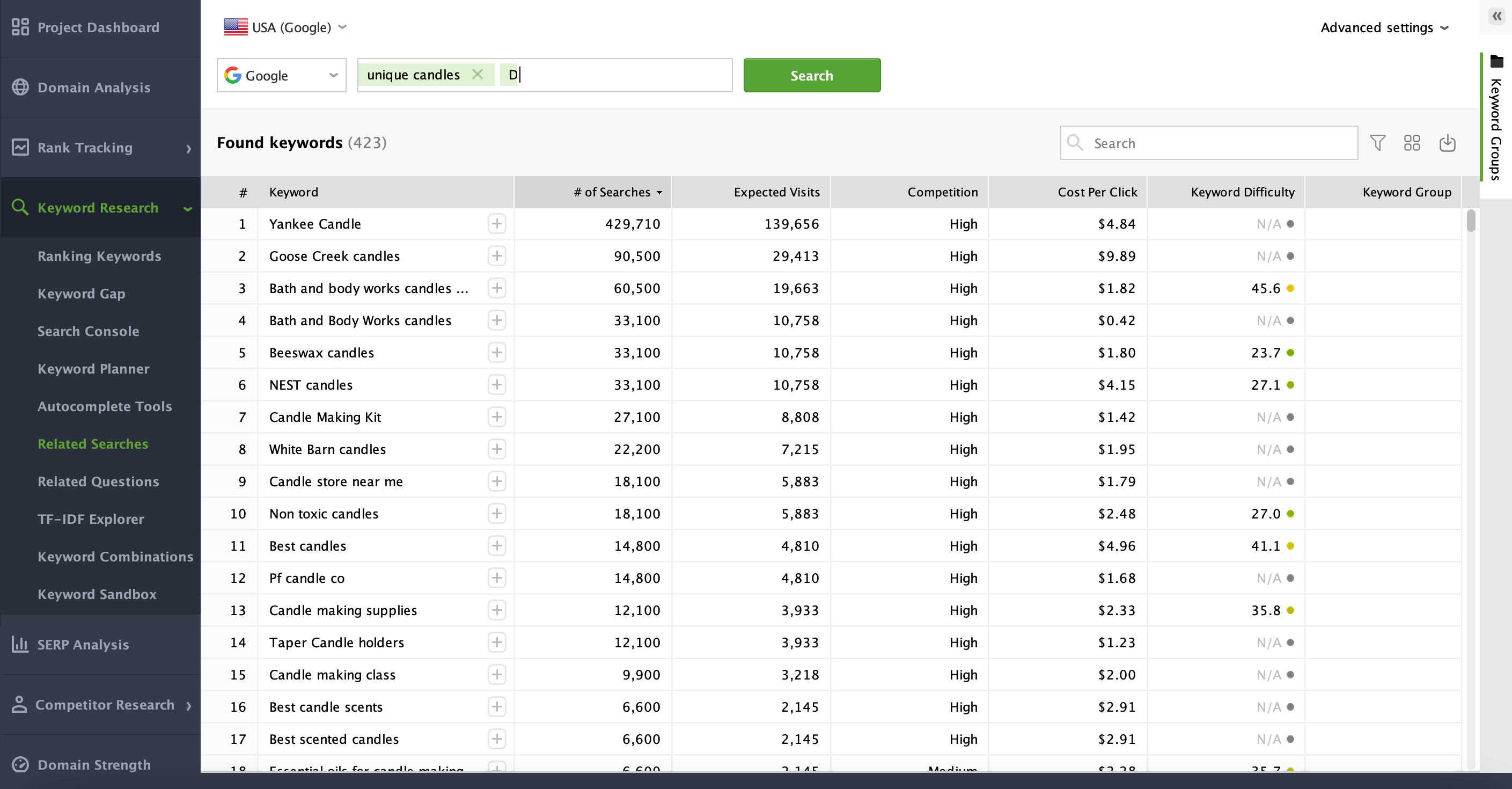
At this stage, you’ll likely accumulate dozens, if not hundreds, of potential keywords. Keep them all in one place—Rank Tracker conveniently stores them in Keyword Sandbox. You will refine these keywords later by filtering out high-competition terms.
After generating a list in Rank Tracker, you can get even more keyword ideas or content angles by using ChatGPT. While ChatGPT doesn’t replace the reliable metrics that Rank Tracker provides, it can serve as an idea factory, suggesting alternative or niche-specific variations of your keywords.
You can ask ChatGPT to suggest long-tail keyword variations for a particular topic. For example, “Give me 10 long-tail keyword ideas related to handmade candles”.
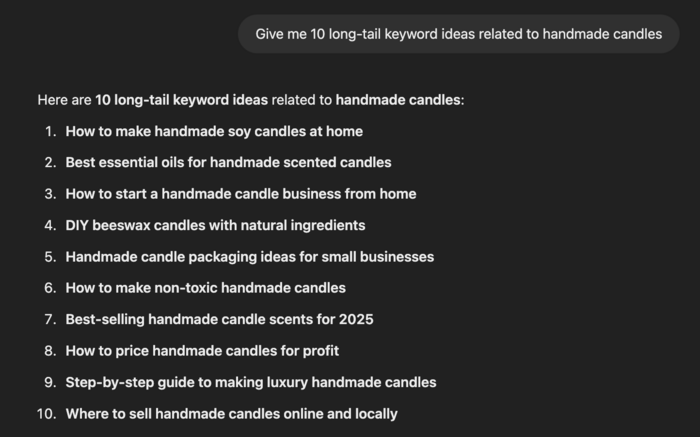
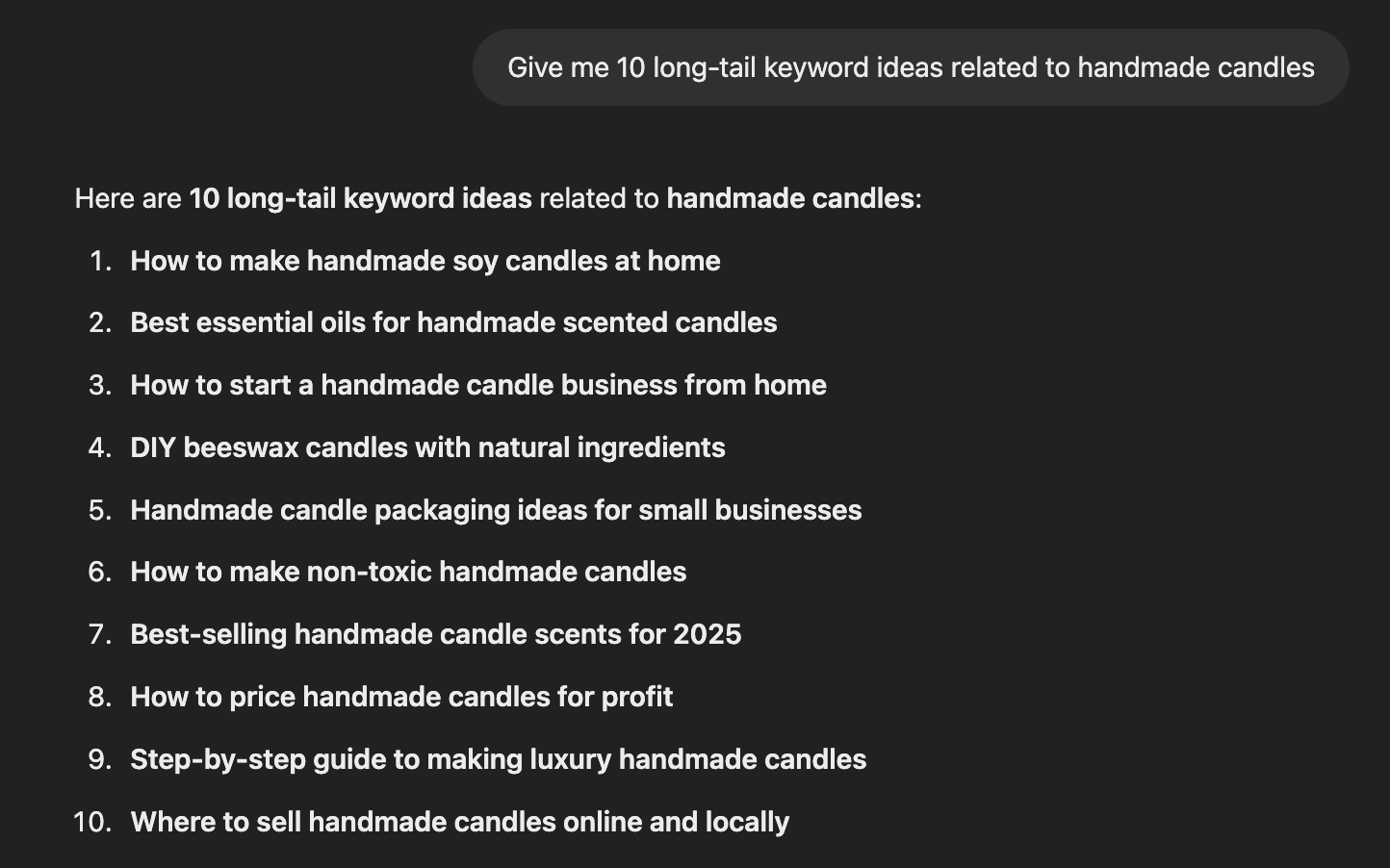
It’s important to note that ChatGPT doesn’t have real-time data on search volumes or competition. After getting new ideas, always return to SEO PowerSuite’s Rank Tracker to see if those ideas have meaningful search volume and manageable difficulty.
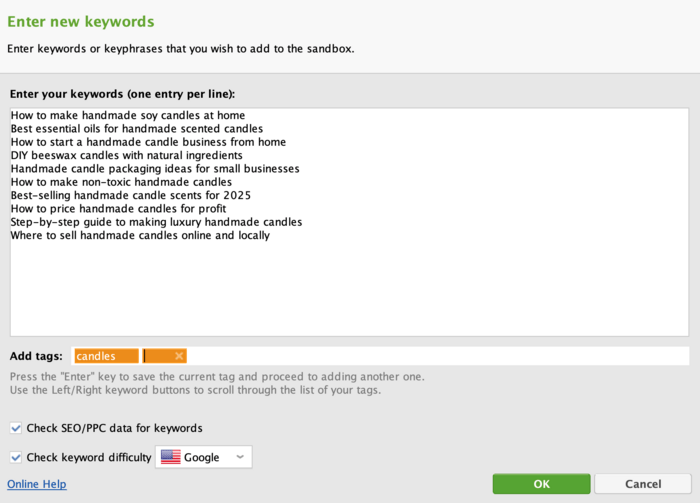
To add keywords from your ChatGPT research, navigate to Keyword Research > Keyword Sandbox, then click Add Keywords in the top left corner of the screen. Mind that you can also tag imported keywords the way you like.
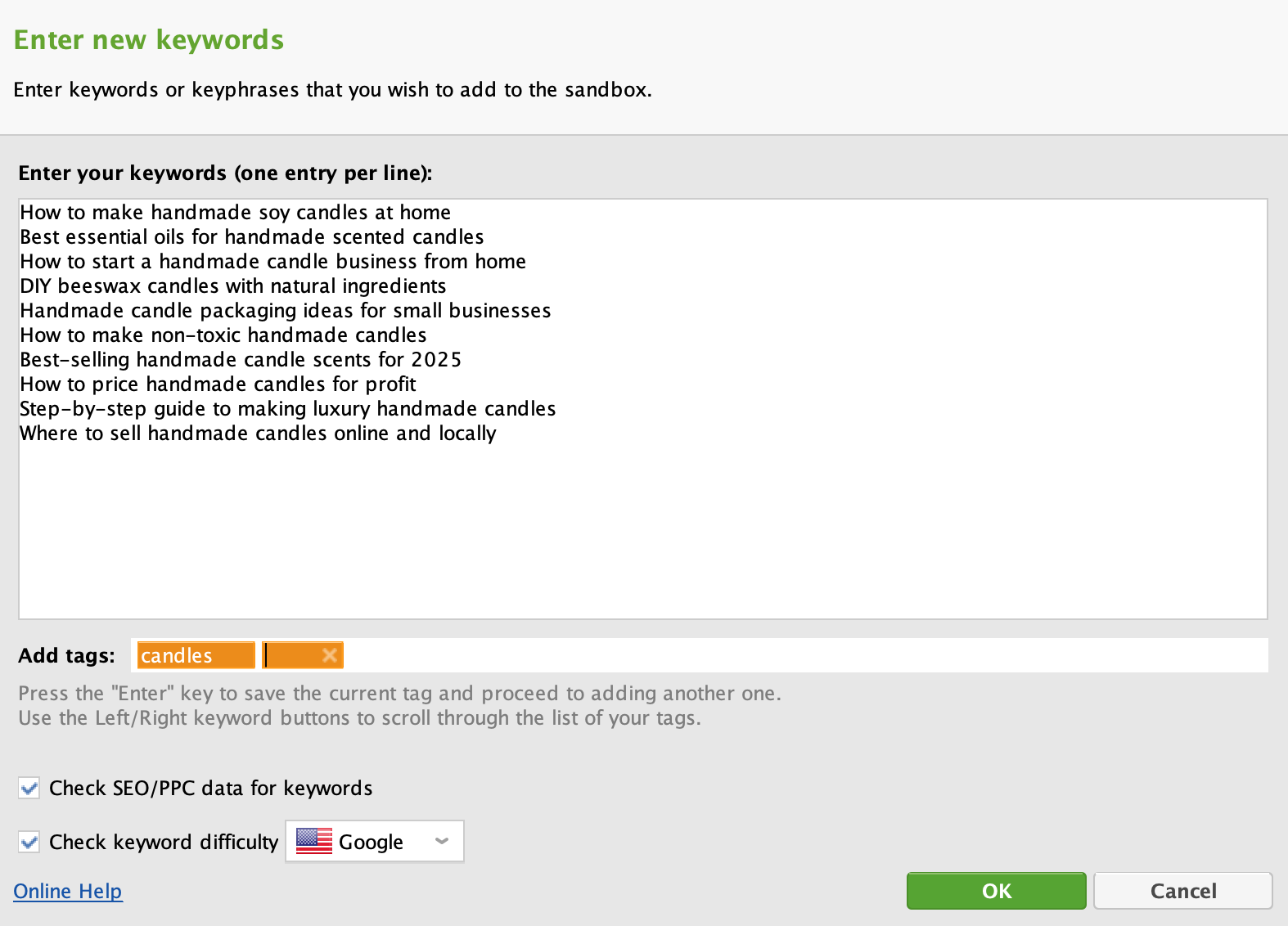
Your competitors have already done a lot of the hard work when it comes to keyword research—so why not use that to your advantage? By analyzing their ranking keywords, you can uncover low-competition search terms they’re already benefiting from and find content gaps where you can outperform them.
Here’s how to do it using Rank Tracker’s Keyword Gap module.
Start by launching Rank Tracker and opening the Keyword Gap module. This tool allows you to compare your site against up to five competitors at once, revealing keyword opportunities you might be missing.

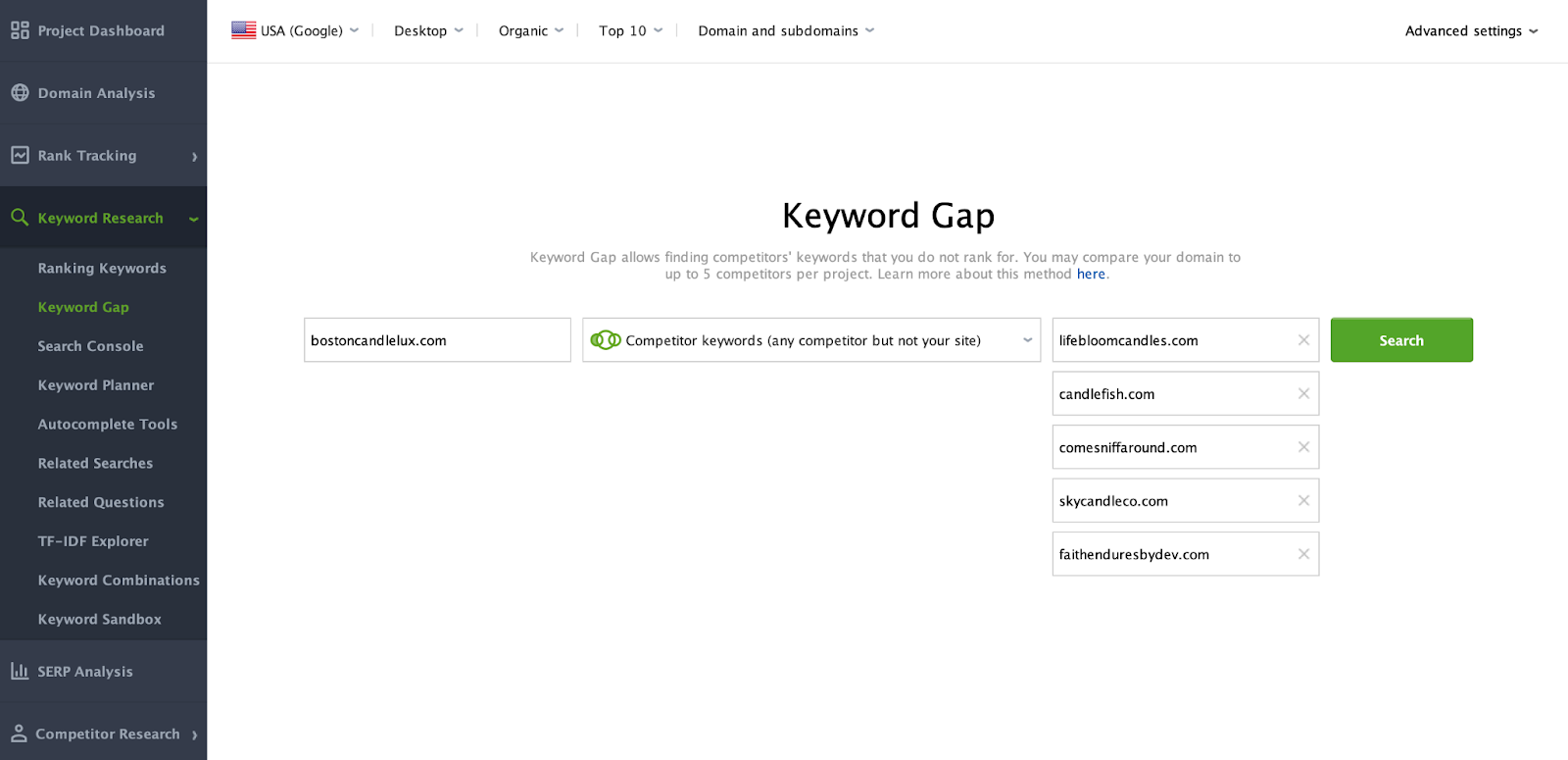
In seconds, you’ll see all the organic keywords your competitors rank for, along with their search volume, ranking positions, and keyword difficulty (KD %).
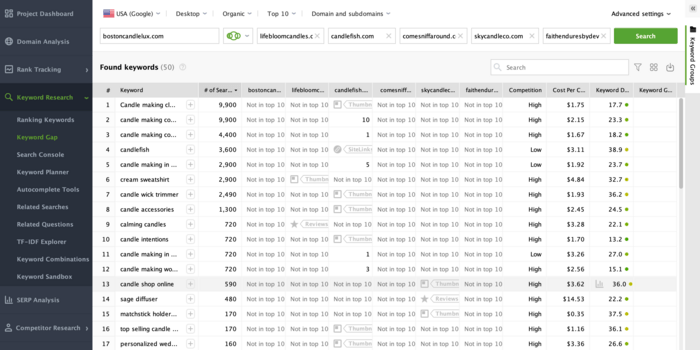
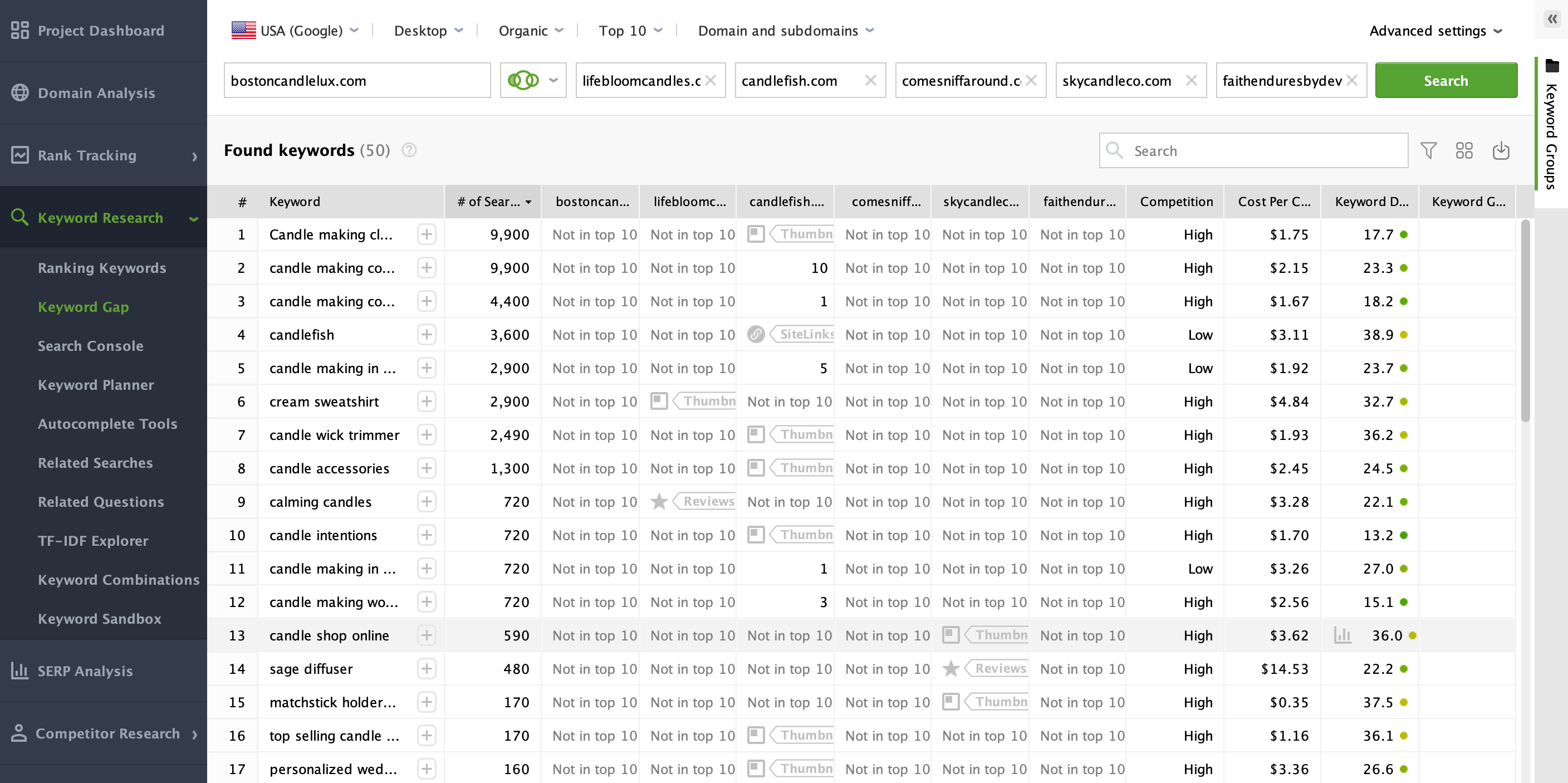
All the found keywords will be added to Keyword Sandbox where you’ll be able to filter them out later on.
Not sure who your search competitors are?
Simply open Competitor Research > Domain Competitors, enter your website URL, and click Search. Rank Tracker will instantly generate a list of your top competitors, showing who you’re up against in search rankings.
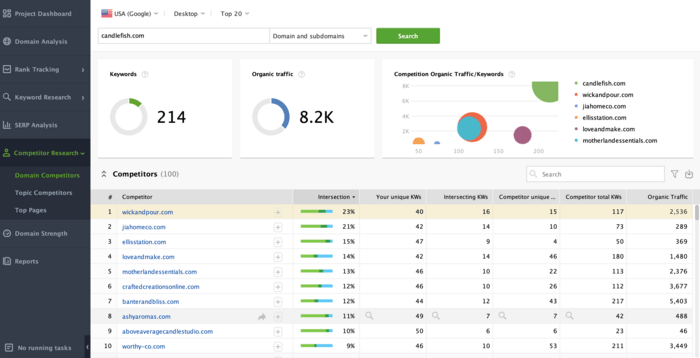
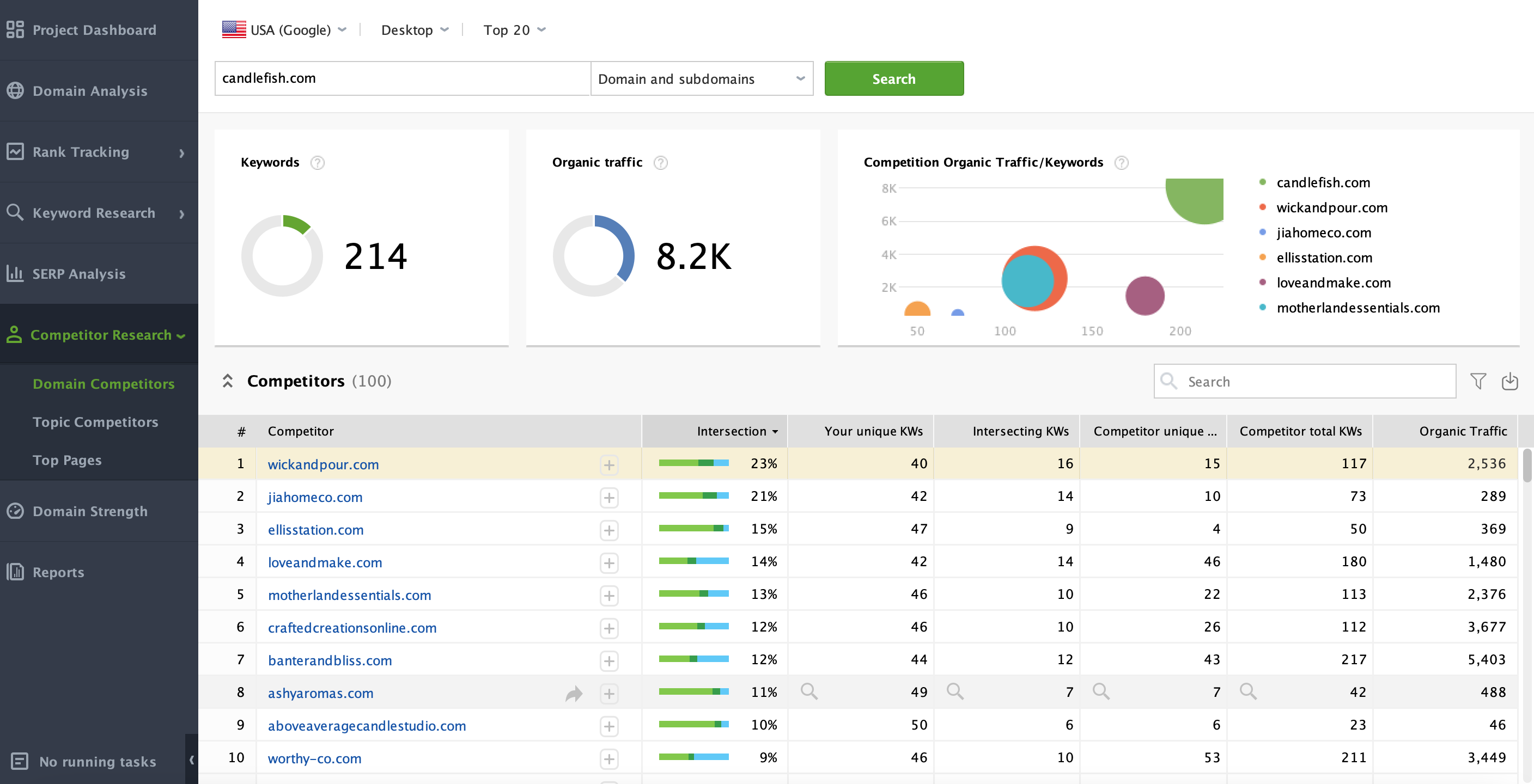
Once the analysis is complete, find the competitor you want to examine and click the magnifying glass icon in the Competitor Unique Keywords column. This will show you all the keywords they rank for—but you don’t.
At this step, we’ll refine the keyword list by applying smart filters to remove high-difficulty, low-search-volume terms to surface the hidden gems that can drive real traffic.
With SEO PowerSuite’s Rank Tracker, you can do this in just a few clicks.
First, go to Keyword Sandbox – all the keywords you’ve found previously are stored here.
Then, click on Filters and:
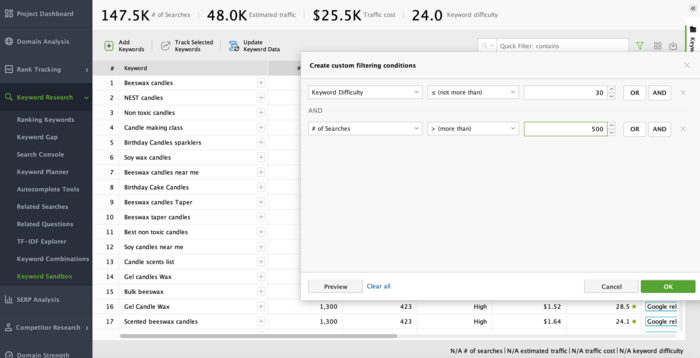
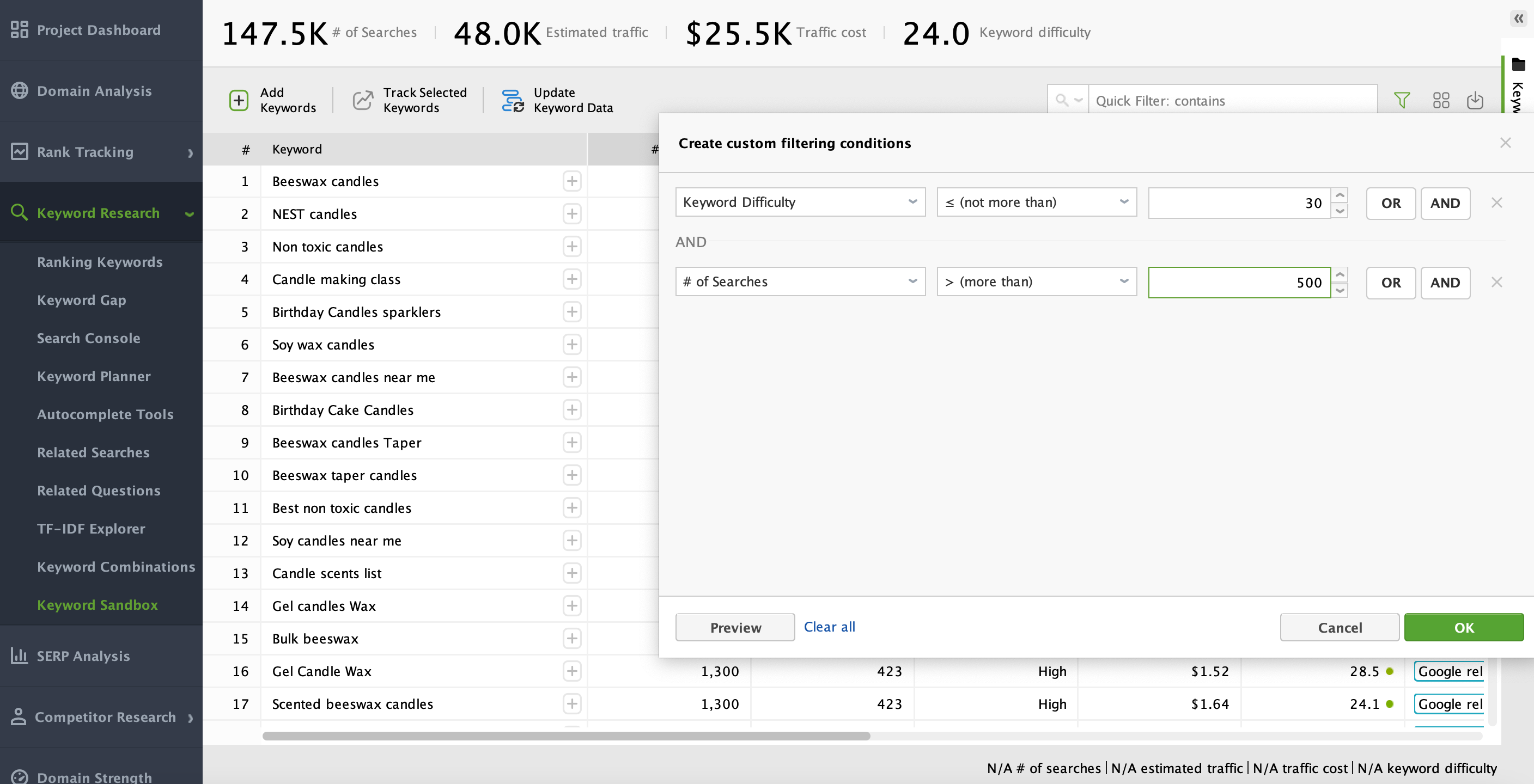
Your list will instantly update, showing keywords with a lower competition score but solid search volume.
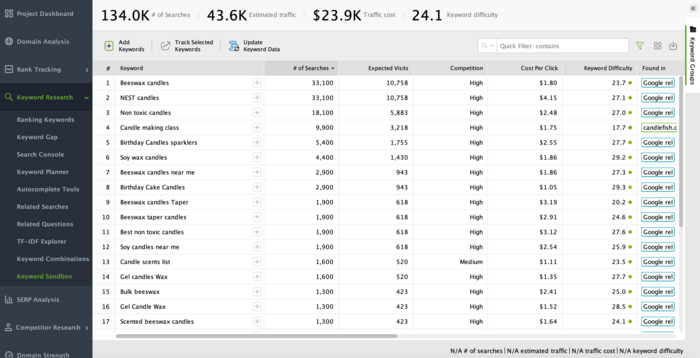
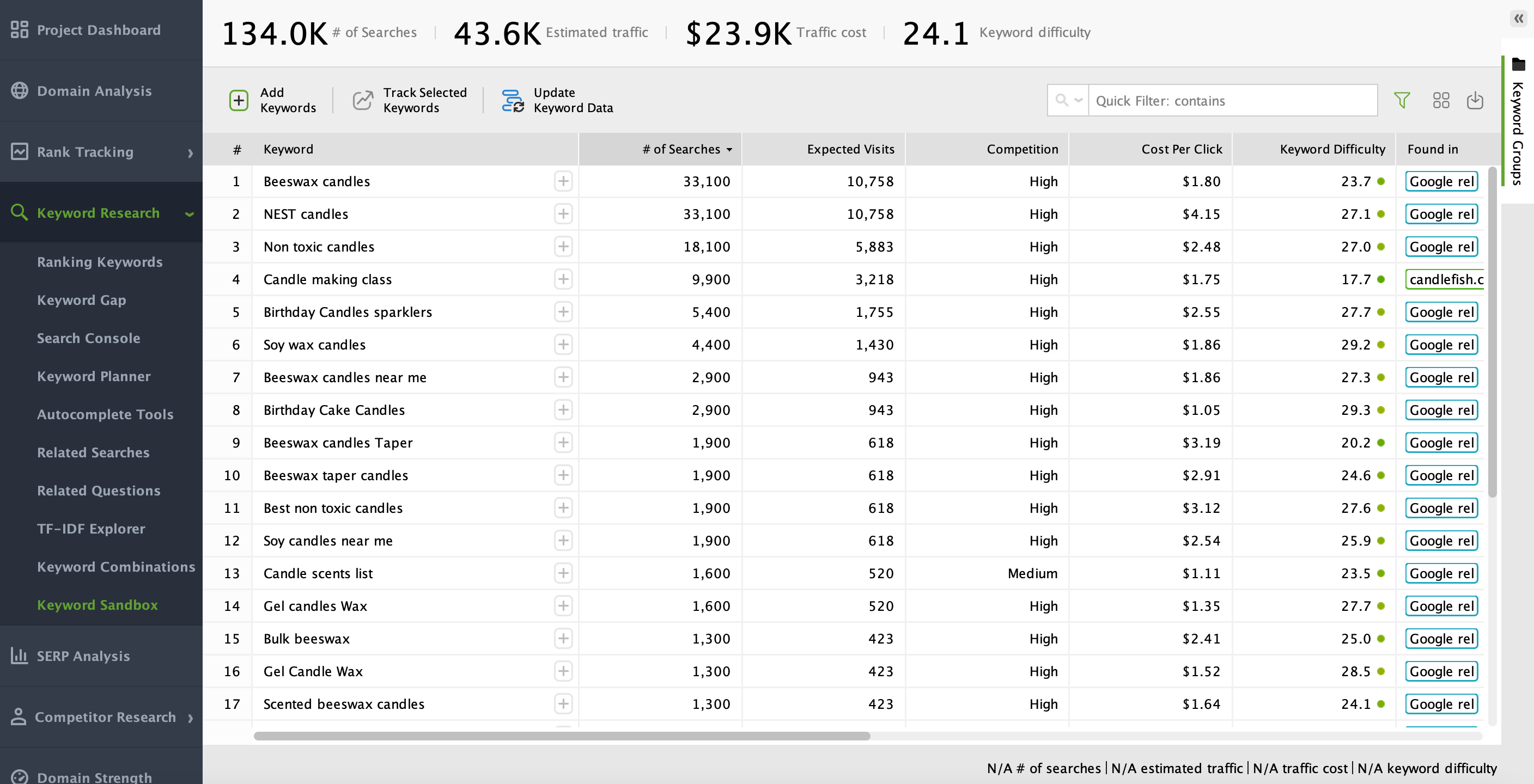
By applying these strategic filters, you’re not just finding keywords—you’re zeroing in on the ones that will actually help you rank.
One of the most common mistakes beginners make is focusing only on keywords without thinking about why people search for them. Search intent is about understanding what users expect to find when they type a specific query into Google.
There are generally four types of search intent:
Adapting your content format to match search intent helps ensure that when people do land on your page, they find exactly what they’re looking for—which improves dwell time, reduces bounce rates, and ultimately boosts your search rankings.
Before you start crafting content around your newly found low competition keywords, it’s wise to examine the search engine results pages for them. This reveals what’s already ranking, how strong the competition is, and what type of content Google deems most relevant.
To do this in Rank Tracker, stay in the same Keyword Sandox module. Find the keyword you want to analyze the SERP for and click on the chart icon in the Keyword Difficulty column.
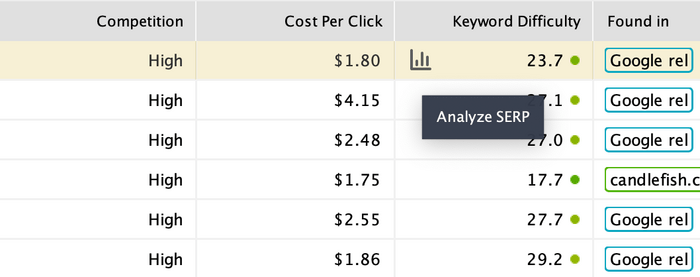
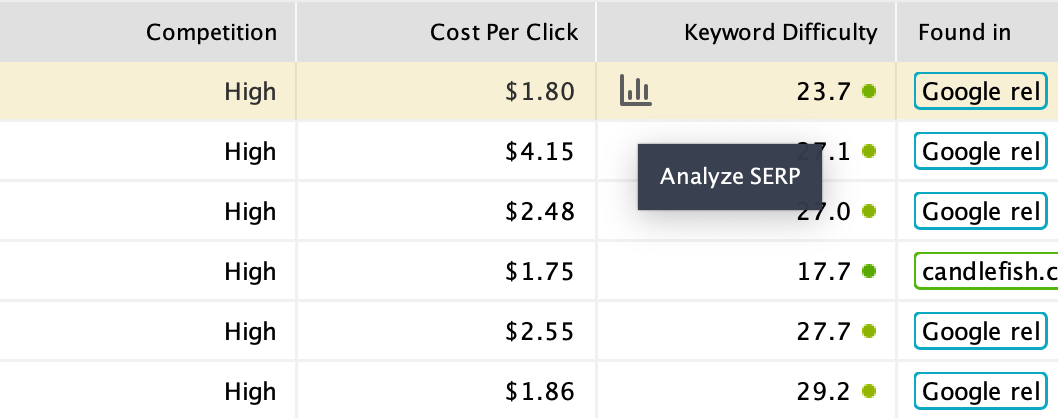
This will take you to the SERP Analysis module where you can check all the vital details for the keyword in question.
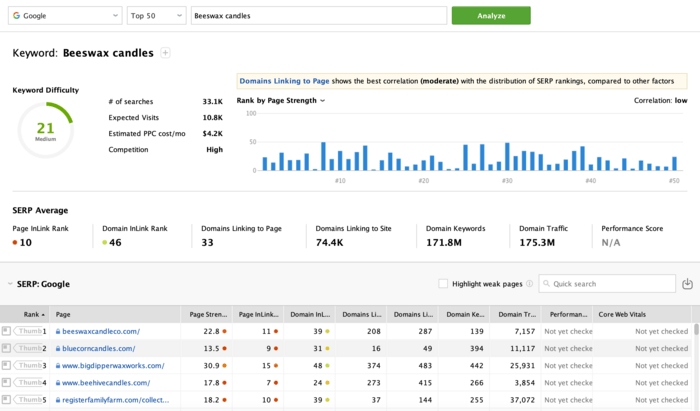
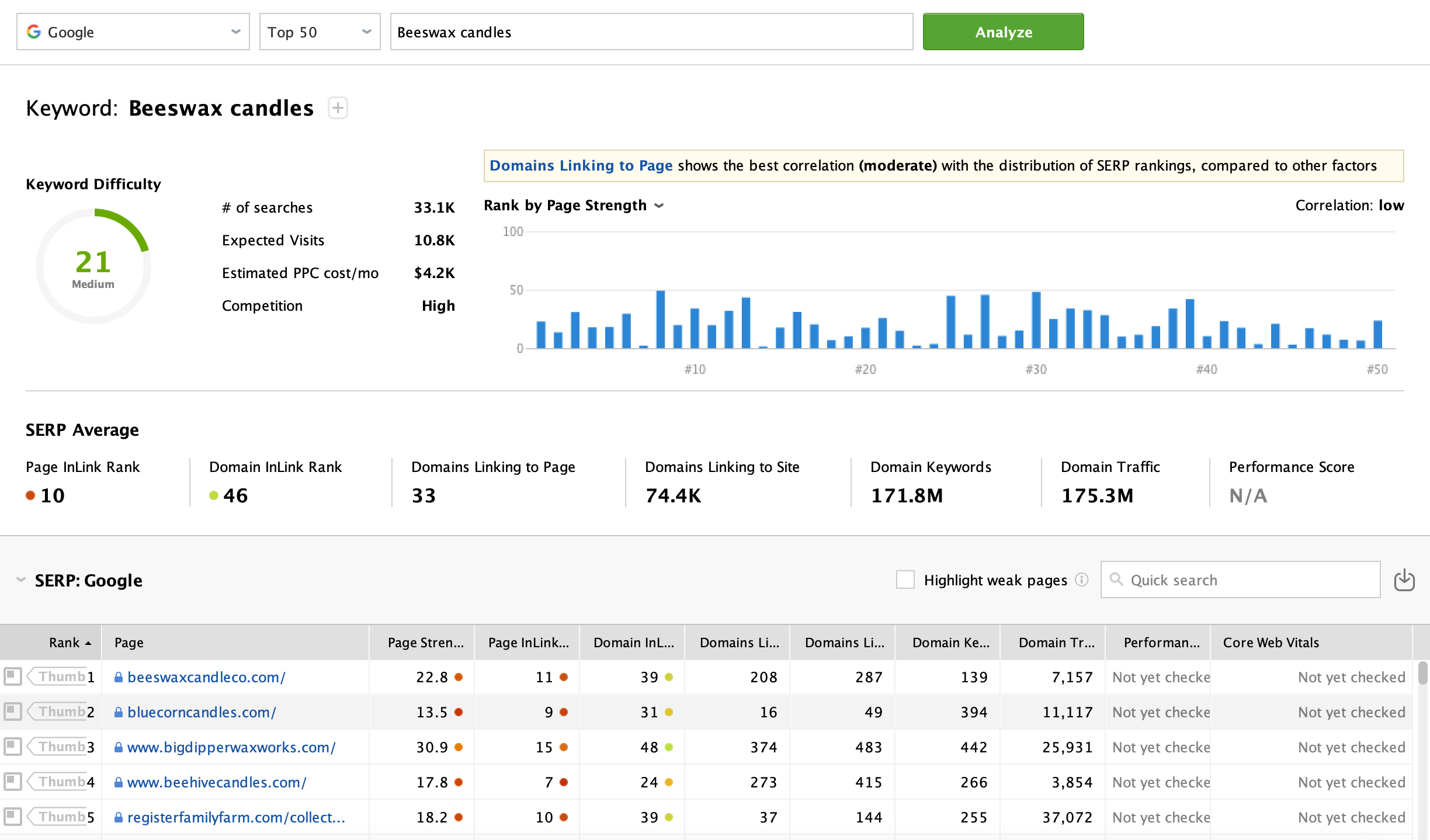
You’ll want to look at:
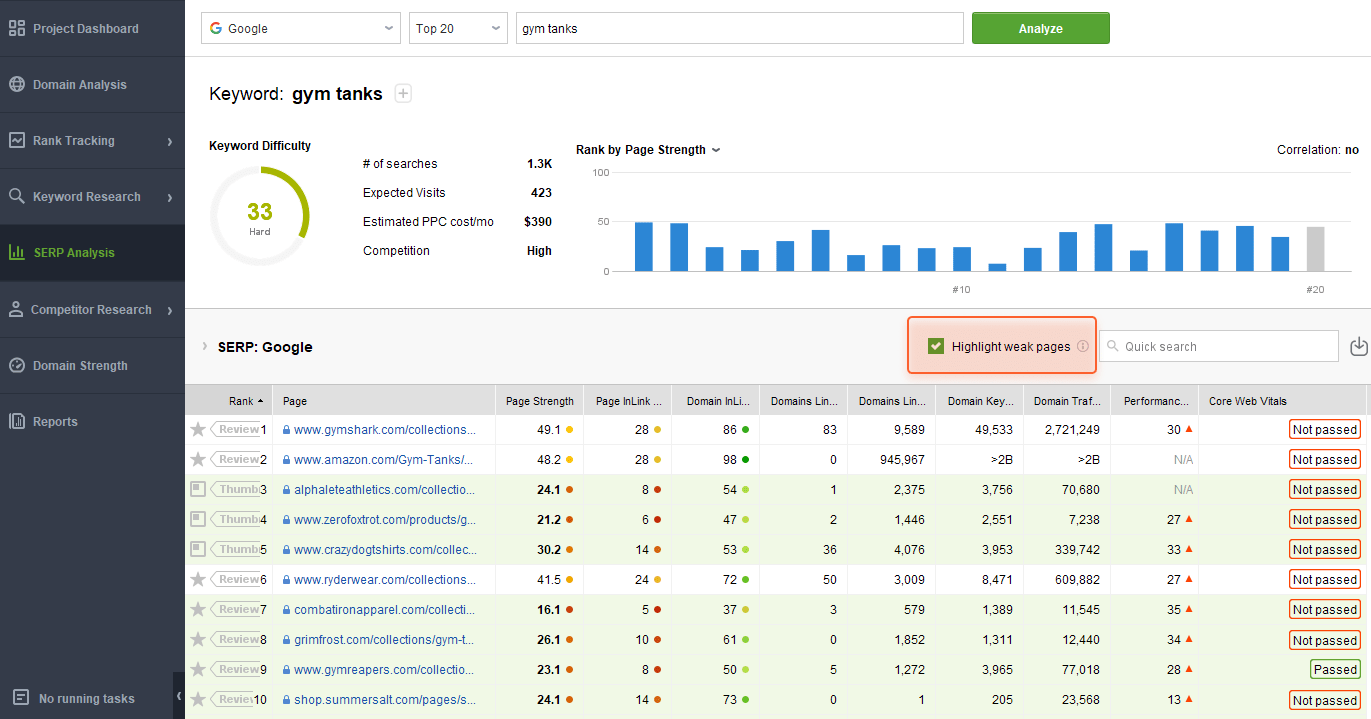
To quickly see SERP competitors with lower domain InLink Rank, tick the Highlight weak pages option. Weaker SERP competitors will be highlighted in green.
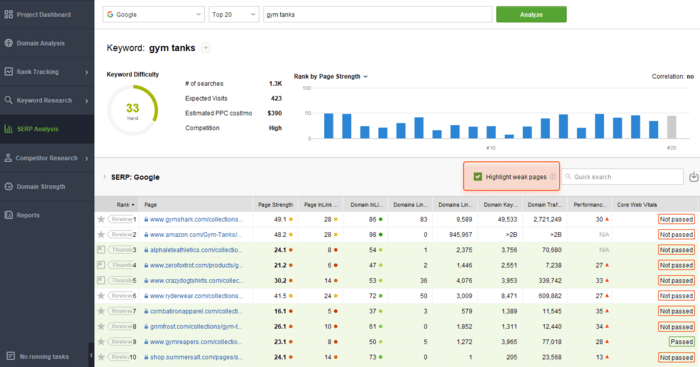
By reviewing the SERPs, you can quickly tell if a keyword looks too competitive or if there might be an opening for your content to stand out.
For instance, if you see that the top five results are jam-packed with overly generalized content, you might create a more targeted piece that answers specific user questions more thoroughly.
SEO is rarely a one-and-done effort. It’s an ongoing process where you monitor performance metrics—like keyword rankings, organic traffic, and conversions—to see what’s working and what isn’t.
If you find certain low competition keywords aren’t bringing in the results you hoped for, don’t hesitate to pivot. Maybe the user intent wasn’t what you expected, or perhaps your content needs to be more thorough or presented in a different format.
With the help of tools like SEO PowerSuite you can see how your efforts pay off over days, weeks, and months.
If you notice your content steadily climbing in the SERPs, you’re on the right track. If the rankings stagnate, revisit your on-page optimization, expand the content, or work on earning relevant backlinks. Over time, refining your approach will help you systematically build authority and visibility.
Finding low competition keywords is a fantastic way to grow your site’s visibility without getting into grueling battles with industry titans.
By focusing on this combination of moderate search volume and low competition, you can quickly drive targeted traffic to your pages. From there, you build up your website’s authority, expand your backlink profile, and eventually take on more challenging keywords as your reputation solidifies.
Final word of encouragement: Don’t be intimidated by the technicalities of keyword research. Everyone starts somewhere, and even small, incremental wins can add up over time. With the right tools and a clear, methodical approach, you’ll uncover those easy-to-rank gems that can bring in real, relevant visitors who are genuinely interested in what you have to say or sell.


 Article stats:
| Linking websites | N/A |
| Backlinks | N/A |
| InLink Rank | N/A |