5253
•
7-minute read


Most SEOs didn't lose ground to AI. They lost ground to other SEOs who learned to use it faster.
That's the uncomfortable truth underneath every "AI is disrupting search" headline.
The disruption isn't happening to you — it's being done by people in your competitive set who have stopped treating AI as a curiosity and started treating it as infrastructure.
This guide is about closing that gap. Not with a list of tools to try, but with 13 skills to actually build — the difference between someone who pastes things into ChatGPT and someone who engineers reliable workflows that compound.


Goal: Getting reliable, reusable outputs from AI
Key tools: ChatGPT, Claude, Google Gemini
Prompt engineering is the practice of crafting inputs — questions, instructions, and context — that consistently produce accurate, useful AI outputs. It is the foundational skill that determines how much value you extract from any large language model.
Most poor AI results aren’t caused by the model — they’re caused by vague prompts. If your input lacks structure, context, or constraints, the output will be generic, inconsistent, or just wrong. Once you fix that, AI becomes significantly more predictable.
Prompt engineering directly affects how usable AI is in your day-to-day workflow.
In practice, this is what separates “AI as a helper” from AI as a production system.
Before optimizing prompts, you need a simple structure you can use every time.
A good prompt has four parts:
1. Role — Who the AI is
“You are an SEO strategist…”
2. Task — What it needs to do
“Create a content brief for this keyword…”
3. Context — What it should know
target keyword, URL, audience, intent
4. Format — How the output should look
headings, bullet points, length, tone
Basic example (SEO use case):
Instead of: “Write meta description for keyword clustering”
Use: “You are an SEO specialist. Write a meta description for a page targeting ‘keyword clustering’. Audience: beginner SEOs. Keep it under 155 characters. Avoid generic phrases. Include a clear benefit.”
Where to start in practice:
That’s your first step toward consistency.
Once the basics are in place, you refine for speed, quality, and scale.
This is where SEO PowerSuite becomes useful — it provides structured data like rankings, audits, on-page signals, or even exact keywords you need to add to your page.
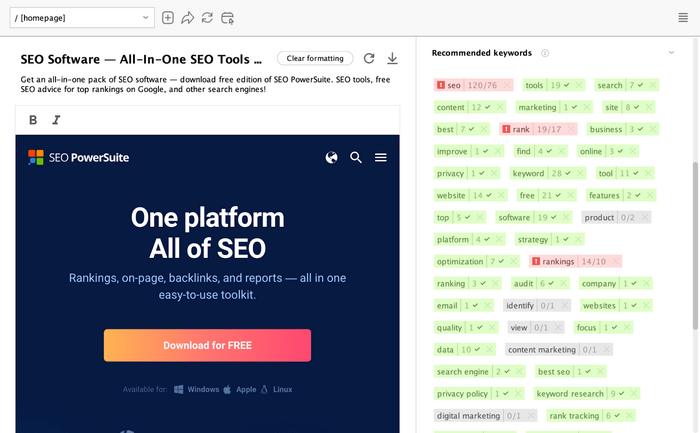
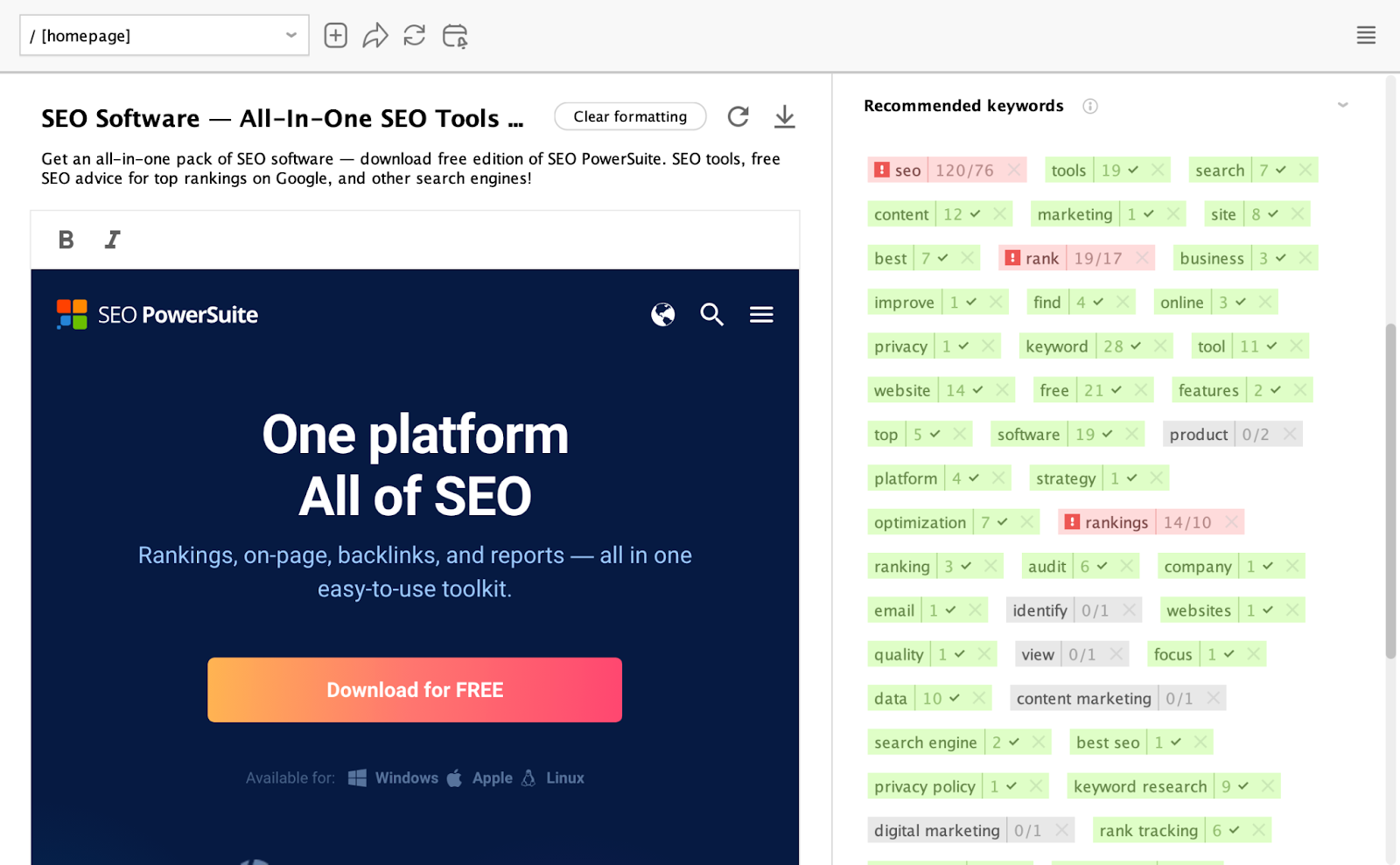
You can then feed those directly into prompts, turning raw analysis into immediate action.
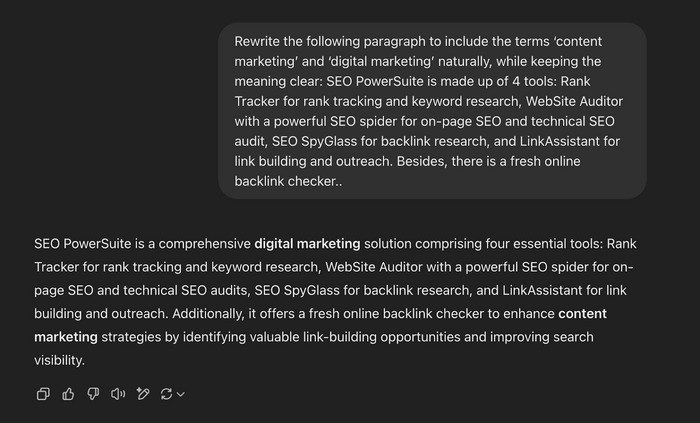
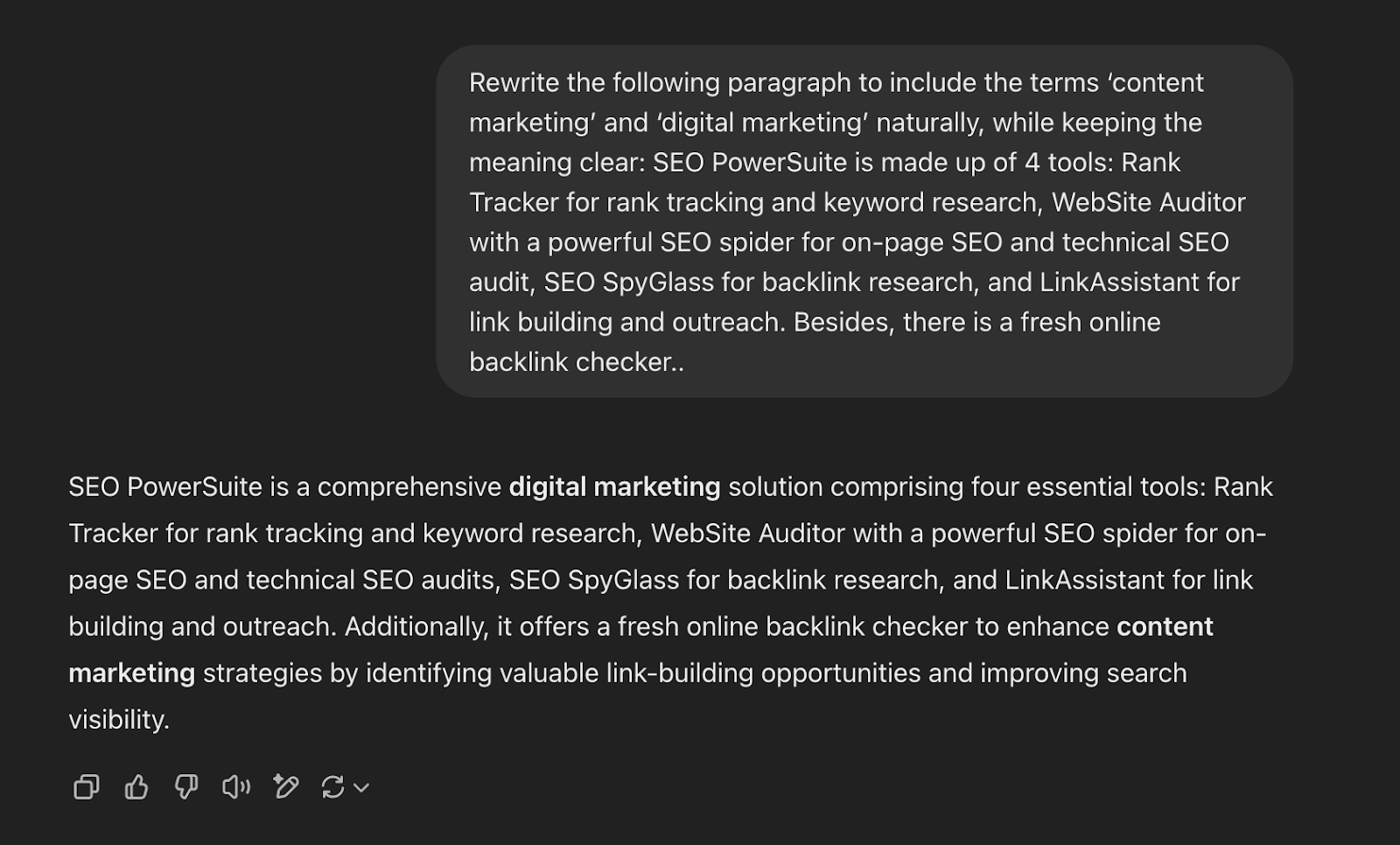
Want to learn more ways to use SEO PowerSuite in tandem with ChatGPT? Here's the article where you'll find 20 ready-made prompts for faster SEO work:
20 ChatGPT Prompts for SEO PowerSuite


Goal: Eliminating repetitive SEO tasks at scale
Key tools: Zapier, Make (formerly Integromat), n8n (open-source, self-hosted)
AI workflow automation means connecting multiple tools through logic-based pipelines so that AI handles repetitive, rules-driven work — data movement, scheduling, content enrichment, report generation — without manual intervention.
Instead of manually pulling data, copying it between tools, and formatting reports, you define a workflow once — and let it run. AI can then step in where needed: enriching data, generating summaries, or triggering actions based on changes.
Most SEO teams don’t struggle with strategy — they struggle with repetition. The same reports, the same checks, the same updates every week. Automation removes that friction.
Automation doesn’t just save time — it changes how work gets done.
Once a workflow is automated, it stops being a task and becomes part of your infrastructure.
The mistake most teams make is trying to automate everything at once.
Don’t.
Start with one task you repeat every week.
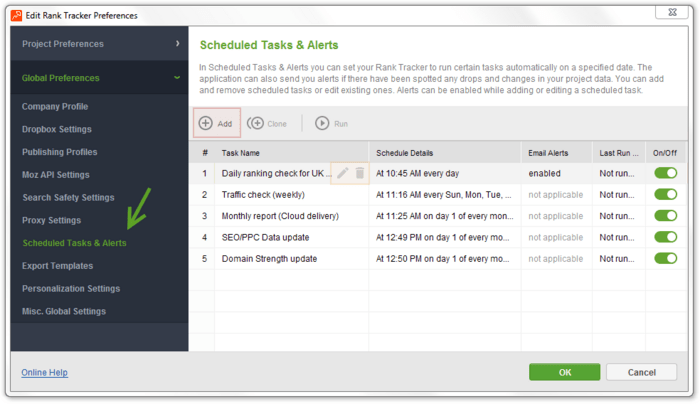
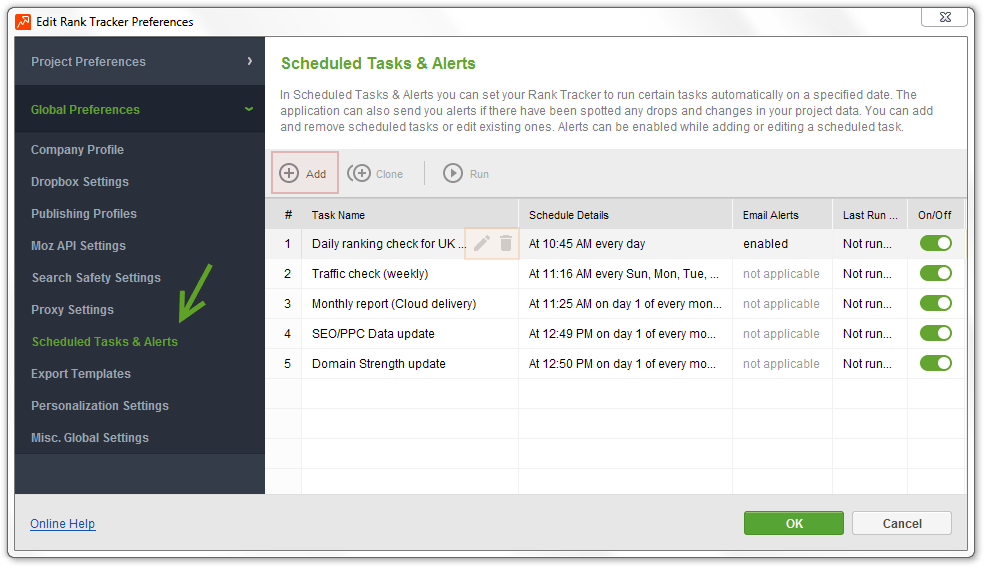
Example: rank reporting workflow
Manual version:
Automated version:
Simple way to get started:
You don’t need a perfect system — just one working workflow.
Goal: Designing systems that complete complex tasks autonomously
Key tools: Crew AI, LangChain (agent framework), AutoGen (Microsoft)
AI agents are systems that can take a high-level goal, break it into sub-tasks, use tools, remember context across steps, and complete the objective with minimal human intervention
Instead of asking AI to do one thing at a time, you give it a goal — and it figures out the steps.
For example: “Audit this site and suggest SEO improvements.”
A standard AI response gives you a list. An agent can:
All in one flow.
That’s the shift: from outputs to execution.
Here’s a nice explainer from IBM:
SEO work is rarely a single-step task. It’s workflows.
Agents are designed for exactly that.
In practice, this means less time stitching things together — and more time reviewing results.
Don’t start by building a “fully autonomous SEO agent.” That’s where most people fail.
Start with one narrow task.
Example: content gap analysis agent
Instead of:
You define: “Find content gaps between my site and competitors and suggest topics”
Then structure the flow:
You’re not removing yourself from the process — you’re offloading the execution layer.
Simple way to start:
Keep it small. If it works, expand.
Once you move beyond simple use cases, structure becomes critical.
Agents become significantly more useful when connected to real SEO data.
For example:
Without structured data, agents guess. With it, they operate on something real.
Goal: Grounding AI in your own data
Key tools: LangChain, Vectara, LlamaIndex
RAG connects a language model to external data sources — documents, databases, websites, knowledge bases — so that responses are grounded in current, accurate, organisation-specific information rather than the model's training data alone.
Instead of guessing, AI retrieves relevant information first — and then generates an answer based on it.
That’s the difference between: “Here’s a general SEO recommendation” and “Here’s what’s wrong with your page based on your actual data”.
Without RAG, AI is limited.
With RAG, it becomes context-aware.
In SEO, where details matter, this is a major upgrade.
You don’t need a complex setup to start using RAG.
At its core, the process is simple:
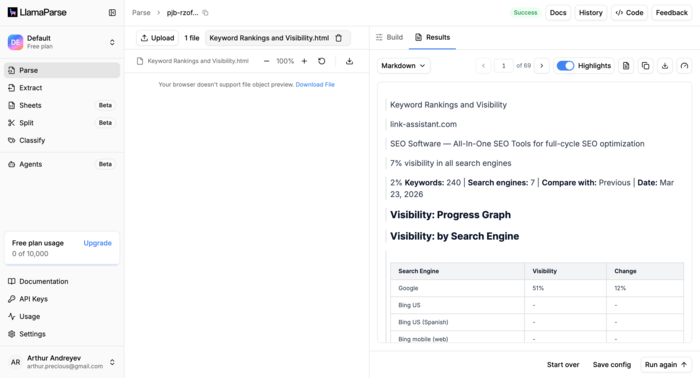
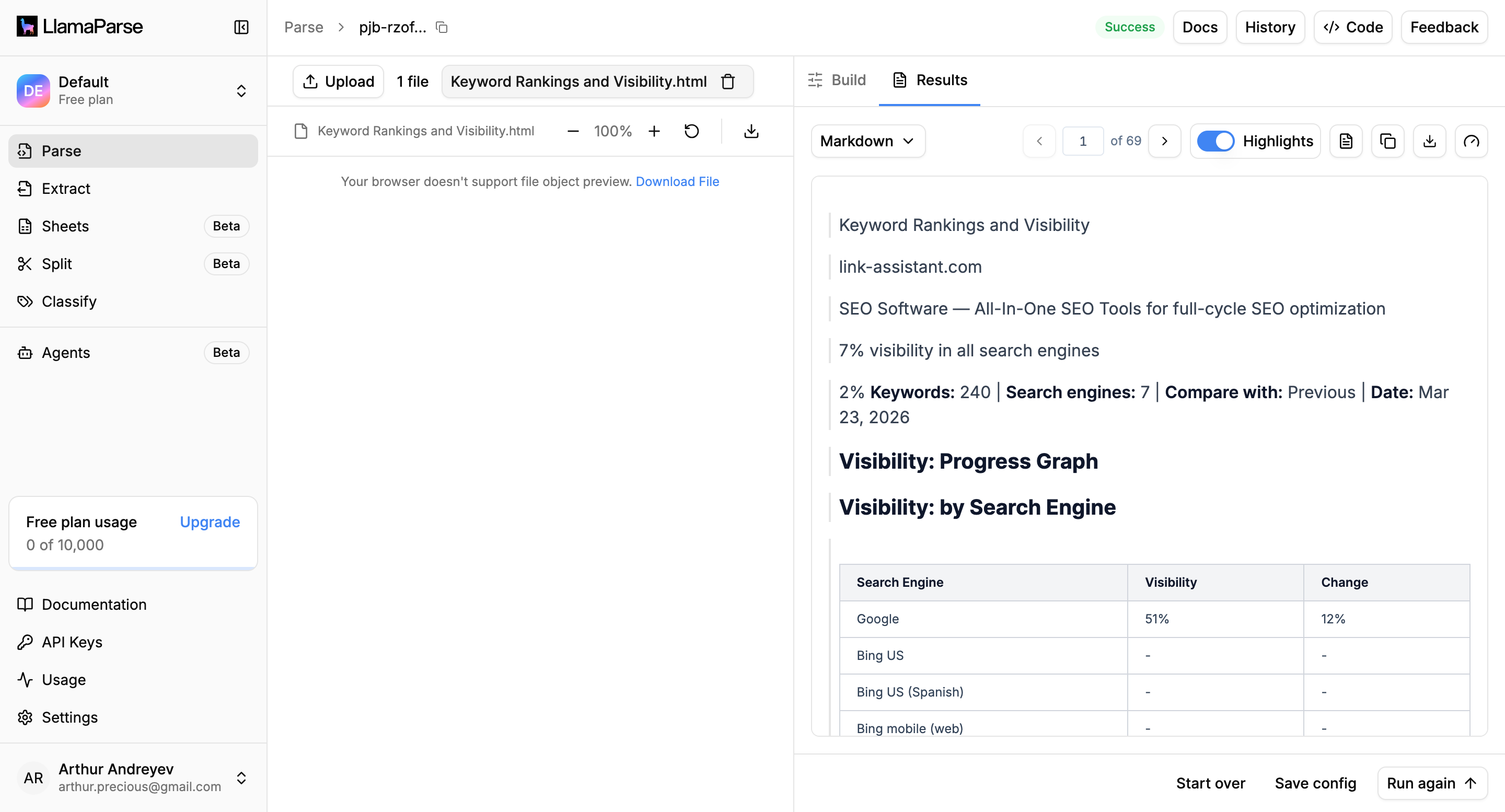
Simple example: SEO audit assistant
Instead of asking: “Why did traffic drop on this page?”
You provide:
Then ask: “Based on this data, explain the traffic drop and suggest fixes.”
Now AI isn’t guessing — it’s working with your inputs.
Where to start in practice:
Even basic setups already improve output quality significantly.
Once the basics work, the focus shifts to precision and structure.
RAG becomes especially powerful when combined with SEO workflows.
For example:
You’re effectively giving AI memory — not just intelligence.
Goal: Training AI on your voice, workflow, and domain
Key tools: OpenAI (fine-tuning API + Custom GPTs), Hugging Face, Cohere
Out of the box, AI is a generalist.
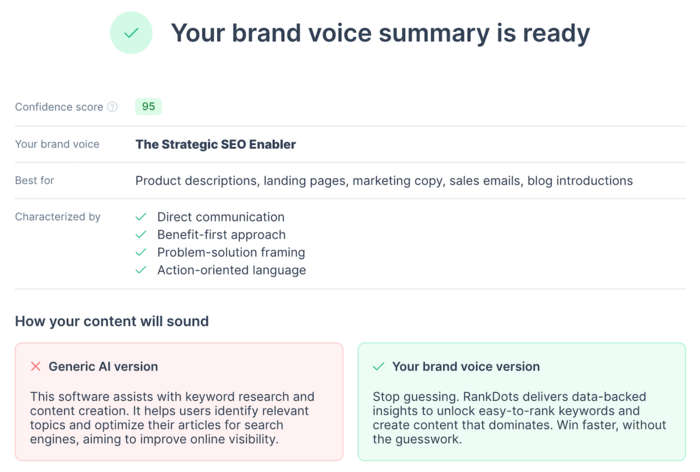
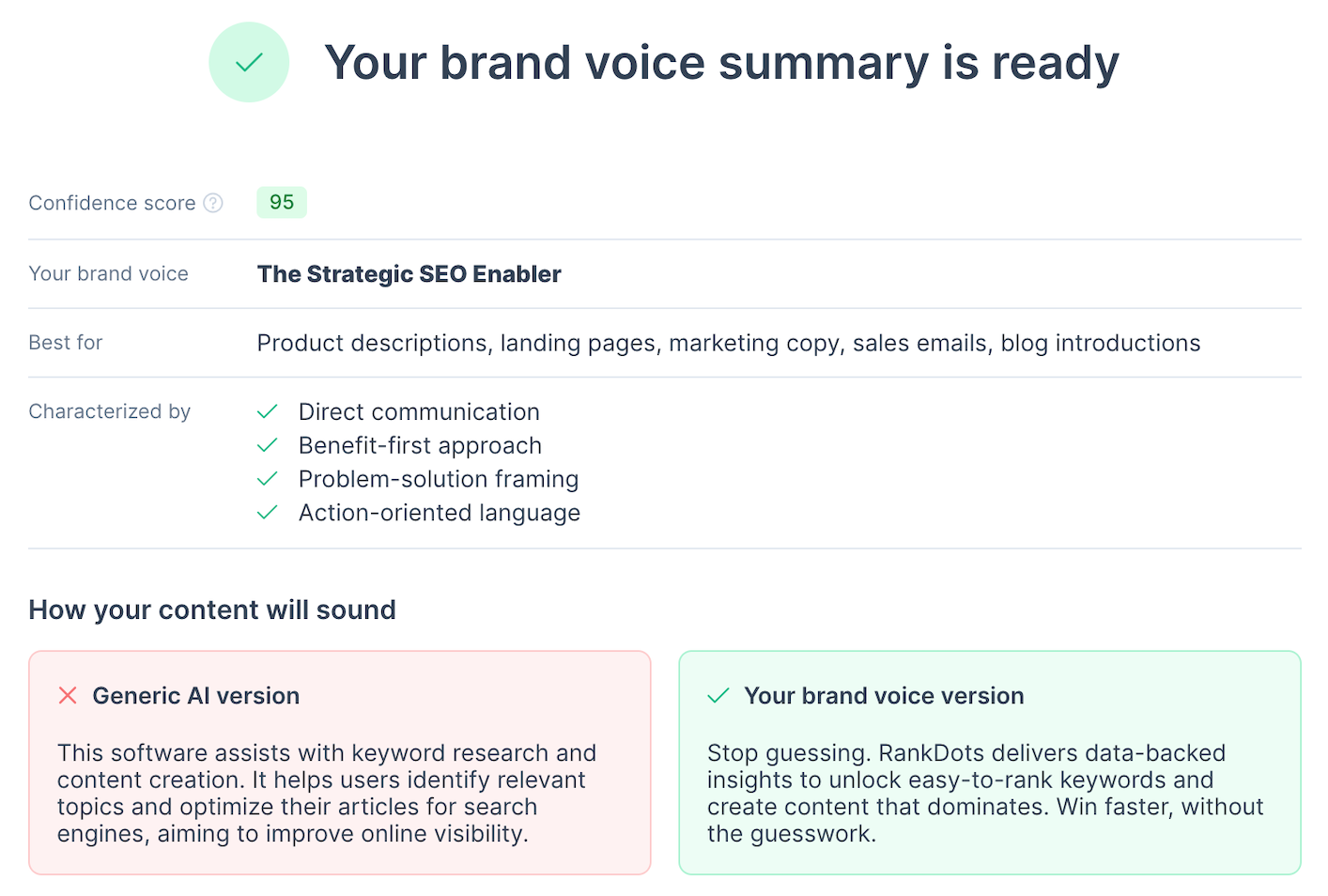
It can write, explain, summarize — but it doesn’t know your tone, your standards, or how you actually work. That’s where fine-tuning and custom GPTs come in.
Instead of re-explaining your expectations in every prompt, you teach the model once — and reuse that behavior.
In practice, this means your AI starts producing outputs that already match your style, structure, and level of depth — without constant correction.
Consistency is one of the hardest things to scale.
Fine-tuning and custom GPTs solve that.
Instead of every team member prompting differently, you standardize how AI behaves.
You don’t need full model fine-tuning to get value here.
Start with a custom GPT or persistent instruction setup.
Step 1: Define your rules
Think in terms of:
Step 2: Provide examples
Take 3–5 pieces of your best content and use them as reference.
Instead of saying: “Write like this.”
Show:
Step 3: Create a reusable setup
Build a custom GPT (or saved system prompt) that includes:
Now every task starts from the same baseline.
Where to start in practice:
Once the basics are in place, the goal is precision and performance.
This is where your tools and workflows start to connect.
For example:
At the same time, SEO PowerSuite data (audits, rankings) can shape how your AI explains and prioritizes recommendations.
The result is not just faster output — but output that actually fits your system.
Goal: Working across text, image, audio, and video
Key tools: GPT-4 (Vision), Google Gemini, Grok
Most SEO workflows are still built around text.
But search — and AI — no longer is.
Multimodal AI refers to systems that can understand and generate across different formats: text, images, audio, and video. Instead of treating content as separate channels, you start working with it as a connected system.
A blog post becomes a video. A screenshot becomes structured insight. An image becomes searchable metadata.
This is where content stops being static and starts becoming flexible.
Search visibility is no longer limited to written pages.
In AI-driven search environments, more formats = more entry points.
You don’t need to build a full multimodal system to get value.
Start with one simple conversion.
Example: text to image SEO
Take your existing pages and:
Example: text to content repurposing
Take a blog post and:
Where to start in practice:
This alone unlocks more reach without more effort.
Once you’re comfortable, you can expand into more structured workflows.
Multimodal AI becomes much more powerful when combined with your existing SEO data.
For example:
At the same time, SEO PowerSuite helps ensure those assets are actually optimized — from on-page structure to technical signals.
Goal: Scaling visual content without production overhead
Key tools: Runway, OpusClip, Pika
Video used to be a problem.
It required scripting, recording, editing, and often a full production setup. For most SEO teams, that meant video was either outsourced, delayed, or skipped entirely.
AI video generation removes that constraint.
You can now take a script, a blog post, or even a few bullet points — and turn them into a finished video. Not perfectly cinematic, but more than good enough for distribution, testing, and scale.
Video is becoming increasingly visible in search — and increasingly expected by users.
In AI-driven search, brand familiarity matters. Video helps build it.
Don’t start by creating original video content.
Start by repurposing what already works.
Example: blog to short video
Take an existing article and:
You already have the content — you’re just changing the format.
Simple structure for your first video:
Where to start in practice:
This is the fastest way to validate what works.
Once you see results, you can systematize the process.
AI video becomes much more effective when tied to your SEO workflow.
For example:
Goal: Building connected systems, not isolated tools
Key tools: Notion, ClickUp, Zapier
Most teams don’t lack tools.
They lack connection between them.
AI tool stacking is the practice of linking your tools into a system where the output of one becomes the input of the next. Instead of jumping between platforms and manually moving data, you create a flow.
This is the difference between:
Without structure, more tools usually mean more chaos.
With the right setup, they create leverage.
Instead of managing tools, you start managing flows.
Don’t start by adding new tools.
Start by mapping what you already use.
Step 1: Identify your core workflow
Example:
Step 2: Define the flow
Instead of:
Ask: What should happen automatically between these steps?
Example: simple SEO stack
Each step feeds the next — no manual resets.
Where to start in practice:
You don’t need a full system — just one connected flow.
Once your first stack works, the goal is clarity and efficiency.
Goal: Keeping AI systems reliable, measurable, and under control
Key tools: Helicone, PromptLayer, TruLens
Once AI becomes part of your workflow, a new problem appears:
You start trusting it.
And that’s where things can go wrong.
LLM evaluation and management is about putting structure around how you use AI — measuring output quality, tracking performance, and making sure your workflows stay reliable over time.
Because AI outputs can look good… and still be wrong.
In SEO, small errors compound fast.
A weak recommendation, a misinterpreted dataset, or a hallucinated claim can affect rankings, content quality, or client trust.
Without evaluation, AI feels efficient. With evaluation, it becomes dependable.
You don’t need complex tooling to begin.
Start by defining what “good output” actually means.
Step 1: Define simple criteria
For example, for a content brief:
Step 2: Compare outputs
Run the same task:
Then compare results side by side.
Step 3: Track what works
Keep:
Discard the rest.
Where to start in practice:
This alone improves quality significantly.
As your workflows grow, evaluation becomes more structured.
Evaluation becomes much more useful when tied to real performance data.
For example:
You’re no longer judging outputs by how they read — but by how they perform.
Goal: Optimizing for AI-driven search and discovery
Key tools: Google Search Console, Google Analytics, Searchable
If you’ve read my recent articles, you’ve probably seen this already — SEO is no longer just about ranking pages.
It’s about being selected as a source.
AI SEO (also called AEO — Answer Engine Optimization, or GEO — Generative Engine Optimization) focuses on how your content is discovered, interpreted, and cited by AI systems like ChatGPT, Google’s AI Overviews, Gemini, and Perplexity.
In these environments, users often don’t click links — they read answers.
Which means your goal shifts from getting traffic to becoming the source of the answer.
This is the fastest-changing part of search right now.
If your competitors are being cited and you’re not, you’re already behind.
The shift starts with how you structure content.
AI systems favor content that is:
Example: definition-first structure
Instead of:
Start sections with:
Example: topic coverage
Instead of:
Build:
Where to start in practice:
This alone improves your chances of being picked up by AI systems.
As you go deeper, focus shifts from content to signals.
This is where your tools become part of the strategy.
For example:
Goal: Designing scalable, repeatable AI workflows
Key tools: Zapier, Miro, Airtable
At some point, adding more prompts, tools, or automations stops helping.
Things get messy. Outputs become inconsistent. Workflows break.
That’s usually not a tooling problem — it’s a systems problem.
AI systems thinking is the ability to design your workflows as connected, repeatable systems, not one-off solutions. Instead of solving tasks individually, you design how inputs, tools, and outputs work together over time.
The shift is simple, but important:
From: “How do I do this task?” to “How do I make this task run every time, reliably?”
SEO is not a one-time effort. It’s continuous.
Without systems, things fall apart as soon as you try to scale.
This is how teams move from “doing SEO” to running SEO operations.
You don’t need to redesign everything.
Start by mapping what already exists.
Step 1: Pick one workflow
Example:
Step 2: Map the flow
Write it out:
Step 3: Identify gaps
Ask:
Where to start in practice:
You’re not building a perfect system — you’re improving a real one.
As your workflows grow, systems thinking becomes about structure and resilience.
Goal: Shaping how AI systems represent your brand
Key tools: Searchable, Wikidata, Google Search Console
AI systems don’t just retrieve information — they interpret it.
When someone asks ChatGPT or Perplexity about your brand, the answer isn’t pulled from a single source. It’s assembled from everything AI can find: your website, third-party mentions, structured data, reviews, and more.
Which means you don’t fully control the output — but you can influence it.
AI narrative control is about shaping those inputs so that when AI generates an answer, it reflects your brand accurately.
This goes beyond rankings.
It’s about how your brand is described when you’re not the one writing.
In AI-driven search, how you’re described often matters more than where you rank.
Start by understanding what AI already says about you.
Step 1: Audit your current narrative
Search for your brand in:
Look at:
Step 2: Identify the sources
Ask: Where is this information coming from?
Common sources:
Step 3: Fix the inputs
Update:
You’re not editing the AI — you’re correcting what it learns from.
Where to start in practice:
Once the basics are in place, this becomes an ongoing process.
This is where SEO, PR, and content start to overlap.
For example:
Goal: Turning competitor data into strategic advantage
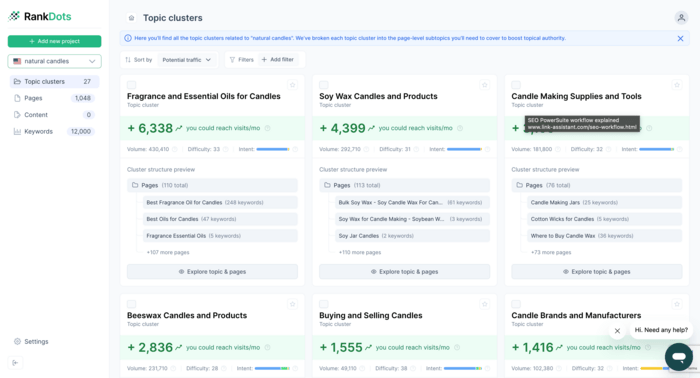
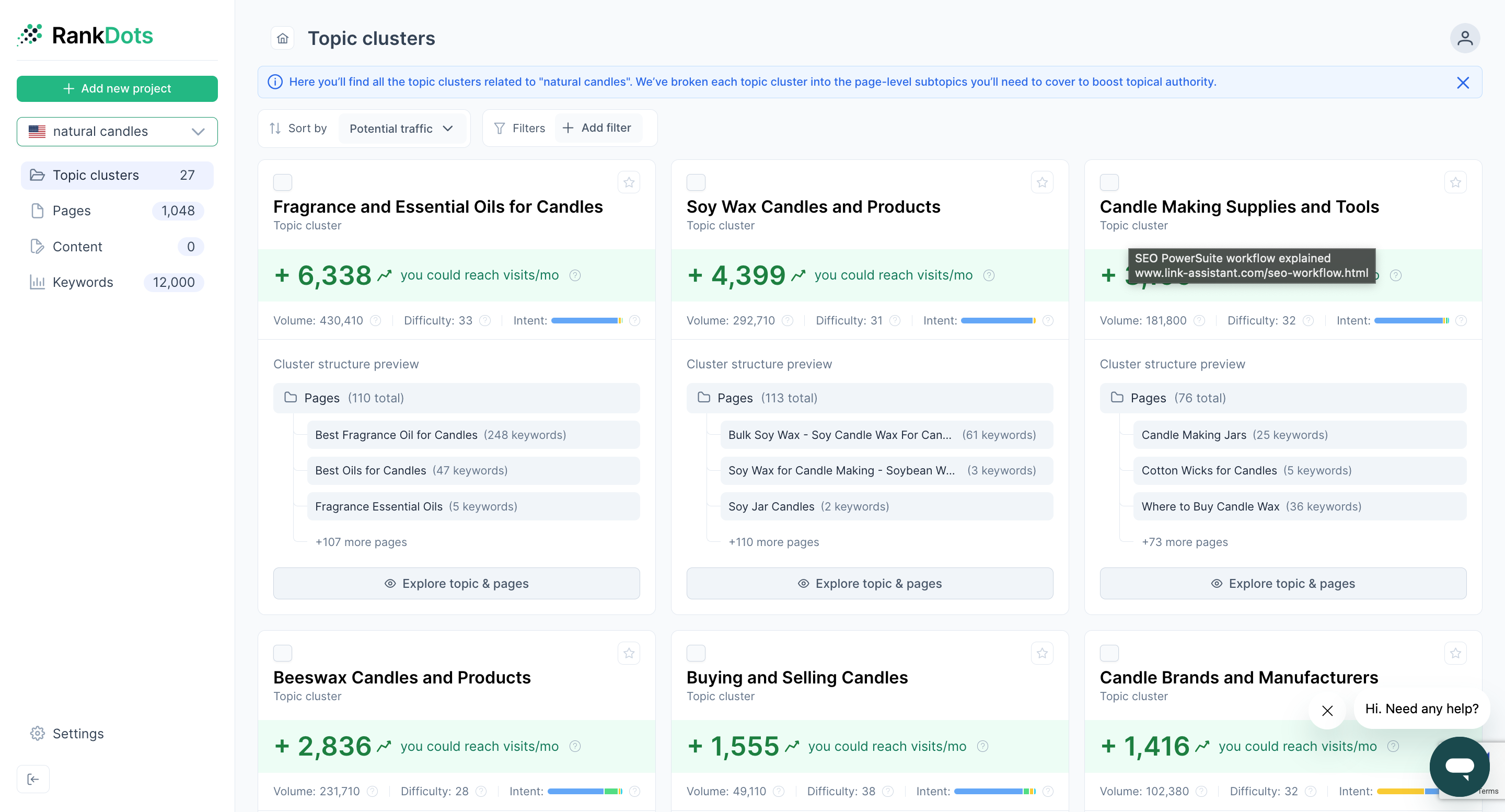
Key tools: SEO PowerSuite (Rank Tracker, SEO SpyGlass), RankDots, ChatGPT / Claude
SEO has always been competitive.
But the speed of competition has changed.
What used to take days — analyzing competitors, identifying gaps, mapping opportunities — can now be done in hours. The difference is no longer access to data. It’s how quickly you can turn that data into decisions.
AI-powered competitive intelligence is about using AI to process large amounts of competitor data, identify patterns, and surface opportunities you can act on immediately.
Most teams still look at competitors manually.
That doesn’t scale. That’s why you need something that:
In fast-moving SERPs, speed becomes an advantage.
You don’t need a complex setup to get value.
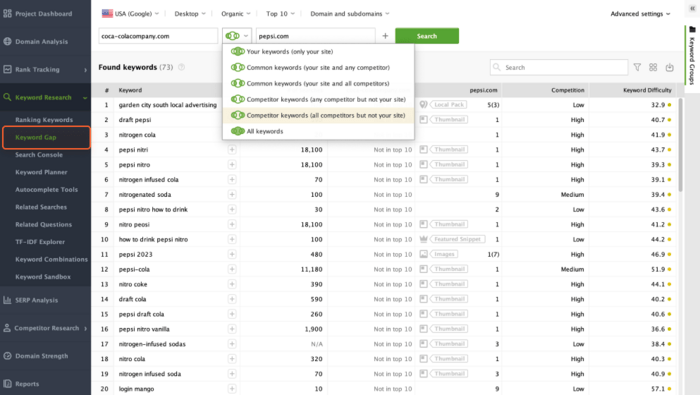
Start with one simple question: “Where are competitors winning that we’re not?”
Step 1: Collect competitor data
Use tools to gather:
Step 2: Compare against your site
Look for:
Step 3: Use AI to analyze patterns
Instead of reviewing everything manually:
Where to start in practice:
That alone creates a pipeline of actionable ideas.
As you scale, the focus shifts from snapshots to continuous tracking.
Most SEO professionals are already using AI.
That’s not the differentiator anymore.
The gap is in how it’s used.
Some teams are still treating AI like a faster way to write content or generate ideas. Others have moved further — building workflows, systems, and feedback loops that continuously improve.
That’s where the advantage is.
You don’t need to master all 13 skills at once. In fact, trying to do that usually leads nowhere. The practical path is to start with what’s already slowing you down:
Then layer from there.
Over time, these skills stop being separate. They connect into a system: research – create – measure – improve.
And once that system is in place, growth stops being unpredictable.
If you want to move from theory to implementation, start with your current workflow.
That’s it.
One improvement turns into a workflow. A few workflows turn into a system. And systems are what scale.
Everything in this guide depends on one thing: reliable data.
AI sits on top of that.
Without data, it guesses. With data, it becomes useful.
AI is not replacing SEO.
But SEO professionals who build these skills will replace those who don’t.